Joybuy mini PCs to compare
The Joybuy mini PCs below show a range of stated configurations. Check each model against your editing software, source files and planned workflow.
 No image available
SOYO Y5Pro mini PC, Intel Core i5 8250U/8350U
Could be a starting point for a Windows editing workstation if your editing software supports Windows. Check the exact specification against your projects.
The product title lists 8 GB DDR4, a 256 GB SATA SSD and Windows 11. The processor is listed as either an 8250U or 8350U, so check which version is on offer.
View at Joybuy
 No image available
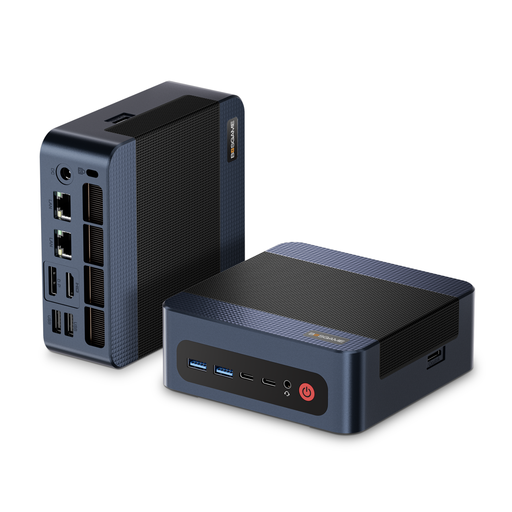
BOSGAME M4 Plus mini PC, AMD Ryzen 9 7940HS
If you’re comparing a Windows mini PC with a stated RAM and SSD specification, also check the requirements of your software and footage.
The title lists Windows 11 Pro, 32 GB DDR5 and a 1 TB PCIe 4.0 SSD. The model is also described as allowing a second PCIe SSD to be installed; this does not mean an additional drive is included.
View at Joybuy
 No image available
MaxMini B3 mini PC, Intel N4100
Consider this model only after checking its stated specification against your editing software and source files.
The product title lists 8 GB LPDDR4 and a 256 GB SSD. The product description mentions two M.2 slots for storage expansion; this does not mean additional drives are installed.
View at Joybuy
 No image available
BMAX B6 mini PC, Intel Core i3-8109U
Check the stated components against your editing software’s requirements rather than assuming the product category alone makes it suitable for your project.
The product title lists 12 GB RAM and a 256 GB SSD. The product description mentions two M.2 slots; this does not mean additional drives are installed.
View at Joybuy
 No image available
BMAX B7A Plus mini PC, AMD Ryzen 5 6600H
Before choosing, check that the exact stated specification suits your software, recording format and project size.
The product title lists 12 GB LPDDR5 and a 512 GB NVMe SSD. The product description mentions two M.2 slots for additional NVMe drives; keep this separate from the actual installed specification.
View at Joybuy
Frequently asked questions
Does every team member need their own user account?
Separate accounts can keep personal files and working environments apart on a shared Windows PC. Microsoft describes separate user accounts as a way to do this; it does not mean there is a general legal requirement to have them.
Can a proxy workflow help a less powerful mini PC?
Yes, provided your editing software supports the workflow. Premiere creates low-resolution working copies and can use the original files again for the final export. Adobe does not claim that this guarantees smooth previews for every combination of clips and effects.
Is a second internal SSD enough for a backup?
A second internal SSD is no substitute for a separate backup. Germany’s Federal Office for Information Security recommends backing up important data regularly so it can be restored, for example, after a hardware failure or accidental deletion.
What happens if there’s a fault when a team buys in Germany?
For consumer purchases, the European Commission states that sellers in the EU are generally liable for non-conformity for two years under the statutory guarantee. Whether a team is buying as a consumer or for business purposes is key to how the purchase is classified. This is separate from a voluntary manufacturer’s warranty.
What compliance information should we check for a mini PC?
Germany’s Federal Network Agency lists CE marking, product identification and manufacturer details among the points checked during market surveillance. A CE mark does not show that a mini PC is suitable for video editing.


