If you plan to run several virtual machines at the same time, start by adding together the memory requirements of the host and all guests. Then check that the processor, hypervisor and exact device configuration are up to the job. An upgradeable x86 mini PC gives you flexibility for different VM workloads. With Windows Hyper-V, you’ll also need the right edition of Windows and hardware virtualisation enabled. Linux guests on a Mac with an Apple chip require an ARM-compatible installation image. Proxmox Server Solutions GmbH, Microsoft Learn and Apple Developer Documentation outline these respective requirements.
Who is a mini PC as a VM host suitable for?
Running several VMs at once
If you want to run several virtual machines in parallel, you’ll need to plan for the host’s memory and the requirements of all the guests together. Proxmox Server Solutions GmbH specifies at least 2 GB for the operating system and Proxmox services, in addition to the memory required by the guests.
Windows workstation with test VMs
If you use the same mini PC for everyday tasks and virtual test systems, be sure to account for both the host and guest systems when planning memory. Microsoft Learn specifies the Professional or Enterprise editions for Hyper-V on Windows 10 or 11.
Compact homelab
For a dedicated VM host, consider not only RAM and SSD storage but also the network connections you need and the space required for the computer, power supply and cables. Check the expansion options and connection types against your planned setup. Proxmox Server Solutions GmbH notes that additional network capacity may be required, depending on the storage technology and cluster configuration.
What should you look for when choosing one?
Dedicated x86 host
A good fit if: you want to run several guests or a homelab independently of your everyday desktop.
Trade-off: The computer is dedicated to this task. RAM, SSD and network expansion options vary by model and configuration.
Windows PC with Hyper-V
A good fit if: you want the same compact computer to serve as both a Windows workstation and a VM host, with enough resources for the host and its guests.
Trade-off: Windows Home does not meet Microsoft’s documented edition requirement for Hyper-V. Your desktop environment will also use some of the available resources.
Mac with an Apple chip
A good fit if: macOS is part of your workflow and the guests you need are compatible with the available architecture.
Trade-off: For Linux VMs using Apple’s Virtualization framework, you’ll need an ARM-compatible installation image, not an x86_64 ISO.
First, decide on your hypervisor, host system and guest operating systems. You can then compare RAM, SSD storage, space requirements and connections against your actual setup.
| Requirement |
What to check before buying |
Who should consider this? |
| RAM for simultaneous guests |
Add the host and guest requirements together in GB; check the installed RAM and upgrade options for the exact configuration separately. Proxmox Server Solutions GmbH specifies at least 2 GB for the operating system and services, in addition to the memory required by guests. |
If I’m running several guests in parallel, I want to make sure the host has enough memory too. Around 31% of consumers put available RAM first. |
| CPU virtualisation and host system |
Before choosing a model, check that the hypervisor, operating system edition and required virtualisation features are compatible. For Hyper-V, Microsoft Learn specifies Windows 10/11 Professional or Enterprise, SLAT and hardware virtualisation enabled. |
If my guests depend on specific host features or an architecture, I want to rule out compatibility issues before buying. Around 25% of consumers prioritise compatibility with their hypervisor and guests. |
| SSD space and expansion |
Allow space for guest images and backups; check for free slots and the specification of the configuration you’re choosing. |
If I want to keep several VM files and backups on the device, I need enough storage and an expansion option that suits the configuration. Around 19% of consumers put available VM storage first. |
| Desk space and operation |
Allow for the case, power supply, cables and airflow in the space you’ve chosen. Only compare test measurements for configurations that are genuinely comparable. |
If desk space is limited, I want room for the power supply and cables while keeping the ventilation clear. Around 13% of consumers prioritise footprint and operating conditions. |
| Homelab networking |
Only if you need separate networks, fast storage or a cluster, check the connection type and number of ports against your switch and cables. |
If my homelab needs specific physical network connections, I want to check that the device will work with the rest of my network equipment. Around 12% of consumers put network connections for their homelab first. |
Common planning mistakes
-
Confusing maximum RAM with the RAM included
A stated maximum capacity doesn’t necessarily tell you how much memory is included when you buy the device. For the GEEKOM A9 Max, the manufacturer states support for up to 128 GB RAM; the listed configurations come with 32 GB.
Check the installed memory, upgrade options and requirements of all guests running at the same time separately for the exact product listing.
You may need to choose and install additional memory modules separately.
-
Assuming a barebone is ready to use as a PC
The GMKtec NucBox K8 Plus is also listed as a barebone, without RAM, an SSD or an operating system. This configuration is therefore not equivalent to a fully equipped Windows PC.
Check what’s included in the configuration you’ve selected and allow for any missing components and the operating system setup.
With this barebone configuration, RAM, an SSD and any required operating system must be chosen and set up separately.
-
Assuming a compact size means universal guest compatibility
The host system and guest architecture have their limits. Linux VMs using Apple’s Virtualization framework on Apple silicon require an ARM-compatible ISO. Hyper-V has its own edition and hardware requirements.
Before choosing a device, decide which guest operating systems and hypervisor you need, then check them against the specifications of the exact configuration.
-
Mistaking an old test ranking for a current offer
On 4 July 2026, NETZWELT ranked the GEEKOM A6 fifth in its mini PC test overview. On 3 November 2026, GEEKOM listed the A6 as sold out on its German website. A test ranking does not confirm current availability or that the configuration is identical.
Before buying, check the exact configuration, availability and product details in the specific listing.
Key brands to consider
GEEKOM
The A9 Max and IT13 2026 ranges are worth considering if you’re checking RAM and storage expansion or multiple LAN connections.
- GEEKOM states that the A9 Max supports up to 128 GB RAM and has two M.2 slots. Listed configurations are specified with 32 GB RAM and either a 2-TB or 4-TB SSD.
- GEEKOM states that the IT13 2026 has non-soldered RAM, upgradeable to 64 GB. The manufacturer’s claims about cooling and continuous operation are not the same as an independent, long-term VM test.
ASUS
ExpertCenter PN54 and NUC models are options for compact workstations. With NUCs, check whether you’re buying a kit or a fully equipped PC.
- ASUS lists two 2.5-Gbit LAN ports for the ExpertCenter PN54.
- NUC 14 Pro kits may not include an operating system or storage. Don’t assume a kit has the same specification as a complete PC.
Lenovo
The ThinkCentre M75q Gen 5 Tiny is a compact business PC whose exact configuration can be checked for use as a VM workstation.
- Lenovo describes tool-free access to the SSD and memory modules.
- The German configuration 12RQ003QEZ is listed with 16 GB RAM and a 512 GB SSD. Whether that’s enough RAM for the guests you plan to run simultaneously depends on your specific requirements.
HP
The Elite Mini 800 G9 is an option for a compact Windows Pro workstation, with a specific business configuration available.
- HP lists the CP9H2EA#ABD configuration with a Core i7-14700T and Windows 11 Pro.
- The listed specification includes 16 GB RAM and a 512 GB SSD. General performance and security claims from the manufacturer don’t replace checking the RAM requirements for multiple guests.
GMKtec
The NucBox K8 Plus is worth considering if you want to choose between a barebone and an equipped x86 configuration with multiple network connections.
- GMKtec lists two M.2 slots and two 2.5-Gbit RJ45 ports.
- The stated maximum RAM capacity varies between sources. Don’t treat it as a confirmed upgrade limit; check the exact configuration before upgrading.
MINISFORUM
The MS-01 is a specialist homelab option if you genuinely need SFP+, multiple network connections or additional drive options.
- MINISFORUM lists two 10-Gbit SFP+ ports and two 2.5-Gbit RJ45 ports.
- For a basic VM workstation on a small desk, these extra connections are only useful if your network setup needs them. The options shown on the international product page don’t confirm the exact configuration available for delivery in Germany.
Joybuy products for VM workstations
This selection includes compact mini PCs with stated processor, RAM and SSD configurations for VM workstations. Before buying, check that the specification suits the number of guests you plan to run at the same time and your host system.
 No image available
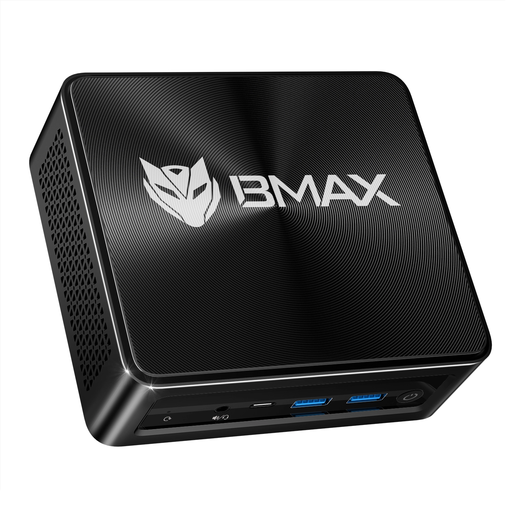
BMAX B8 A Pro – Ryzen 7 8745HS, 16 GB RAM, 512 GB SSD
The listed 16 GB RAM gives you a starting point for a compact VM workstation. Add together the memory requirements of the host and guests running at the same time.
The product title lists an AMD Ryzen 7 8745HS, AMD Radeon 780M Graphics, 16 GB RAM, a 512 GB SSD and Windows 11.
Joybuy
 No image available
BMAX B6 Pro – Intel Core i5-1030NG7, 16 GB RAM, 512 GB NVMe SSD
If you’re considering a Windows mini PC for a VM workstation, check that the specific host and hypervisor are compatible with your requirements.
The product title lists an Intel Core i5-1030NG7, 16 GB LPDDR4, a 512 GB NVMe SSD and Windows 11. It also mentions triple 4K display output.
Joybuy
 No image available
ACEMAGIC AK1PLUS – Intel Celeron N5095, 16 GB RAM, 256 GB SSD
This configuration is worth considering for a compact VM workstation. Account for the host’s requirements before planning to run several guests at the same time.
The product title lists an Intel Celeron N5095 (4C/4T), 16 GB LPDDR4X, a 256 GB M.2 2280 SATA SSD and Windows 11 Pro.
Joybuy
 No image available
BMAX B7A Plus – Ryzen 5 6600H, 12 GB RAM, 512 GB NVMe SSD
Before choosing this mini PC as a VM host, check whether the listed 12 GB RAM is enough for the host and all the guests you plan to run at the same time.
The product title lists an AMD Ryzen 5 6600H, 12 GB LPDDR5 and a 512 GB NVMe SSD.
Joybuy
 No image available
FIREBAT – Ryzen 7 7735HS, 16 GB RAM, 512 GB SSD
If you’re considering a compact VM host with a stated SSD capacity, plan storage for the guests and host together.
The product title lists an AMD Ryzen 7 7735HS, Radeon 680M, 16 GB RAM, a 512 GB SSD and two M.2 slots.
Joybuy
Frequently asked questions
How should I plan RAM for several VMs running at the same time?
Add together the memory requirements of the host and all guests running at the same time. Proxmox Server Solutions GmbH specifies at least 2 GB for the operating system and services, in addition to the memory required by guests. This isn’t a blanket recommendation for a particular number of VMs.
Is Windows 11 Home enough for Hyper-V?
No. Microsoft Learn’s documented edition requirements for Hyper-V specify Windows 11 Professional or Enterprise. Microsoft also specifies SLAT and hardware virtualisation enabled in the BIOS or UEFI.
Can I use an existing x86_64 Linux image unchanged on a Mac with an Apple chip?
Not as the Linux installation ISO for Apple’s Virtualization framework on Apple silicon. Apple requires an ISO compatible with the ARM architecture. This doesn’t make a blanket judgement about other virtualisation or translation solutions.
What should I consider when using a mini PC on a small desk?
Compare the dimensions of the exact configuration with the space available, and allow for the power supply, cables and clear airflow. Noise and power consumption test results can’t necessarily be applied to another configuration or your VM workload.
What CE information should I check for a mini PC in Germany?
The Federal Network Agency states that products covered by relevant EU harmonisation legislation and placed on the EU market must carry CE marking. This doesn’t confirm that a specific listing is compliant, so check the information for the exact configuration before buying.


