What should you look for when buying?
First decide which tools you’ll be running at the same time. Then compare the exact configuration with your space requirements, what’s included and how you want to set it up.
| What matters |
What to check before buying |
Who is this important to? |
| Running tools simultaneously |
Check the installed RAM and SSD, as well as any available slots, and compare these specifications with the software you actually use. |
If I use a browser, editor and local services at the same time, I want the specifications to suit my workflow. Around 33% of consumers prioritise running development tools simultaneously. |
| Available desk space |
Measure the space available and check the device dimensions, monitor connections and, where relevant, VESA mounting options. |
If desk space is limited, I want to position my computer neatly without relying on incompatible mounts or connections. Around 25% of consumers prioritise free desk space and suitable connections. |
| Total cost |
For the exact model number, compare the RAM, SSD, operating system and any peripherals you’ll need to buy separately. |
If I don’t want to source extra components, I want to know exactly what’s included before buying. Around 25% of consumers prioritise keeping total costs manageable. |
| Easy setup |
Decide whether you’ll be editing files or developing locally in WordPress, for example, then check that the operating system and software environment are suitable. |
If I want to get started with my website work as quickly as possible, I want to choose a suitable operating system and device configuration. Around 17% of consumers prioritise a straightforward setup. |
Joybuy products for website work
The following Joybuy models are compact devices for local website work, ranging from space-saving options to configurations with clearly specified memory and storage.
 No image available
HP Z2 Mini G1a Ryzen AI Max+ Pro 395
The clearly stated memory and storage specifications may be useful for local work with multiple tools and files.
128 GB RAM and a 2 TB SSD; Windows 11 Pro and 2.5-Gbit LAN are also listed. Case dimensions: 200 × 85.5 × 168 mm.
View at Joybuy
 No image available
SOYO S5Air Mini PC Ryzen 5 7535HS
The listed specifications give you a useful point of comparison if you want a compact case for local website work.
16 GB LPDDR5, a 512 GB NVMe SSD and Windows 11 Pro. The case measures 128 × 128 × 47.6 mm.
View at Joybuy
 No image available
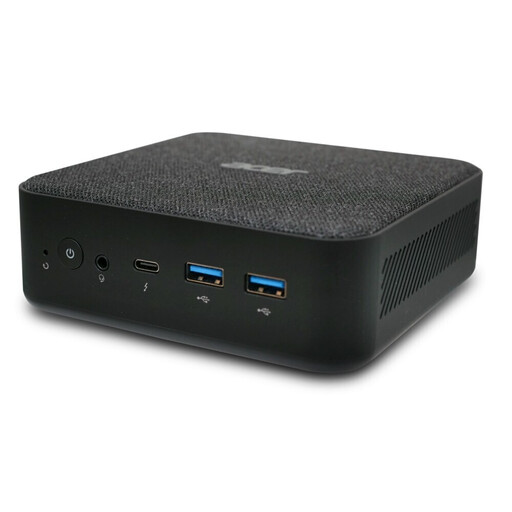
Acer Revo RB102 Core Ultra 5 125U
This configuration is worth considering if you want to compare clearly stated specifications for browsing, editing and local website work.
16 GB RAM, a 512 GB SSD and Windows 11 Pro; model number DT.BMCEG.002.
View at Joybuy
 No image available
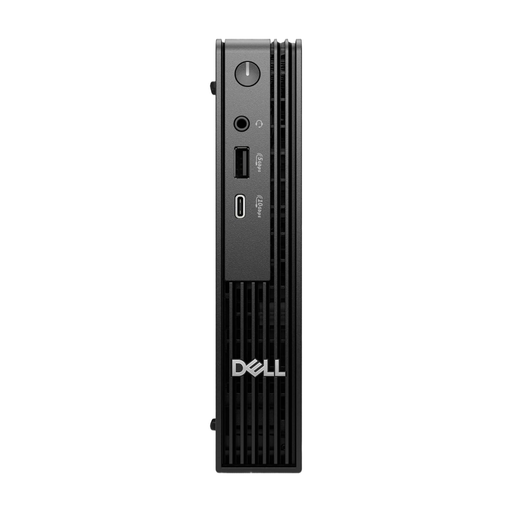
Dell Pro Micro QCM1250 MJ5TK TPM
Its compact design may suit a small workspace, provided the connections and cables you need are compatible.
Intel Core i7-14700T, 16 GB DDR5, a 512 GB NVMe SSD and Windows 11 Pro. The description says it can be placed behind a monitor or under a desk.
View at Joybuy
 No image available
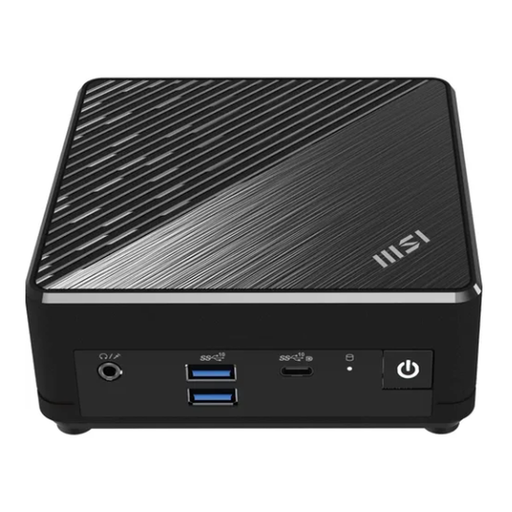
MSI Cubi N ADL S-217DE N200
This compact model may suit basic local editing and previews, provided its limited memory is enough for the tools you’ll be using at the same time.
8 GB RAM, a 256 GB SSD and Windows 11 Pro; case dimensions: 54 × 124 × 124 mm. VESA compatibility is listed. Make sure the air vents described remain unobstructed.
View at Joybuy
Frequently asked questions
Does the mini PC need to host my finished WordPress website publicly?
No. You can use a mini PC for development and local testing; hosting a published website is a separate decision. WordPress.org recommends PHP 8.3 or later, MariaDB 10.11 or later or MySQL 8.0 or later, and HTTPS for a host. This recommendation is not a general hardware requirement for every mini PC.
What should I check before mounting it behind my monitor?
Check your monitor’s mounting options, whether you have a compatible mount, and whether there’s room for the power and display cables. MSI lists VESA 100 × 100 mm for the Cubi N ADL family; that doesn’t mean every monitor has a compatible mount.
Does a mini PC kit include RAM, an SSD and Windows?
Not necessarily. ASUS lists both fully configured mini PCs and NUC 14 Pro kits that don’t include memory or a pre-installed operating system. Before buying, compare the full model number and check what’s included.
What rights do I have when buying a mini PC online as a private consumer in Germany?
With a distance contract involving a consumer, you generally have the right to cancel; the period is usually 14 days from receipt of the goods. If there’s a fault, your statutory rights against the seller are separate from any voluntary manufacturer’s warranty. The Verbraucherzentrale explains that retailers are generally responsible for two years; the specific contract and any legal exceptions should also be taken into account.
Is the CE marking an independent quality mark for a mini PC?
No. As the European Commission explains, the CE marking indicates that the manufacturer declares the product meets the relevant legal requirements; it is not an independent assessment of performance. Check the marking and product documentation for the specific device.


