Website testers juggling several tasks
If you regularly switch between browsers, developer tools and test environments, check the memory actually included. For example, ASUS distinguishes between the complete NUC 14 Pro and the kit version.


Choose a mini PC based first on the operating systems and browsers your test plan requires you to run locally. For Safari on macOS, consider a Mac mini; for local Windows testing, choose a suitably configured Windows mini PC. One computer won’t automatically cover every device and platform, so check the exact memory configuration, monitor ports and what’s included in the box. MDN describes cross-browser testing as testing across different browsers and devices.
If you regularly switch between browsers, developer tools and test environments, check the memory actually included. For example, ASUS distinguishes between the complete NUC 14 Pro and the kit version.
A Mac mini may be suitable for local Safari testing on macOS. Apple documents Safari developer tools for inspection and troubleshooting; you’ll need to plan separately for any other target platforms.
If several people use the same computer, the right monitor ports and separate logins matter. Germany’s Federal Office for Information Security explains the use of separate user accounts; Microsoft also documents automatic profile management for Windows Shared PC.
First, decide which browsers and operating systems you need to run locally. Then compare the exact configuration and check that the ports and user accounts suit a shared desk.
The percentages below show which consideration is the main priority for consumers choosing a mini PC for this type of workspace.
| Priority | What to check before buying | Who this matters most to |
|---|---|---|
| Running tests in parallel | Check the memory, SSD and pre-installed operating system included with the exact version. | If I want to use several browsers and developer tools at the same time, I need a clearly specified, fully configured model. Around 33% of consumers put parallel testing first. |
| Browsers and operating systems | Identify the platforms you need to test locally; plan additional test environments for other devices or platforms. | If I need to test Safari locally on macOS, I should plan for that platform specifically and add other tests as needed. Around 27% of consumers prioritise the browser and platform coverage they need. |
| Ports and desk space | Check that the video and USB ports match the monitors and peripherals at your desk. | If I need to connect existing monitors and shared devices, the ports on the exact version must be suitable. Around 20% of consumers prioritise ports and desk space. |
| Separate use by the team | Set up user accounts and permissions; if using Windows Shared PC, check the profile management rules. | If several people need to keep their test accounts and data separate, agree how accounts will be managed before setting everything up. Around 20% of consumers focus on separate access and ongoing management. |
These percentages are rough indications of the priorities listed, not measured market shares. Germany’s Federal Office for Information Security explains user accounts, while Microsoft describes how Windows Shared PC automatically deletes profiles—a feature to bear in mind when deciding how to retain test data.
Alongside complete systems, ASUS also offers NUC 14 Pro kits that don’t include memory or a storage drive.
Compare what’s included with the exact version and check before buying which components and operating system you’ll still need.
Depending on the kit, you may also need to buy and install memory, an SSD and an operating system.
MDN describes cross-browser testing across different browsers and devices. A mini PC therefore won’t automatically replace testing on other platforms.
Decide which browsers and devices you need to test, then plan to use the mini PC as one of your workstations, alongside any other required devices or test environments.
Additional devices or test environments need to be set up and maintained separately.
Without separate accounts, logins and permissions can get mixed up when several people use the computer. Windows Shared PC may also delete profiles automatically.
Set up user accounts and agree who is responsible for them. Before you start, check how your chosen profile management settings will handle test data.
The Mac mini is a compact macOS workstation to consider if Safari is one of the browsers you need to test locally.
NUC mini PCs for buyers choosing between a fully configured computer and a kit.
The Pro Mini 400 G9 is an example of a configured business mini PC for a dedicated Windows workstation.
The Pro Micro is worth considering for teams looking for a compact, configurable business PC.
The Revo RB102 is another mini PC to consider.
The devices below cover Windows and macOS workstations, as well as a device running NVIDIA DGX OS. Choose according to the test platform you need to run locally, and check that each device’s specifications suit your monitors and tools.
 No image available
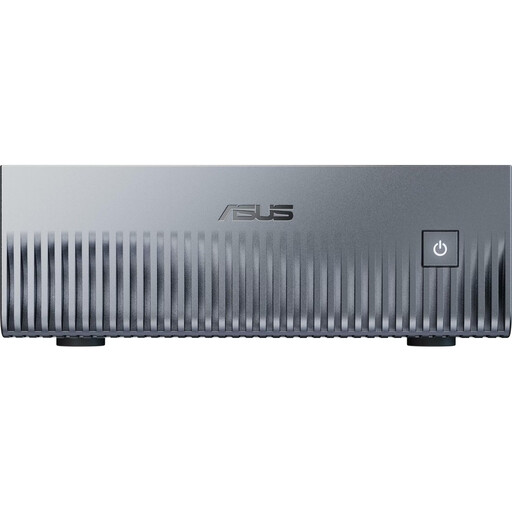
May be suitable if Windows is your local test platform and you need to connect several monitors.
Intel Core i5 8250U/8350U; Windows 11; 8 GB DDR4; 256 GB SATA SSD; two HDMI outputs, Type-C and four USB ports; BT5.2; Wi-Fi 5.
 No image available
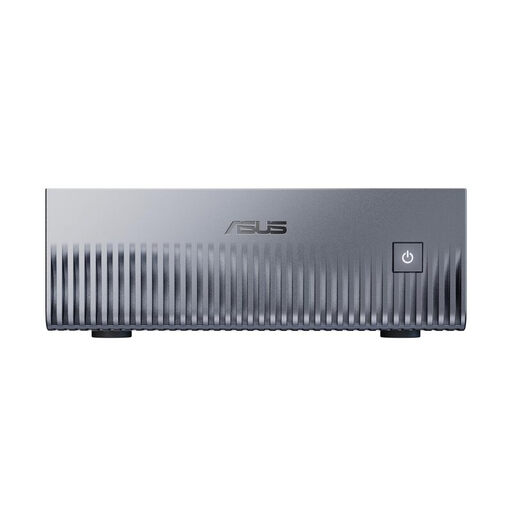
Consider this device if NVIDIA DGX OS suits the local test environment you have in mind.
NVIDIA Grace Blackwell GB10; 128 GB Unified Memory; 1 TB SSD; NVIDIA DGX OS; HDMI, 10GbE and four USB-C ports.
 No image available
Consider this device if NVIDIA DGX OS suits the local test environment you have in mind.
NVIDIA Grace Blackwell GB10; 128 GB Unified Memory; 2 TB SSD; NVIDIA DGX OS; HDMI, 10GbE and four USB-C ports.
 No image available
May be suitable if you use Windows locally and the listed ports match your existing monitors.
Windows 11 Professional; 128 GB DDR5 memory; 2 TB SSD; USB-C and two Mini DisplayPort outputs.
 No image available
May be suitable if you need to test Safari locally on macOS. Apple documents Safari developer tools for inspection and testing.
Apple M6 with 12-core CPU and 12-core GPU; 16 GB Unified Memory; 256 GB SSD; Thunderbolt 4; HDMI; 2.5GbE; Wi-Fi 7; Bluetooth 6; macOS.
You’ll need an additional platform for local Windows testing.
Not simply because it’s a mini PC. Identify the browsers and devices you need to test, then add other test environments for platforms the chosen computer doesn’t cover.
Set up separate user accounts and keep administrator rights separate from day-to-day use. If you use Windows Shared PC, check how automatic profile management works and what it means for your test data.
It depends on the exact version. ASUS offers NUC 14 Pro kits without supplied memory, a storage drive or a pre-installed operating system, so check what you’ll still need to buy and set up.
No. Germany’s Federal Environment Agency lists separate, generally free municipal collection points for old electrical equipment. In-store take-back options depend on the applicable legal requirements.