
Lieferung heute & morgen

Qualitätsgarantie

Willkommens-Angebote freischalten: KOSTENLOSE Lieferung | Bis zu 80 % RABATT | Kostenlose 30-Tage-JoyPlus-Testphase
App herunterladen
A huge picture, flexible enough for any room, and all without the large footprint of a giant TV—it's easy to see the appeal of a compact home cinema projector. A mini projector offers a practical solution, especially in urban apartments or for impromptu movie nights in the garden. But the market can be overwhelming, and technical specifications like ANSI lumens, resolution, and connectivity can be confusing.
As a Joybuy Product Recommendation Officer, my job is to filter market information and provide you with objective, practical guidance. This article will help you understand the key features of a modern projector and make an informed decision that fits your needs.
To find the right device, it helps to understand a few technical basics. The following three points are crucial for most use cases.
Image quality primarily depends on two values: brightness, measured in ANSI lumens, and native resolution.
A modern mini projector is more than just a display device. Integrated operating systems and wireless connections significantly enhance the user experience.
The compact design is the main advantage of a mini projector. Additional features can further simplify setup and use.
Based on the criteria above, we have compiled a selection of models that cover different needs and budgets.
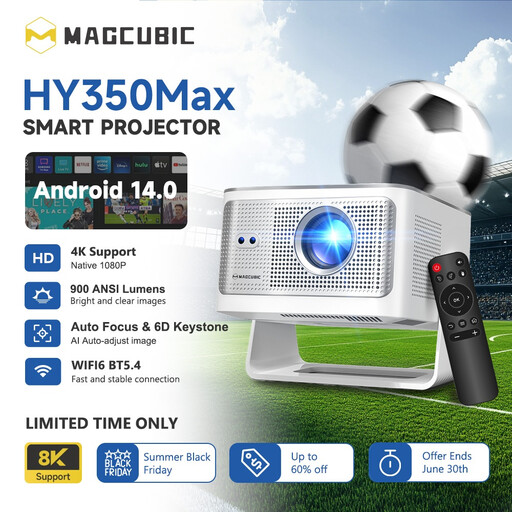
Why It Stands Out: The Magcubic HY350Max positions itself as a high-performance all-rounder. With 900 ANSI lumens, it delivers a brightness that is impressive even in rooms that aren't completely dark. The combination of native 1080P Full HD resolution, the latest Android 14 operating system, and the fast Allwinner H726 chip ensures smooth and sharp playback.
Pros:
Who It's For: For users looking for a powerful and straightforward home cinema solution to replace a fixed TV or for high-end movie nights in the living room.
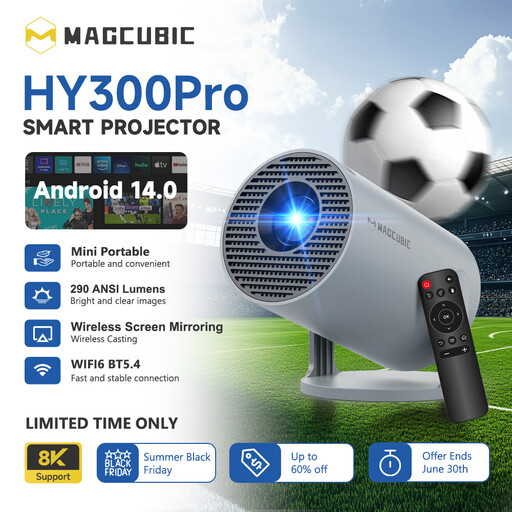
Why It Stands Out: The HY300Pro is designed for maximum portability and excellent value for money. Despite its compact size, it offers modern smart features like Android 14, WiFi 6, and automatic keystone correction. The 180-degree rotating stand makes it extremely flexible in its placement.
Pros:
Who It's For: For budget-conscious buyers looking for a highly portable projector for the bedroom, kids' room, or for occasional outdoor movie nights, without sacrificing smart streaming features.
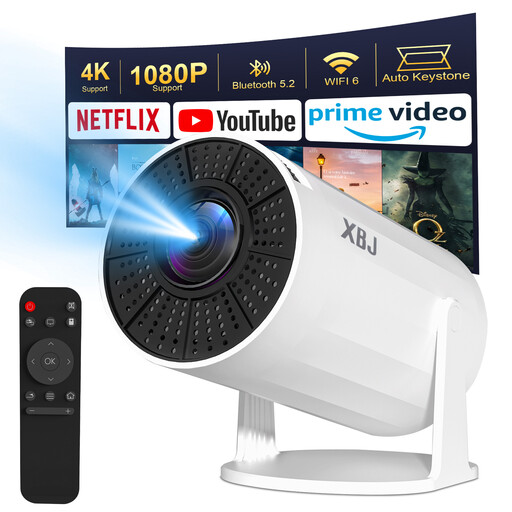
Why It Stands Out: This model, an evolution of the HY300 platform, combines portability with a very flexible design. The 180-degree rotating stand allows you to effortlessly position the image at any angle. With Android 11, WiFi 6, and automatic keystone correction, it provides a solid foundation for streaming and entertainment.
Pros:
Who It's For: For users who want maximum flexibility in setup, such as for watching movies on the ceiling while lying in bed. It's a cost-effective all-in-one solution for various rooms.
A portable projector is ideal for movie nights in the garden or on the balcony. To complete your setup and ensure your equipment is placed safely and securely, a suitable surface is essential. Discover our selection of portable outdoor tables, which are perfect for this purpose.
1. What are ANSI lumens and how many do I need? ANSI lumens are a standardized unit of measurement for a projector's brightness. Unlike general "lumen" ratings, which can often be misleading, ANSI lumens measure brightness under controlled conditions. For a dark room, 200-300 ANSI lumens are often sufficient. For rooms with some ambient light or for outdoor use after sunset, 500 ANSI lumens or more are recommended.
2. Can I watch Netflix or YouTube with a mini projector? Yes, if you choose a smart projector with an integrated operating system like Android. These devices allow you to install streaming apps directly from an app store, so you don't need an external player. Note that for some apps, due to copyright restrictions (HDCP), you may need a streaming stick (e.g., a Fire TV Stick) when screen mirroring from your phone.
3. How do I connect my phone to a Wi-Fi projector? The connection is typically made via a screen mirroring function. Ensure that both the projector and your smartphone are connected to the same Wi-Fi network. Then, activate the corresponding function on the projector (often "Miracast" for Android or a special app like "Airpin" for iOS) and select the projector from your phone's screen casting menu.