
Lieferung heute & morgen

Qualitätsgarantie

Willkommens-Angebote freischalten: KOSTENLOSE Lieferung | Bis zu 80 % RABATT | Kostenlose 30-Tage-JoyPlus-Testphase
App herunterladen
A mini projector promises big things: spontaneous movie nights in the bedroom, projecting your favourite series onto the garden fence, or giving a presentation without bulky equipment. But the market is flooded with devices making grandiose promises that often disappoint in practice. Before you invest, it's crucial to know the typical pitfalls that can quickly turn a home cinema dream into tech frustration.
As your Joybuy Product Recommendation Officer, I'm here to help you navigate the marketing jungle. We'll focus on the facts that truly matter and ignore exaggerated advertising slogans.
The 3 Most Common Pitfalls When Buying a Mini Projector:
To avoid a bad purchase, you should concentrate on three core technical features. These determine whether a device is worth its price.
Ignore non-specific "Lumen" or "Lux" ratings. The only reliable metric is ANSI Lumens. This value, measured according to a standardised procedure, indicates the actual, perceptible brightness of the image.
Many budget-friendly projectors advertise "4K Projector Support" but have a very low native resolution. This means they can process a 4K signal but scale it down to a much lower pixel count, resulting in a blurry image.
Always pay attention to the native resolution:
A modern mini projector should be an all-in-one device. Therefore, check the following points:
Here are some recommendations tailored to different user profiles that meet the criteria mentioned above.
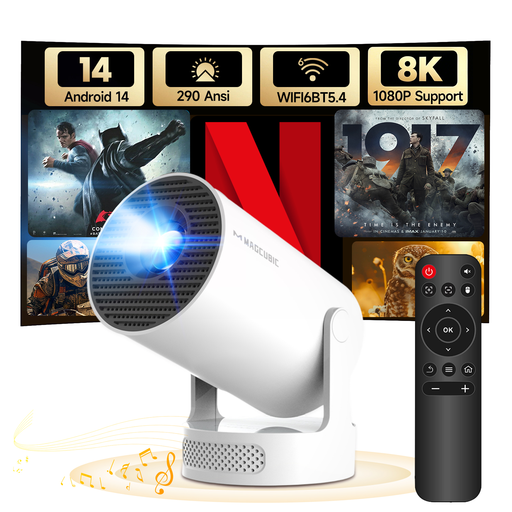
Why this model is a great fit: Ideal for users seeking maximum flexibility for spontaneous movie nights. Its low weight and 180° rotating stand allow projection on almost any surface—even the ceiling. Thanks to modern Android 14 and Wi-Fi 6, streaming is ready to go right out of the box without additional devices.
The manufacturer provides an honest brightness rating of 290 ANSI Lumens. The operating system is up-to-date with Android 14, avoiding the outdated software trap.
The combination of Wi-Fi 6, a current OS, and the unique 180° stand offers a high degree of flexibility and future-proofing in this price range.
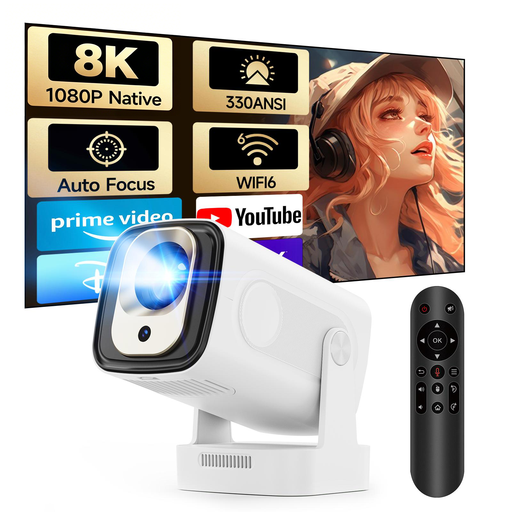
Why this model is a great fit: For anyone who values a sharper image and maximum ease of use. The native 1080p resolution ensures a crisp home cinema experience, while autofocus and automatic keystone correction make setup a breeze. Just turn it on, and the image is sharp and straight.
This model solves the tedious setup trap with its autofocus and automatic correction. Furthermore, the 1080p native resolution is clearly stated, ensuring true Full HD sharpness.
The autofocus is the decisive convenience boost. It eliminates any need for manual focus adjustments, making the projector ideal for quickly moving between different locations.
We have compiled a complete, up-to-date list of products that fully meet these strict selection criteria and safety standards.
1. How many ANSI lumens does a mini projector really need? For a good experience in a darkened room, 200 to 300 ANSI lumens is a good benchmark. If you also want to use the projector in twilight or in rooms that are not completely dark, you should consider models with over 300 ANSI lumens. In this case, more is usually better, as long as it's an honest ANSI rating.
2. Can I use Netflix and other streaming services directly on a smart projector? Yes, if the projector has a certified and up-to-date Android operating system. Look for models with Android 11 or newer and official access to the Google Play Store. With non-certified devices, certain apps like Netflix may not play in high resolution or may not work at all.
3. What is the difference between native resolution and supported resolution? The native resolution indicates the actual number of physical pixels that make up the image. This is the crucial value for image sharpness. The supported resolution (e.g., "4K Support") only means that the projector can receive and process a signal with this high resolution. However, it then downscales it to its lower native resolution. Therefore, a projector with a native 720p resolution will never project a true 4K image.