
Lieferung heute & morgen

Qualitätsgarantie

Willkommens-Angebote freischalten: KOSTENLOSE Lieferung | Bis zu 80 % RABATT | Kostenlose 30-Tage-JoyPlus-Testphase
App herunterladen
A mini projector can transform your bedroom into a private cinema or your garden into an open-air screen. However, the selection is vast, and the technical specifications are often confusing. Many buyers invest in a device that looks promising on paper but disappoints in practice. As your Joybuy Product Recommendation Officer, I'll help you navigate the typical pitfalls and find a model that truly meets your needs.
Before we look at the important features, let's highlight the three most common reasons for a bad purchase. Knowing these will help you distinguish marketing hype from genuine performance features.
To avoid the problems mentioned above, you should check three core parameters before buying. These define the actual performance and user-friendliness of a mini projector.
Image quality depends on two factors: the native resolution and the brightness in ANSI lumens.
A modern projector with Wi-Fi and Bluetooth should support current standards to ensure a smooth experience.
For a small projector that is moved frequently, automatic adjustment features are essential.
Based on these criteria, we have identified some models that offer a suitable solution for different user profiles.
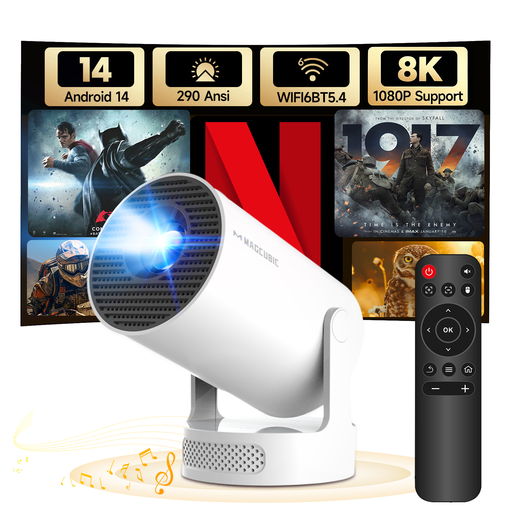
Why This Fits Their Persona: Ideal for students or for spontaneous movie nights in the bedroom. The 180° rotating stand allows for easy projection onto the ceiling without needing a tripod. The integrated Android 14 makes it an all-in-one solution.
The device specifies a clear brightness of 290 ANSI lumens, uses modern WiFi 6, and features automatic vertical keystone correction. This allows it to bypass the three most common pitfalls.
The integrated 180° rotating stand offers maximum flexibility. The current Android 14 operating system ensures future-proof use of apps.
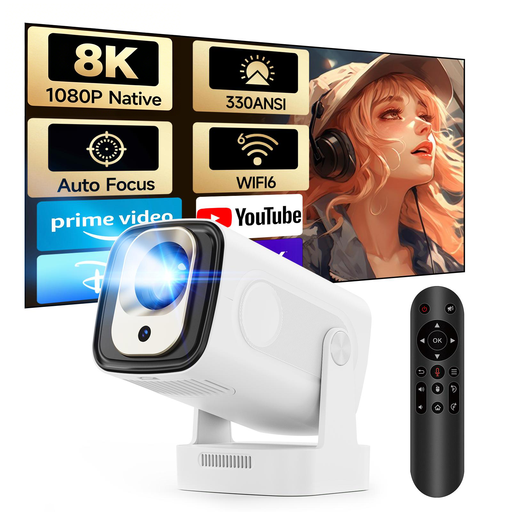
Why This Fits Their Persona: Perfect for anyone who values a quick and hassle-free setup. Ideal for regular use in the living room or for presentations where a fast, problem-free start is crucial.
This model directly addresses the frustration of manual setup with Auto-Focus and automatic vertical keystone correction. With 330 ANSI lumens and Android 11, it is technically on solid ground.
The auto-focus ensures a sharp image instantly with every movement. The Air Mouse remote with voice control significantly simplifies navigation in the smart menu.
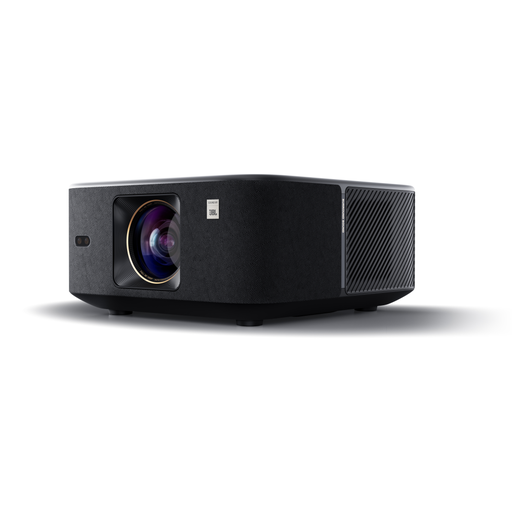
Why This Fits Their Persona: For users seeking a high-quality home theater projector experience with strong image and sound quality. Suitable for movie nights in the living room or as an outdoor projector thanks to its high brightness and powerful sound system.
With a manufacturer-stated brightness of 1000 ISO lumens and integrated 15W JBL speakers with Dolby Audio, it delivers high performance. Smart features like obstacle avoidance go beyond simple corrections.
The combination of high brightness and a JBL-engineered sound system creates an immersive experience without additional devices. The integrated Google TV provides direct access to over 7,000 apps.
Good sound is just as important for the home theater experience. We have put together a selection of audio products that are an ideal complement to your new projector.
1. How many ANSI lumens does a mini projector really need? That depends on the location. For a darkened bedroom or children's room, 200 to 400 ANSI lumens are usually sufficient for a clear picture. If you want to use the projector in daylight or in a only slightly darkened living room, you should consider models with 500 ANSI lumens or more to avoid washed-out colors.
2. Can I use Netflix directly on a smart projector? That's not always guaranteed. Only projectors with an officially licensed operating system like Google TV or Android TV natively support streaming apps like Netflix. Many cheaper models with an open-source version of Android are not licensed and cannot run these apps directly. In such cases, you will need an external streaming stick (e.g., Fire TV Stick or Chromecast). Look for product descriptions that explicitly mention "Netflix-licensed" or "Google TV".
3. What is the difference between automatic and manual keystone correction? Manual keystone correction requires you to straighten the image yourself using adjustment wheels or in the menu. This can be time-consuming every time you move the projector. Auto keystone correction uses sensors to automatically straighten the image vertically. This is especially practical for a projector for mobile use. Some more advanced models also offer 4-point correction, which allows each corner of the image to be adjusted individually, which is useful for side projection.