
Lieferung heute & morgen

Qualitätsgarantie

Willkommens-Angebote freischalten: KOSTENLOSE Lieferung | Bis zu 80 % RABATT | Kostenlose 30-Tage-JoyPlus-Testphase
App herunterladen
By the Joybuy Product Recommendation Officer, July 29, 2026
A mini projector with Wi-Fi promises a big-screen cinema experience at home, in the garden, or even on your bedroom ceiling. But the market is flooded with devices making exaggerated claims that often lead to disappointment. Before you make a decision, it's crucial to understand the common pitfalls that can quickly turn a supposed bargain into a costly mistake.
This guide focuses on the objective criteria that truly matter, helping you separate marketing hype from measurable performance.
Many offers sound too good to be true—and often are. Pay close attention to these three areas where manufacturer specs are frequently misleading:
To avoid a bad purchase, you should focus on verifiable technical specifications. These three aspects are essential for a great home cinema experience.
The native resolution indicates the number of physical pixels that make up the projected image. For a clear and detailed picture, a modern home cinema projector should offer a native resolution of at least 1280x720 pixels (720p). For more discerning users, a 1080p projector (1920x1080 pixels) is the better choice. Ignore claims like "supports 1080p/4K" and always look for the native resolution spec on the data sheet.
A portable projector is only as good as its connectivity options. Look for modern standards to ensure smooth playback:
Good mini projectors offer features that significantly simplify their use. This includes auto vertical keystone correction, which automatically straightens the image when the projector is tilted up or down. Models with an integrated, rotating stand are particularly flexible. Such a projector for ceiling projection can be easily aimed without an extra tripod, letting you enjoy movies comfortably while lying down.
Based on the objective criteria above, we have identified a few models that represent a considered choice for specific use cases.
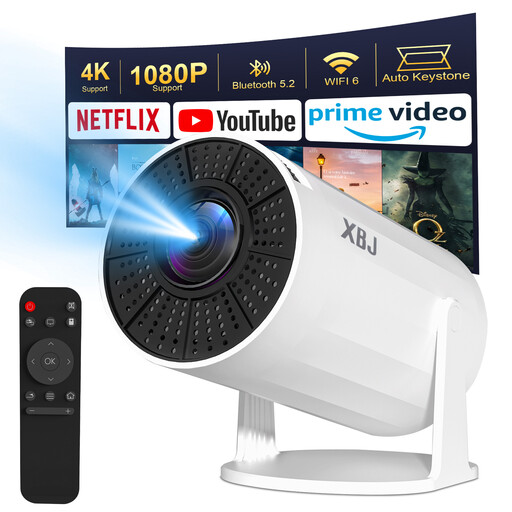
Why This Fits Their Persona: Ideal for users seeking a hassle-free, all-in-one solution. With its integrated Android 11 system and direct app access, no external streaming stick is needed. Perfect for spontaneous home cinema in the living room or bedroom.
This model specifies its brightness at 200 ANSI lumens and its native resolution as 720p. It avoids misleading marketing lumens and is transparent about 4K decoding rather than implying a false resolution.
Integrated Android 11 for direct access to streaming apps. The auto vertical keystone correction greatly simplifies setup.
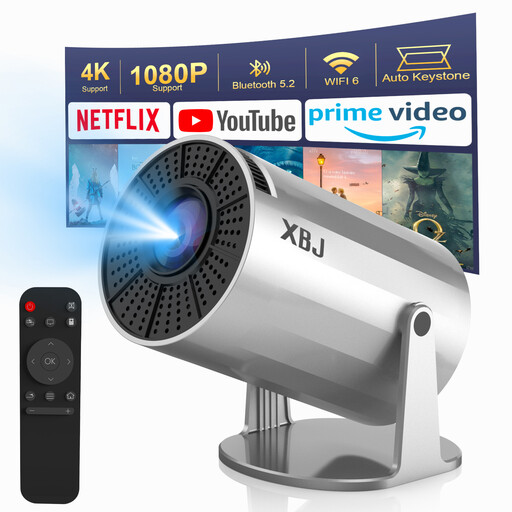
Why This Fits Their Persona: Perfect for users who want maximum flexibility. The 180° rotating stand enables effortless ceiling projection in the bedroom or flexible aiming in various locations without needing a tripod.
The up-to-date Android 11 operating system ensures its "smart" features won't become obsolete quickly. It provides a future-proof platform for popular streaming applications.
The integrated, rotating stand offers outstanding flexibility. The combination of WiFi 6 and Bluetooth 5.2 ensures stable connections for streaming and audio output.
If you'd like to compare more models selected based on objective technical criteria, you can find a broader selection in our main category.
For use in darkened rooms, 150 to 300 ANSI lumens are generally sufficient for good image quality on a screen size up to 100 inches. For an outdoor projector or for use in rooms with some ambient light, models with 400 ANSI lumens or more are recommended. Don't be fooled by specs that don't include the "ANSI" designation.
It depends on the device. Many budget projectors with Android are not officially licensed by services like Netflix. Due to HDCP copy protection, the app might install, but playback will be blocked. Some models work around this by using alternative app stores, but stable functionality is not guaranteed. A reliable solution is often to use an external, certified device like an Amazon Fire TV Stick or Google Chromecast, connected via the HDMI port.
The native resolution is the actual, physical number of pixels on the projector's chip. This is the most important value for image sharpness. The supported resolution only indicates what signal format the projector can process (decode). A projector that "supports" 4K but only has a native resolution of 720p will receive the 4K signal but will only project it onto the wall in 720p quality.