Who is a camera monitor for?

Miniature painters using an overhead camera

When your camera is positioned above a small painting table, a clearly visible live image makes it easier to check the framing from your seat. Check the HDMI output and screen position together; Sony Germany notes that the recording format and settings can affect external video output.

Filming fine brushwork

If you want to check edges, the brush tip and painted areas while recording, look for features such as peaking or image magnification. Atomos and Portkeys list these features on certain monitor models.

Painters filming for longer sessions

If you want to keep the monitor and cables out of your workspace and plan longer recording sessions, consider the mounting and power supply together. Atomos lists NP-F battery or USB-C PD power for the Shinobi II; with NEEWER, whether a battery is included with the F700 depends on the package you choose.

What should you look for when buying?

Compact HDMI monitor

A good fit if: you want to check fine details from your seat and can mount the screen away from your painting area.

Consider: the HDMI signal, mount and power supply all need to suit your camera and set-up. Camera control is an additional feature that varies by model.

Larger HDMI monitor

A good fit if: you want to view the image from further away or share it with someone else, and have space to mount the screen beside your table.

Consider: the screen, mount and cables take up more room in a small workspace.

Smartphone or tablet

A good fit if: your camera has a suitable remote live-view feature and the available display and focus tools meet your needs.

Consider: available features depend on the camera model and app. A separate monitor’s monitoring tools aren’t automatically included.

What you need What to check before buying Who it matters to
Live image while recording Check that your camera model, HDMI port, recording format and frame rate are compatible with the monitor input. If I need to see an image while recording, I test the camera and HDMI mode together. Around 25% of consumers put a working live image first.
Focus on fine details Check the specific model’s peaking and image magnification features, and how easy they are to use. If you want to check a painted edge or brush tip in the live image, look for focus aids that are easy to use. Around 25% of consumers prioritise focusing on small details.
Viewing position and clear table space Check the screen size, mounting points and cable route against your own set-up. If I want to see the image from my seat without losing space for tools or painting, I plan the position and cable route together. Around 20% of consumers prioritise clear workspace and an easy-to-see preview.
Power supply and what’s included Check the supported power source, included batteries and accessories for the exact variant. For longer recording sessions, I want to plan the monitor and power supply together rather than having to look for a power source halfway through. Around 15% of consumers check the power supply and what’s included first.
Colour and exposure Check the available exposure aids and LUT settings, then review a test recording under the lighting you plan to use. If I want light undercoats and colours to remain easy to assess in the video, I check the preview under my actual lighting. Around 15% of consumers prioritise colour and exposure control.

Common buying and set-up mistakes

  • Confusing ‘4K HDMI’ with a native 4K panel

    Support for a 4K input signal doesn’t automatically mean the display has a native 4K resolution. FEELWORLD lists a 4K signal up to 30 Hz for the LUT5, alongside a native panel resolution of 1920 × 1080 pixels.

    Compare the input signal and native panel resolution separately. Also check the frame rate your camera outputs.

  • Not checking the HDMI recording mode in advance

    Depending on the camera and its settings, the external live image during recording may differ from the one shown in standby mode. Sony Germany describes limitations that can occur with certain recording formats and settings.

    Test your planned filming and HDMI settings with your camera and intended monitor before choosing a model.

  • Assuming the battery, mount and cables are included

    The Atomos Shinobi II doesn’t have a built-in battery. NEEWER offers the F700 in packages with different NP-F750 battery configurations.

    Check the power connections, what’s included with the exact variant and how it can be mounted in your set-up.

  • Automatically choosing a higher brightness rating

    Manufacturers’ brightness ratings aren’t an independent comparison of suitability. At a small painting table, viewing position, visibility of fine details and clear workspace matter too.

    First check that the live image works and the monitor can be positioned sensibly. Then assess brightness under the lighting you’ll actually use when filming.

Camera monitor brands to consider

Atomos

The Shinobi II is a compact HDMI preview monitor with focus aids and additional control for certain compatible cameras.

  • Atomos lists a 5.2-inch, 1920 × 1080 panel for the Shinobi II, along with peaking and image magnification.
  • The model doesn’t have a built-in battery. Camera control depends on the specific camera model and isn’t the same as HDMI compatibility.

FEELWORLD

The F6 PLUSX and LUT5 each have a 5.5-inch display, with different monitoring features.

  • FEELWORLD lists waveform, LUTs and 4K input and output up to 30 Hz for the F6 PLUSX. For the LUT5, the manufacturer lists 3000 nit and a native panel resolution of 1920 × 1080 pixels.
  • These specifications apply to different models and aren’t independent measurements. A high brightness rating alone doesn’t determine whether a monitor is suitable for your painting table.

NEEWER

The F700 is a larger 7-inch option for viewing from further away or sharing with several people.

  • NEEWER lists peaking, waveform, HDMI pass-through and various power options.
  • Its larger design needs space on your table. One or two NP-F750 batteries are only included with selected packages.

Portkeys

The LH5P II is a 5.5-inch HDMI monitor with monitoring tools and camera control that varies by model.

  • Portkeys lists peaking, waveform, HDMI input and output, and an NP-F battery compartment.
  • According to the manufacturer, certain wireless features are only available with selected cameras.

Viltrox

The DC-550 Pro II is a 5.5-inch option with HDMI input and output, and several power options.

  • For the DC-550 Pro II specifically, Viltrox lists HDMI up to 4K/60 Hz, waveform, and power via NP-F, USB-C or DC.
  • The DC-550, DC-550 PRO and DC-550 Lite are different selectable variants; specifications for the Pro II don’t automatically apply to them.

Joybuy products for a larger preview

This selection includes HDMI monitors for a larger, stationary camera preview. Their screen sizes, from 23.8 to 27 inches, need careful positioning and enough space on a small painting table.
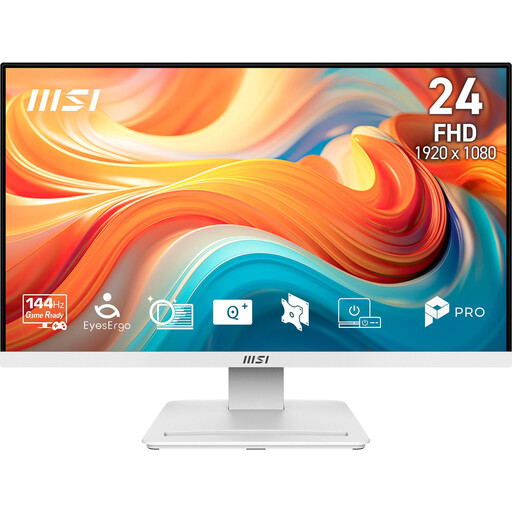
MSI PRO MP241WDE E14V, 23.8-inch Full HD monitor

MSI PRO MP241WDE E14V 23.8-inch Full HD business monitor

Can work as a larger camera preview if your camera outputs a suitable live image over HDMI; make sure it can be positioned without taking over your small table.

23.8 inches; Full HD; VA panel; 144 Hz; 1 ms MPRT.

View at Joybuy

acer Vero B248YGbemiqprcuzx, 24-inch monitor with webcam

acer Vero B248YGbemiqprcuzx 24-inch business monitor

Its adjustable positioning can help when setting up a larger camera preview; check that the monitor and cables will fit on your painting table.

24 inches; built-in 5 MP IR webcam and microphone.

View at Joybuy
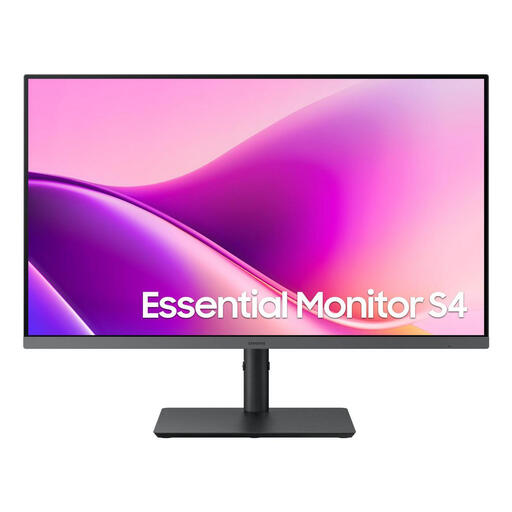
Samsung Essential Monitor S4 S43UF, 27-inch Full HD IPS monitor

Samsung Essential Monitor S4 S43UF 27-inch

A larger screen can work as a camera preview if the camera output and HDMI input are compatible; you’ll need to find a suitable spot for the monitor on your small table.

27 inches; Full HD; IPS; 100 Hz; USB-C.

View at Joybuy

INNOCN CB27U1, 27-inch 4K UHD IPS monitor

INNOCN CB27U1 27-inch 4K UHD monitor

This model may suit a larger camera preview if the camera signal is compatible with the HDMI input and you can position the screen securely on your painting table.

27 inches; 3840 × 2160; IPS; 120 Hz; USB-C with 90 W PD; HDMI and DisplayPort.

View at Joybuy
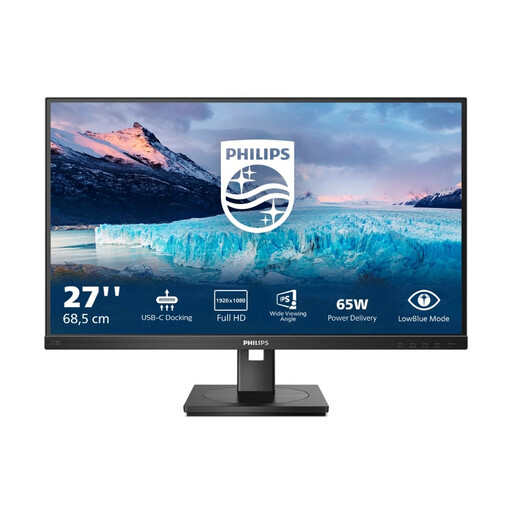
Philips 273S1, 27-inch Full HD IPS monitor

Philips 273S1 27-inch Full HD IPS monitor

The 27-inch screen can provide a larger preview if your camera outputs a compatible HDMI live image; remember to allow space for the monitor and cable route.

27 inches; 1920 × 1080; IPS; 75 Hz; USB-C with 65 W; HDMI and DisplayPort.

View at Joybuy

Frequently asked questions

Will every HDMI monitor automatically show the camera image while filming?

No. Sony Germany explains that the recording format and settings can affect whether certain cameras display an image externally. Check your camera’s manual and test the planned recording mode with the monitor input you intend to use.

Can I use my smartphone instead of a monitor?

It can work if your camera and app support a suitable remote view. Canon describes Remote Live View in Camera Connect, but notes that features vary by model. Check that the view offers the focus and image controls you need for your lesson.

What should I plan for a longer miniature painting session?

Plan the monitor position, cable route and power source together. Atomos states that the Shinobi II has no built-in battery and can be powered via NP-F or USB-C PD. With NEEWER, whether a battery is included depends on the F700 package variant you choose.

What should I look for in an electronic monitor in Germany?

Electronic monitors supplied in Germany must meet the relevant EU harmonisation requirements. The German Federal Network Agency lists correct CE marking, where required, and identifiable manufacturer details among the points to check. Check the details for the specific product and offer.

Are a manufacturer’s guarantee and statutory consumer rights the same thing?

No. Statutory consumer rights cover faults and apply against the seller; a guarantee is an additional voluntary promise subject to its own terms. The Federation of German Consumer Organisations distinguishes between these rights and notes that online purchases generally come with a 14-day right to cancel, subject to legal exceptions.