What should you look for when buying?
Start by considering how long you’ll be writing and where you’ll have room for the keyboard and screen. Then check the layout and connection against your devices.
| What matters |
What to check before buying |
Who is it most relevant to? |
| Writing and editing longer texts |
Check the German layout, the size and position of frequently used keys, and whether there’s room for the screen and keyboard where you’ll be writing. |
If I’m transcribing longer field notes, I want the keys and editing functions to be easy to reach. Around 36% of consumers prioritise longer writing and editing. |
| Packing away quickly and safely |
Consider the folded or closed size, key protection, and the space needed when the keyboard is in use separately. |
If I’m often packing and unpacking between client appointments, I want to stow the keyboard compactly without overlooking the work surface at my destination. Around 29% of consumers prioritise compact size. |
| Staying connected to your own device |
Check the operating system, available connection options, key layout and input in the app you use. |
If I edit notes on several of my own devices, switching between my smartphone, tablet or laptop needs to work smoothly. Around 21% of consumers prioritise switching between devices. |
| Working on confidential notes while out and about |
First check which notes may be worked on, on which device and in which location, in line with your organisation’s policies. |
If my field notes are confidential, I want to work on them only in a suitable location and on an approved device. Around 14% of consumers prioritise a confidential working environment. |
Joybuy products for mobile field notes
The Joybuy products below include foldable keyboards and compact keyboards for multiple devices, designed for changing work locations.
 No image available
Inateck KB01003G QWERTZ Bluetooth keyboard
For note-taking across multiple devices, the product name lists QWERTZ and three Bluetooth connections.
Compatibility is listed for iPad, Windows, Android and iOS; check the exact device model against your needs.
View at Joybuy
 No image available
Inateck N0153BK foldable mini keyboard with touchpad
This foldable design is suited to changing work locations; the product name lists a touchpad.
The product name also lists QWERTZ, three Bluetooth channels and support for iPadOS, Android and Windows. Check that it works with your specific device.
View at Joybuy
 No image available
Inateck N0158BK foldable QWERTZ keyboard and mouse set
This set combines a foldable keyboard with a mouse for mobile workspaces.
The product name lists QWERTZ, a number pad, an adjustable stand and a carry case. Compatibility is listed for tablets, smartphones, laptops and PCs running Windows, iOS or Android.
View at Joybuy
 No image available
UNIQ Forio foldable Bluetooth keyboard, Green/Braided Green
The foldable design may suit those short on storage space; before buying, check the key layout and connection with your specific device.
View at Joybuy
 No image available
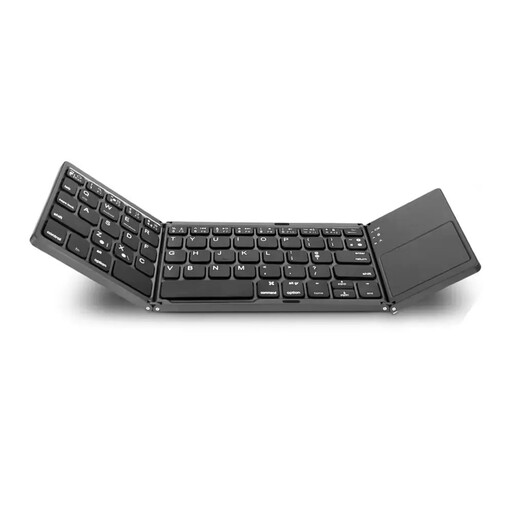
VoxorAI B033 foldable Bluetooth keyboard with touchpad, black
For typing on the go, this foldable keyboard combines a touchpad with a number pad, according to the product name.
The product name lists 63 keys and PCs, laptops, iPads, tablets and smartphones as possible devices. Check the connection with your specific device.
View at Joybuy
Frequently asked questions
How can I test a mobile keyboard before my first client appointment?
Pair the keyboard with the device you’ll actually use and type a short passage in your note-taking app, including accented characters, punctuation and corrections. Test switching between devices too, if you need to, and check the screen position at your usual workspace.
What should I know about power and care?
Check whether the specific version uses replaceable batteries or a rechargeable battery, and what charging accessories are included. CHERRY lists a rechargeable battery and detachable USB-A-to-USB-C cable for the KW 9200 MINI; Logitech describes the Keys-To-Go 2 cover as protecting the keys during transport.
Who can help if there’s a fault, and is a manufacturer’s warranty the same as your statutory rights?
If you buy from a business seller in the EU, the rules explained by Your Europe give you a legal guarantee of at least two years from the date you receive the goods, with the seller responsible. Any additional manufacturer’s warranty is separate, so check its terms carefully.
Can I transcribe client notes anywhere between appointments?
Not in every situation: if your notes contain personal data, the GDPR requires appropriate security. Germany’s Federal Office for Information Security highlights security measures for mobile workspaces and recommends using a screen lock on mobile devices. Check your organisation’s policies and choose a place where unauthorised people can’t read your screen.
Can I type field notes while travelling in a car?
Wait until you’re safely stopped for a proper work break before writing longer texts. Section 23 of the German Road Traffic Regulations (StVO) restricts drivers’ use of electronic devices; ADAC explains that writing or reading text messages while driving is prohibited. An external keyboard doesn’t make extended typing at the wheel a safe or suitable way to work.


