
Lieferung heute & morgen

Qualitätsgarantie

Willkommens-Angebote freischalten: KOSTENLOSE Lieferung | Bis zu 80 % RABATT | Kostenlose 30-Tage-JoyPlus-Testphase
App herunterladen
A mobile mini printer lets you print notes, receipts, photos or labels straight from your smartphone when you’re out and about. However, these compact devices can vary considerably in their printing technology, paper size, app connectivity and ongoing costs. If you focus only on the small design or low purchase price, you could end up with a model that isn’t right for your needs.
A thermal printer often doesn’t need conventional ink or toner cartridges. This means less maintenance, but it doesn’t mean there are no running costs. Thermal paper, sticker paper or Zink photo paper will need to be bought separately. So before you buy, check:
Thermal paper is usually suitable for contracts, invoices and notes. A mini photo printer using Zink technology, on the other hand, requires special photo paper.
A Bluetooth printer won’t necessarily work with every smartphone and printing app. Compatibility depends on the operating system, the manufacturer’s app and the file formats supported. If you’re choosing a wireless printer, also check whether a direct Bluetooth connection is all you need or whether it requires a Wi-Fi network.
An app that can print from your photo gallery or popular document apps is a useful feature. Before buying, Android and iOS users should check compatibility in the product specifications.
A printer for on-the-go use needs to be not only small, but also light enough and usable without a mains socket. Check:
A device may be described as a pocket printer, but paper rolls or extra accessories can take up considerably more space.
The printing technology determines what a device can do. A thermal printer uses heat to transfer an image onto coated paper. Many models print mainly in black and white, making them suitable for study notes, lists, receipts or labels.
Zink technology also works without a conventional ink cartridge. Instead, heat activates special photo paper. According to the product specifications, the photo printer for your phone Xiaomi Portable Photo Printer 1S uses Zink paper in 50 × 76 mm size and has a resolution of 313 × 512 dpi. This is a different consumable from standard thermal paper.
The paper size should suit what you plan to print. A narrow format is fine for a quick note or a label, but photos need paper designed for photo printing. Self-adhesive paper is useful for scrapbooking, labelling and DIY projects, though it can cost more per print.
So compare more than just the printer price: check the cost per sheet too. If you’re looking for a portable label printer, also check whether it uses continuous rolls, pre-cut labels or sticker paper.
If you want to use the printer when travelling, at university or as part of family life, consider how long the battery will last. The Phomemo A282U is stated to print up to 150 sheets per charge. Actual results may vary depending on the print content and how you use it.
Connecting via Bluetooth saves you from needing a local Wi-Fi network. However, Bluetooth, app permissions and paper loading all need to be set up correctly. If you’re printing sensitive documents, it’s also worth checking the privacy and account settings in the relevant app.
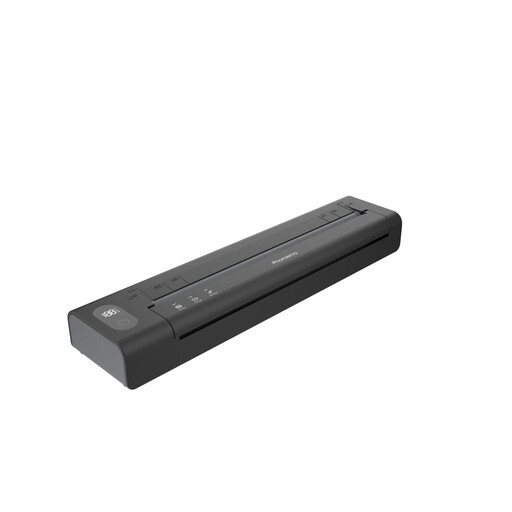
Why this product suits this type of user: According to the product specifications, this 600 g portable printer connects to iOS and Android devices via Bluetooth using the Phomemo app. It’s designed for printing documents such as contracts, invoices, boarding passes and notes.
The product information specifies printing without ink or toner, a Bluetooth connection and a rechargeable battery. This makes it easier to understand the main ongoing costs and connection requirements before you buy.
Weighs 600 g, connects via Bluetooth using the Phomemo app and prints up to 150 sheets per battery charge, according to the product information.
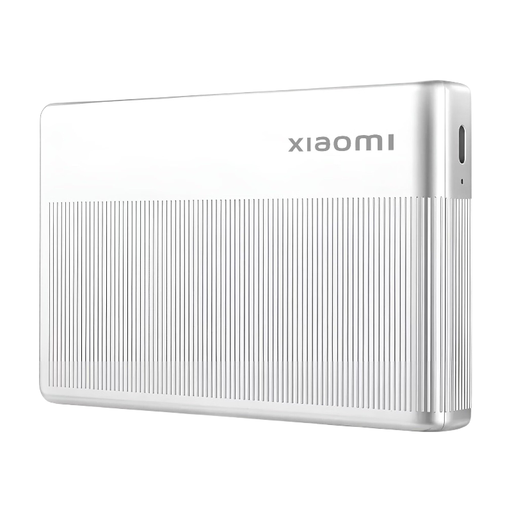
Why this product suits this type of user: According to the product specifications, this mini photo printer weighs 180 g, supports Bluetooth and uses self-adhesive 2 × 3-inch Zink photo paper. It’s designed for anyone who wants to turn smartphone photos into small prints straight away.
The specified 50 × 76 mm format makes it clear that this device is designed for small photos, not A4 documents. This helps set the right expectations about what it can be used for.
Weighs 180 g, uses Zink technology and self-adhesive photo paper, and connects to iOS and Android devices via Bluetooth.
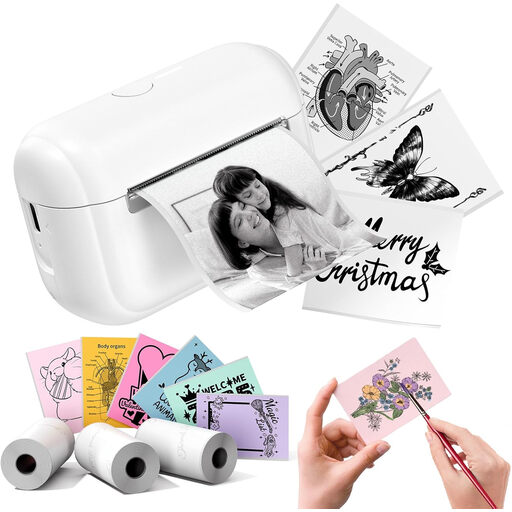
Why this product suits this type of user: The product name describes this pocket sticker printer as designed for thermal, ink-free sticker printing. It’s a good fit for DIY projects, decorating gifts and simple labelling tasks.
The product name makes clear that it’s intended for stickers and thermal printing. If you need colour photos or standard documents, choose a model designed for those uses instead.
Pocket-sized design, according to the product name, and thermal printing without a conventional ink cartridge.
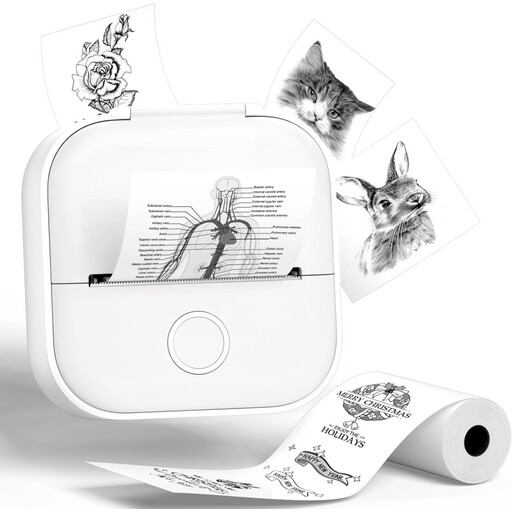
Why this product suits this type of user: The product name lists study notes and stickers as its intended uses. This makes it suitable for compact prints for university, your calendar or creative projects.
Its clear focus on notes and stickers helps distinguish it from a photo printer. Before ordering, check the paper size, app compatibility and what’s included in the box.
Designed for study notes and stickers, according to the product name, with a compact mini printer format for on-the-go use.
We’ve put together a complete, regularly updated list of products that meet these strict selection criteria and comply fully with the safety regulations in force in the EU.
First, download the manufacturer’s app from the relevant app store. Turn on the printer, enable Bluetooth and pair it through the app. Then load the paper according to the markings. Zink photo paper often comes with a calibration card. Follow the instructions in the user manual for the correct order.
It depends on the battery capacity, print content, paper type and ambient temperature. Manufacturer claims such as “up to 150 sheets” are estimates, not a guarantee for every situation. If you’re going on a longer trip, check the battery level before you leave and take a compatible charging cable with you.
No. Even an ink-free Bluetooth printer needs compatible thermal, sticker or Zink paper. So compare the cost of the consumables per sheet and check that they’re readily available. This will give you a more realistic idea of whether the printer is cost-effective for regular use, occasional photos or quick notes.