
Lieferung heute & morgen

Qualitätsgarantie

Willkommens-Angebote freischalten: KOSTENLOSE Lieferung | Bis zu 80 % RABATT | Kostenlose 30-Tage-JoyPlus-Testphase
App herunterladen
A mobile mini printer can quickly print a photo, study note, label or invoice while you are out and about. However, these compact devices differ considerably in terms of printing technology, paper size, battery life and app compatibility. If you only look at the small casing or the claim that a printer is “ink-free”, you may end up buying a model that is not suitable for your intended use.
A thermal printer without ink does not require cartridges or toner. However, consumables are still needed: thermal paper, label rolls or special Zink photo paper must be compatible with the relevant device. Before buying, it is therefore worth checking:
A low device price can become less attractive if only proprietary paper can be used.
A small Bluetooth printer is easy to carry, but that does not automatically mean it prints with a high level of detail. For short texts, checklists and simple graphics, a monochrome thermal printer is often sufficient. Photos, on the other hand, require a different process and suitable colour paper.
If you want to print holiday snaps or creative stickers, you should specifically look for a Zink photo printer or mini photo printer. For invoices, contracts or boarding passes, a wireless printer designed for documents is usually a better choice.
A smartphone printer generally works through a manufacturer’s app. Before buying, users should check whether the app works with their operating system and which permissions it requires. The following points are also important:
Manufacturers’ battery-life claims depend on the paper, print content and usage conditions. The phrase “up to” should therefore be treated as a guide rather than a guarantee.
A conventional thermal printer uses heat-sensitive paper. It works without ink and is often suitable for black text, revision cards, lists and labels. Prints can fade when exposed to intense heat or sunlight. For important documents, you should therefore check whether the expected durability is sufficient.
A Zink photo printer uses special paper containing heat-activated colour crystals. Xiaomi states that its Portable Photo Printer 1S offers a resolution of 313 × 512 dpi and an output format of 50 × 76 mm. This technology is intended for small colour photos and self-adhesive images, not for invoices or multi-page documents.
The paper size determines which tasks a portable printer can practically handle. Small photo printers are designed for pictures and stickers. A mobile document printer, on the other hand, should support paper widths that prevent text from being reduced too much.
Before placing an order, the product description should be checked for the following:
For commuters, students and travellers, portability matters just as much as printing functionality. The Phomemo A282U is listed with a weight of 600 g and has a rechargeable battery. According to the product description, it is designed to print up to 150 sheets per charge. This is a guideline for mobile documents and does not replace checking actual consumption for yourself.
According to the product details, the Xiaomi Portable Photo Printer 1S weighs 180 g and measures 124 × 82 × 22 mm. It is therefore designed for small photo prints. With lithium batteries, follow the instructions on charging, storage and protection from moisture or extreme temperatures.
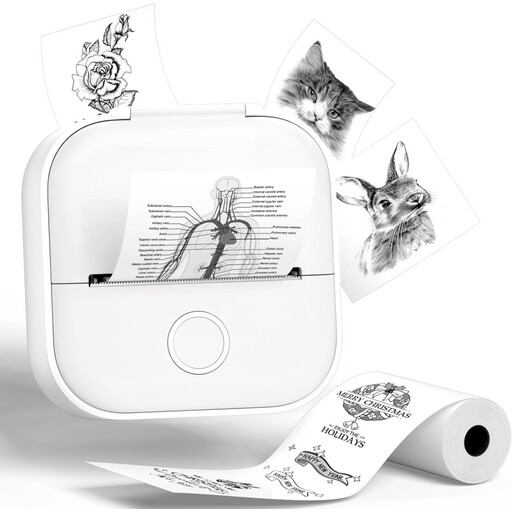
Why this product suits this profile: This compact model is designed for study notes and stickers, making it an interesting option for school, university and creative paper projects.
Its clear focus on notes and stickers helps prevent it from being mistaken for a colour photo printer or document printer.
Designed for study materials and stickers; its mini format supports mobile use.
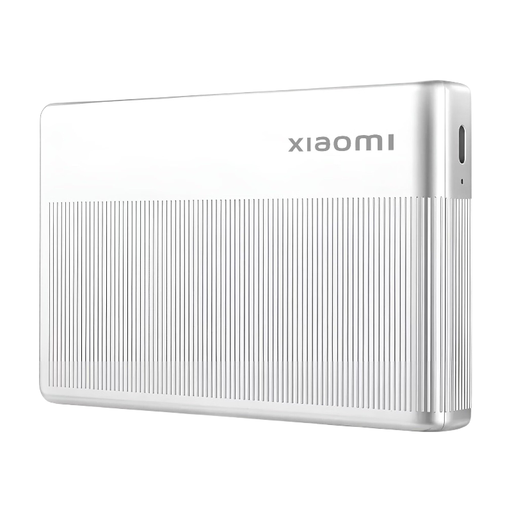
Why this product suits this profile: This model is aimed at users who want to print small self-adhesive colour photos from their smartphone via Bluetooth.
The fixed format of 50 × 76 mm makes it clear that this is a mini photo printer, not a device for A4 documents.
Zink technology, a weight of 180 g, Bluetooth and support for up to 10 sheets in the feed, according to the product details.
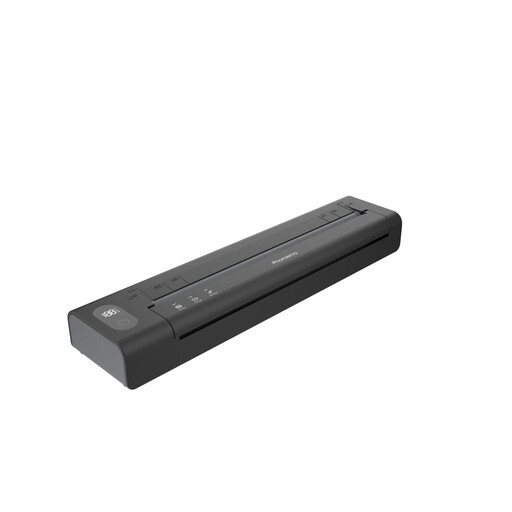
Why this product suits this profile: This device is designed for mobile documents such as contracts, invoices, boarding passes and freight documents, making it suitable for professionals, self-employed users and frequent users.
Its document-focused design prevents unrealistic expectations of a dedicated photo printer. The battery capacity is specified as a concrete number of prints.
Weight of 600 g, Bluetooth via the Phomemo app, iOS and Android compatibility, and up to 150 sheets per charge according to the product description.
For a mobile printer for use on the go, the following procedure is usually sufficient:
With a Xiaomi Zink printer, the blue calibration card must face down according to the instructions. Paper should be stored dry and clean, protected from direct sunlight, high humidity and heat. Always follow the relevant manufacturer’s instructions for the charger and battery.
We have put together a complete, regularly updated list of products that fully meet these strict selection criteria and the safety regulations applicable in the EU.
Usually, you activate Bluetooth, install the relevant manufacturer’s app and then pair the device within the app. Some models may also require registration or specific app permissions. The exact procedure may vary depending on the Phomemo printer, Xiaomi photo printer and operating system.
Thermal paper reacts to heat, light and moisture. Its lifespan therefore depends on the paper quality, storage conditions and environment. For invoices or records that need to be kept for longer, you should check whether a thermal printer is suitable for the intended purpose. Prints should not be left permanently in a car, by a window or in direct sunlight.
In addition to the purchase price, there are costs for paper, photo paper or labels. Although ink and toner are not required for a thermal printer, the specialist paper remains an ongoing expense. For a meaningful comparison, users should calculate the cost per print and take the actual required format into account.