
Lieferung heute & morgen

Qualitätsgarantie

Willkommens-Angebote freischalten: KOSTENLOSE Lieferung | Bis zu 80 % RABATT | Kostenlose 30-Tage-JoyPlus-Testphase
App herunterladen
Digital photos are convenient, but physical prints have a special charm. A mobile photo printer promises to turn digital memories from your smartphone into tangible photos, anywhere and anytime. However, the market is filled with devices whose practical utility varies greatly. Before you make a decision, it's crucial to understand the typical pitfalls that often lead to disappointment and unnecessary expense.
This guide focuses on the objective criteria that distinguish a reliable pocket printer from an impractical one, helping you make an informed choice.
Purchasing a mobile printer can quickly turn into a bad buy if you're guided by marketing promises instead of focusing on the technical fundamentals. Here are the three most common problems:
To avoid these mistakes, you should focus your selection on a few crucial technical features. These define the user experience and long-term satisfaction with the device.
The print technology is the heart of any photo printer. For mobile use, one technology has proven to be particularly practical:
The paper determines not only the image quality but also the creative possibilities. Pay attention to the following points:
A mobile printer must connect seamlessly with your smartphone. A stable Bluetooth smartphone printer connection is the basic requirement. The accompanying app should be intuitive to use and offer useful features, such as adding filters, frames, or text, without compromising the device's performance.
Based on the objective criteria above, we have identified products for different usage scenarios.
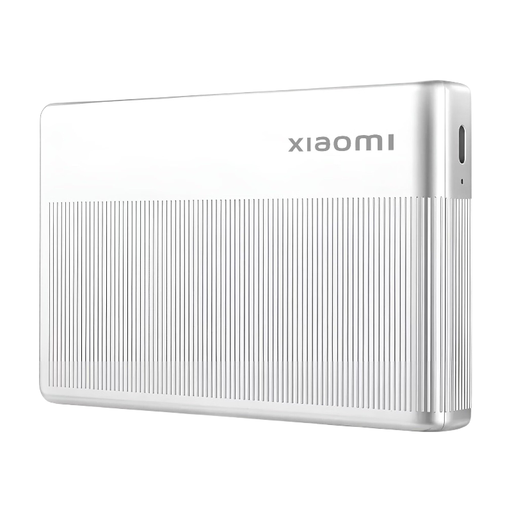
Why This Fits Their Persona: Ideal for users who want to instantly print photos from their smartphone as stickers while traveling, at parties, or for DIY projects. Its light weight and compact size make it the perfect companion.
Thanks to Zink technology, there are no hidden ink costs. The connection is stable via Bluetooth and the Xiaomi Home App, which avoids connectivity issues.
Prints directly onto adhesive-backed photo paper. Weighing only 180g, it is extremely portable. The app offers additional creative options like AR photos and frames.
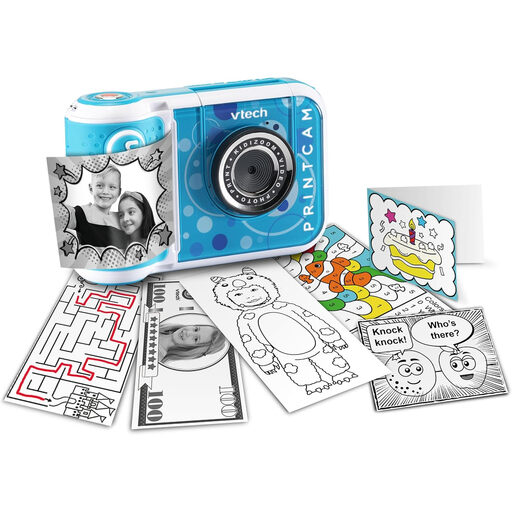
Why This Fits Their Persona: An all-in-one device for children that combines a digital camera with an instant print function. It's robustly built and encourages creativity without the need for a smartphone.
It uses cost-effective thermal paper for black-and-white prints, bypassing the consumables cost trap. As a closed system, it eliminates app and connectivity problems.
Encourages playful learning with over 110 print templates and effects. The rugged design is specifically tailored for use by children aged 4-12.
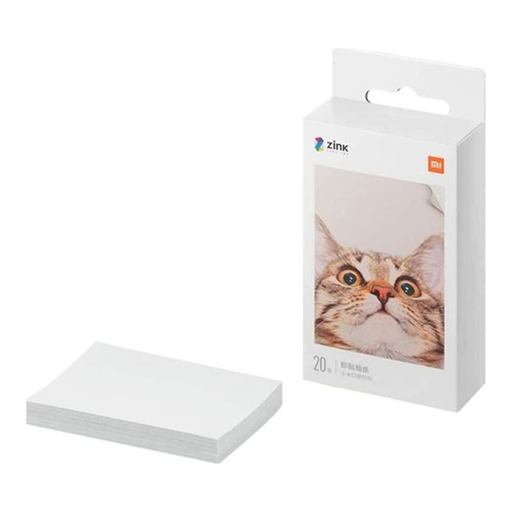
Why This Fits Their Persona: For owners of a Xiaomi photo printer who recognise the value of genuine accessories and want to ensure they don't run out of paper on important occasions.
By directly addressing the only consumable—the paper—you maintain full cost control and avoid surprises from incompatible third-party papers.
Guarantees the compatibility and print quality intended for the Xiaomi photo printer. The adhesive backing offers maximum creative freedom.
We have compiled a complete, up-to-date list of products that fully meet these strict selection criteria and German safety regulations.
No, most models designed for mobile use utilize a direct Bluetooth smartphone printer connection. This allows you to print photos anywhere without relying on a Wi-Fi network, making them ideal for travel, outings, or events.
The ongoing costs depend on the printing technology. With a Zink printer, costs are limited exclusively to the special Zink photo paper, as no ink is required. For other technologies, both paper and ink cartridges or ribbons must be considered. It is advisable to calculate the cost per print before purchasing.
According to the manufacturers of Zink technology, the prints are inherently smudge-proof, water-resistant, and tear-resistant because the color pigments are embedded in the paper and sealed by a polymer protective layer. The exact longevity can vary depending on storage conditions and paper specifications, but the technology is designed for good durability in everyday use.