
Lieferung heute & morgen

Qualitätsgarantie

Willkommens-Angebote freischalten: KOSTENLOSE Lieferung | Bis zu 80 % RABATT | Kostenlose 30-Tage-JoyPlus-Testphase
App herunterladen
By the Joybuy Product Recommendation Officer, August 30, 2026
The search for a new high-performance laptop for professional applications can quickly become overwhelming. Marketing terms promise maximum performance, but in practice, many users encounter problems: software crashes, renders take forever, and the expensive device unexpectedly slows down under load. A true mobile workstation is more than just a powerful notebook; it is a precision-tuned tool for professionals. Before you make a purchasing decision, you should know the most common and costly pitfalls.
Many laptops marketed as "pro devices" turn out to be unsuitable for demanding professional workflows. Pay special attention to these three weak points:
To avoid these traps, you should base your selection on objective technical criteria. Three factors are non-negotiable for a professional notebook.
For engineers, architects, and designers, this is the most critical point. An ISV-certified graphics card, like the NVIDIA RTX Pro series, has been tested and validated by software vendors for stability and performance with their applications. This certification ensures that your laptop for CAD and other critical programs functions reliably. You are investing not just in raw power, but primarily in operational reliability and flawless driver support.
Modern processors like the Intel Core Ultra 9 not only offer a high core count for demanding multitasking but also often integrate an NPU (Neural Processing Unit). This specialised unit accelerates AI-based workflows, which are playing a role in an increasing number of professional applications. However, it is crucial that the device's cooling system can sustain this performance even under hours of full load without significantly throttling clock speeds. Pay attention to details about the cooling design and Thermal Design Power (TDP).
A business laptop must be flexible and expandable. Thunderbolt 5 offers bandwidth of up to 120 Gbit/s, enabling the connection of multiple 4K monitors and external graphics cards via a single cable. Combined with Wi-Fi 7 for an extremely fast and stable wireless connection, you are equipped for the demands of the coming years. Check the number and type of ports to ensure your workflow isn't slowed down by a lack of connectivity options.
Based on these criteria, we have compiled a selection of devices and accessories suitable for different professional user profiles.
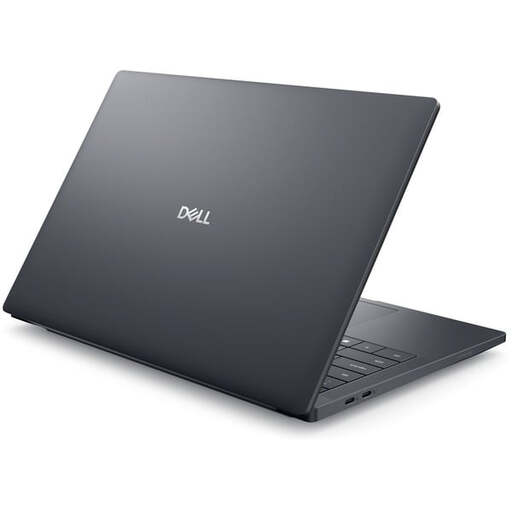
Why This Fits Their Persona: The lightweight design of just 1.61 kg and the compact 14-inch form factor make this device ideal for architects and engineers who frequently move between the office, construction site, and home office without sacrificing certified graphics performance.
The ISV-certified NVIDIA RTX PRO 2000 graphics card prevents driver conflicts and crashes in CAD software—a common problem with devices using gaming GPUs. Its future-proof connectivity with Thunderbolt 5 eliminates the need for adapters.
A balanced ratio of mobility and certified performance. Bright display with precise colour accuracy (100% sRGB) for visually demanding tasks.
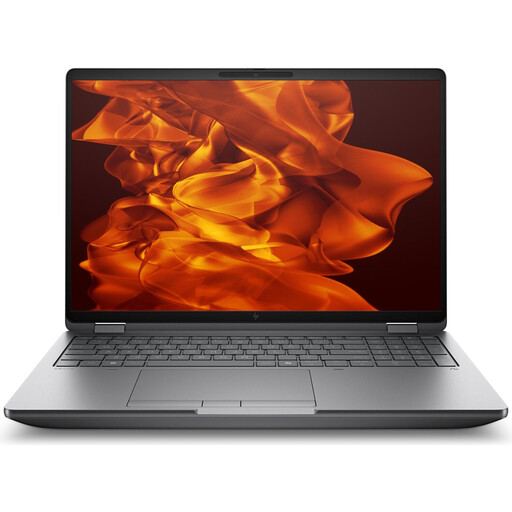
Why This Fits Their Persona: Delivers maximum computing power for the most demanding tasks. The Intel Core Ultra 9 processor and NVIDIA RTX Pro 4000 graphics card handle complex 3D rendering, simulations, and AI model training without bottlenecks.
This HP ZBook's advanced cooling system is designed for sustained full load, effectively preventing the thermal throttling that often drastically reduces performance in slimmer devices. Full power is therefore consistently available.
Uncompromising desktop-level performance in a notebook form factor. Comprehensive ISV certifications for a wide range of professional applications and a high-resolution 4K display.
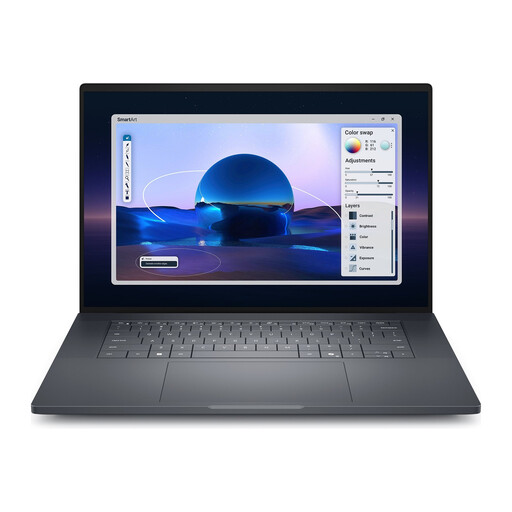
Why This Fits Their Persona: The large 16-inch display with a 120 Hz refresh rate and 500 nits of brightness offers ample space for complex spreadsheets, data visualisation, and multitasking. The RTX PRO 1000 is a solid choice for business applications and lighter creative tasks.
It offers future-proof connectivity with Thunderbolt 5 and Wi-Fi 7, so no external adapters are needed for multiple monitors or a fast network—a common hidden cost in less thoughtfully designed devices.
Large, bright, and smooth 120 Hz display for productive work. Comprehensive connectivity and 3 years of Dell ProSupport for high reliability in a corporate environment.
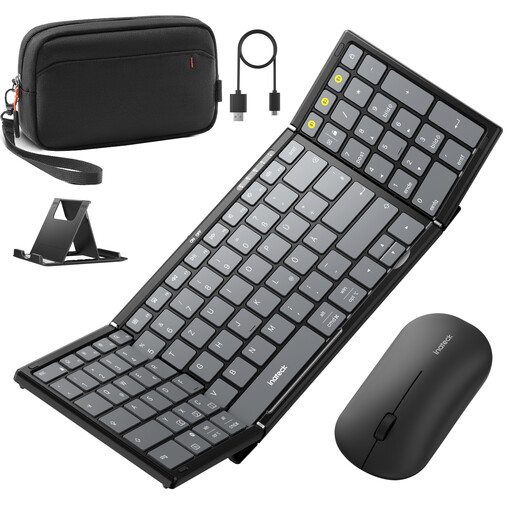
Why This Fits Their Persona: This set transforms any mobile workstation into a full-fledged, ergonomic work environment. The Bluetooth keyboard set with a number pad, wireless mouse, and adjustable stand is the ideal accessory for mobile work.
Solves the problem of unergonomic laptop keyboards and touchpads during intensive data entry or precise design work. This prevents fatigue and increases efficiency during long work sessions outside the office.
Compact, foldable design with a protective case for easy transport. Multi-device connectivity (3 Bluetooth channels) for seamless switching between a laptop, tablet, and smartphone.
We have compiled a complete, real-time updated list of products that fully meet these strict selection criteria and German safety regulations.
The main difference lies in specialisation and reliability. A mobile workstation features ISV-certified components (especially the graphics card), a more robust chassis, and a cooling system designed for sustained load. A business laptop is optimised for general office applications, whereas a workstation is designed for compute-intensive, mission-critical specialised software like CAD, CAE, or 3D animation.
Mobile workstations are designed for longer lifecycles than consumer devices. Thanks to higher-quality components, better cooling, and often more comprehensive warranty and service packages (e.g., on-site service), a usable life of four to five years or more is common. Additionally, they are often more upgradeable (RAM, SSD), which further extends their lifespan.
That depends on your field of work. For architects, engineers, product designers, and scientists who work with software that requires certification, it is essential for ensuring stability and correct display rendering. For other professional groups, such as video producers or developers whose software does not rely on specific drivers, a high-end laptop without ISV certification can also be a suitable, albeit potentially less stable, alternative.