Start by checking the catalogue software. It needs to let you create custom fields and work with the laptop’s operating system; ScoutSystems Software lists Windows as a requirement for the model railway collecting software reviewed here. If you have lots of photos, a comfortable working area and plenty of storage matter, but you’ll still need a separate backup, whatever the SSD capacity, as Germany’s Federal Office for Information Security explains. If you’ll be cataloguing in different places, a more compact model such as the 14-inch ThinkPad E14 Gen 7 variant documented by Lenovo Germany could be a good fit. At a fixed catalogue station, a larger screen may be more important.
Who needs a laptop for their catalogue?
Collectors who want custom fields
If you want to record gauge, era or repairs using your own system, check whether the software lets you create new fields or only change the labels of existing ones. ScoutSystems Software describes how to create custom fields; sammlersoftware.de describes how to change data field labels.
Collectors with lots of photos
For records containing images and documents, a clear, easy-to-read workspace and a separate backup of your files are important. Germany’s Federal Office for Information Security explains why having a copy matters if your device is lost.
Collectors who catalogue by the shelves
If you enter models in different places, you’ll need to weigh portability against the screen space needed for longer cataloguing sessions. Lenovo Germany documents a 14-inch display for one ThinkPad E14 Gen 7 variant; Dell notes that specifications vary according to the options selected for its configurable D15261 range.
What to look for when buying
Windows laptop with collecting software
A good fit if: you want to use specialist model railway catalogue software with custom fields. ScoutSystems Software lists Windows as a requirement for the software reviewed here.
Consider: Check the specific software and its platform requirements before choosing a device.
Cross-platform database or catalogue software
A good fit if: you want to organise the catalogue yourself or use software across different operating systems. LibreOffice documents Base for several systems; the provider of MoVe lists versions for Windows, macOS and Linux.
Consider: Some LibreOffice Base features require Java. You should also test importing, editing and exporting your own files.
The percentages refer to consumers choosing a laptop for this model railway catalogue. Each person is assigned to the category that best matches their main purchasing priority.
| Priority |
What to check before buying |
Who it matters most to |
| Software and custom fields |
Whether you can create new fields, which operating system is required, and whether import and export work. |
If I want to record gauge, era or repairs using my own system, the software must genuinely support my fields. Around 33% of consumers are likely to prioritise software and custom fields. |
| Readability and longer entries |
Compare the screen size and resolution, as well as the keyboard and layout of the specific variant. |
For longer entries and several catalogue fields on screen at once, I want to be able to read and type comfortably. Around 27% of consumers are likely to prioritise readability and typing comfort. |
| Photos and data backup |
Assess your files and photo collection, check the SSD capacity and plan a separate backup. |
If I collect lots of model photos and documents, I want enough storage as well as a copy I can restore. Around 20% of consumers are likely to prioritise photos and data backup. |
| Cataloguing in different places |
Think about where you’ll be entering data, then check the dimensions, weight and ports you need on the specific variant. |
If I catalogue models by the shelves, I want a portable device; at a desk, a larger working area may matter more. Around 20% of consumers are likely to prioritise portability. |
Avoiding buying pitfalls
-
Confusing renamable field labels with new fields
You can’t create every custom collection system simply by changing the labels of existing fields. Providers describe these features in different ways.
Before choosing a laptop, create a test record with all the fields you want and check whether you can export the data.
Switching software may mean setting up or transferring your catalogue all over again.
-
Relying on the internal SSD as your backup
If your laptop breaks down or is lost, you could lose catalogues and photos stored on it too. Germany’s Federal Office for Information Security explains why a separate copy is important.
Plan a separate, restorable backup of your catalogue files, photos and related documents.
You’ll need a suitable separate storage device or a backup service.
-
Assuming every model in a range has the same specification
Laptop configurations can vary within a product range. Dell specifically notes that specifications may change depending on the options selected for its configurable D15261 range.
Check the full model or product number, operating system, RAM, SSD capacity and display for the specific variant.
-
Choosing an older version of Windows just for software compatibility
Microsoft says standard support for Windows 10 ended on 14 October 2025. Microsoft describes its consumer ESU programme as a time-limited option running until 12 October 2027.
Check your catalogue software’s compatibility separately from the operating system’s current support status.
You may need to set up or transfer your catalogue again when you later change your operating system or device.
Brands to consider
Lenovo
The ThinkPad E14 Gen 7 is a compact Windows option for cataloguing in different places.
- For variant 21SX000RGE, Lenovo Germany lists Windows 11 Pro, 16 GB RAM and a 512 GB SSD.
- These specifications apply to the variant listed. Its 14-inch display offers less built-in screen space than a larger model.
HP
The ProBook 4 G1i 14 is a compact Windows option; make sure the specification matches the variant you choose.
- For variant AD2N3ET#ABD, HP lists Windows 11 Pro, 16 GB RAM and a 512 GB SSD.
- These details apply to AD2N3ET#ABD and cannot automatically be applied to other ProBook configurations.
Acer
The Aspire Vero 16 offers a larger working area for a more permanent catalogue station.
- For NX.JDKEG.006, Acer lists a matt 16-inch WUXGA display, Windows 11 Home and a 1 TB SSD.
- These details apply to NX.JDKEG.006; sharing a product range name alone doesn’t guarantee identical specifications.
Dell
The configurable Dell 15 D15261 is an option if you want to match the display and specification to where you work.
- For the selected configuration, Dell Germany lists Windows 11 Home, 8 GB RAM, a 512 GB SSD and a 15.3-inch display.
- Dell notes that selecting different options may change the specifications.
Laptop models on Joybuy
The Joybuy laptops below are options to consider for cataloguing. Before buying, check that the operating system on the specific variant meets the requirements of your chosen software.
 No image available
Lenovo ThinkBook 16 Gen 9
The 16-inch format could be a good fit for longer cataloguing sessions at a fixed station.
16 inches; Intel Core Ultra 5 325; 32 GB DDR5; 512 GB PCIe SSD; Windows 11 Pro.
View on Joybuy
 No image available
Samsung Galaxy Book6 Enterprise Edition 16
The 16-inch format gives you a built-in working area for cataloguing at a fixed station.
16 inches; Intel Core Ultra 7 355; 16 GB LPDDR5X; 512 GB NVMe SSD; Windows 11 Pro; RJ45.
View on Joybuy
 No image available
HONOR MagicBook X16 AMD 2025
The 16-inch format is an option for a fixed cataloguing station; check the software requirements for the specific variant.
16 inches; AMD R5 6600H; 16 GB RAM; 512 GB storage; German keyboard.
View on Joybuy
 No image available
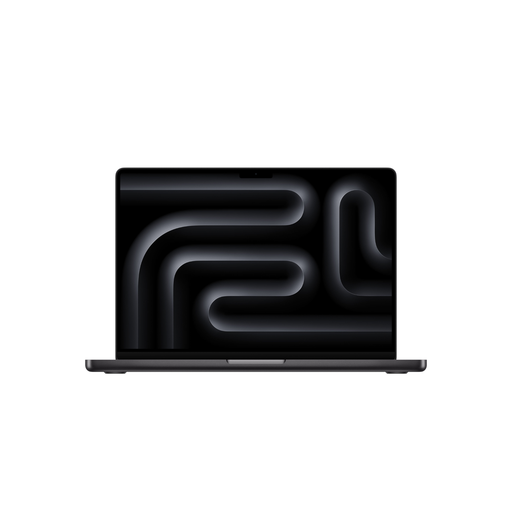
Apple MacBook Pro 16-inch (M5 Pro)
The provider of MoVe lists a macOS version; check that your specific catalogue software works with the operating system.
16 inches; M5 Pro; 24 GB memory; 1 TB SSD; macOS.
Windows is listed as a requirement for the specialist model railway collecting software reviewed here. The product description says the power adapter is not included.
View on Joybuy
 No image available
HP ENVY x360 16 (16-ac0473ng)
The 16-inch display gives you a larger built-in working area; check whether the convertible design suits your cataloguing setup.
WUXGA IPS touchscreen; Intel Core Ultra 7 155U; 16 GB RAM; 512 GB SSD; Windows 11.
View on Joybuy
Frequently asked questions
Does my laptop need Windows for me to create custom fields?
No, not necessarily. ScoutSystems Software lists Windows as a requirement for the model railway collecting software reviewed here. LibreOffice Base is documented for several operating systems; check the field features and system requirements of the software you actually plan to use.
Is it enough for collecting software to let me change field names?
Not necessarily. The provider of GS Modellbahn-Verwaltung describes editable labels for existing data fields, but that doesn’t prove you can create additional fields. Test your preferred system before choosing the software.
How should I back up my catalogue once it’s set up?
Back up your catalogue file, photos and related documents separately from your laptop. Germany’s Federal Office for Information Security explains that a copy can help you restore your files if, for example, your device or data is lost. Also check whether your catalogue software lets you export your data.
What should I check before choosing Microsoft Access?
Check whether Access is included in your specific Microsoft 365 plan. Microsoft lists Access in plans including Personal and Family; your software choice should also suit your operating system and the catalogue structure you want.
What statutory rights apply when buying a laptop in Germany?
For a consumer purchase from a trader, EU consumer information lists a minimum statutory guarantee of two years from the date you receive the goods. These statutory rights relating to faulty goods are separate from any additional voluntary guarantee. The trader rules described do not apply to purchases from a private individual.


