For a fixed, computer-connected overhead view, a positionable USB document camera is worth considering. If you’d rather record without a computer constantly connected, a compact camera with suitable close focusing is another option. For filming particularly small components, you could consider a mirrorless macro setup, but you’ll need to plan for the camera and lens separately. A stated focus distance alone doesn’t tell you how large a component will appear in your video from the camera position you can actually use.
Which camera setup is right for you?
Detail-focused builders
If you want to show tiny components and detailed work, what matters is the framing and focus from the camera position you can actually use. IPEVO, Sony and Panasonic publish technical details on focus or macro capabilities, which you should check against your setup.
Overhead filming with a computer
If you want to film your workbench from above on a regular basis and run the camera via USB from your computer, a document camera is worth considering. IPEVO describes the V4K PRO as a USB UVC document camera.
Flexible filming without a computer
If you want to record without a computer and switch between a fixed workbench and moving viewpoints, a compact camera or a gimbal camera could suit you. Sony, Canon and DJI offer different designs and features for these devices.
What should you look for when buying?
USB document camera
A good fit if: You record on a computer and want to show your work area as directly from above as possible. IPEVO states that the V4K PRO has a focus range starting at 10 cm and a maximum capture area of 34.2 × 25.5 cm.
Bear in mind: You’ll need a compatible computer. The stated capture area doesn’t confirm that your model railway, hands and tools will all fit in frame from your mounting height.
Compact camera with a fixed lens
A good fit if: You want to record without a computer constantly connected and reposition the camera. Sony states that the ZV-1 II can focus from around 5 cm from the front of the lens; Canon says the PowerShot V10 has a built-in stand.
Bear in mind: A short focus distance or built-in stand doesn’t guarantee the magnification you want or an unobstructed overhead view.
Mirrorless camera with a macro lens
A good fit if: Capturing very small steps is your priority and you have room to fit the camera, lens and mount around your workbench. Panasonic states that its separate LUMIX G 30 mm F2.8 Macro lens offers 1:1 magnification.
Bear in mind: The macro lens isn’t included in the G100D kit with its 12–32 mm lens. Panasonic lists the H-HS030 as unavailable on its German product page.
Small gimbal camera
A good fit if: You want to film moving viewpoints along your model railway as well as the fixed workbench. DJI states that the Osmo Pocket 3 has mechanical three-axis stabilisation.
Bear in mind: DJI gives a focus range starting at 0.2 m, so check whether your components will appear large enough in the frame from the position you can use. A gimbal alone won’t give you a fixed overhead view.
If you want to film model railway construction on a small desk, the key is deciding which buying priority matters most to you.
| Priority |
What to check when buying |
Who is this especially important to? |
| Small components in frame |
Focus range and how it is measured; test how large a typical component looks from your planned camera position. |
If I want to show tiny parts clearly and at a large enough size from the distance I can use, the actual on-screen result matters. Around 36% of consumers put clear detail first. |
| Unobstructed overhead view |
Space for setup and mounting; check the framing with tools and hands on the workbench. |
If I want to film the work area from above without blocking the desk or my hands, the mount needs to suit the workbench. Around 29% of consumers prioritise an unobstructed overhead view. |
| Recording without a computer |
Check the recording mode, connections and required storage medium for the specific model. |
If I want to record without leaving a computer connected, standalone recording is essential. Around 21% of consumers give this priority. |
| Moving shots and sound |
Test the planned viewpoint from the distance you can use; for speech, check the microphone position and background noise. |
If I want to show the train moving along the model railway and include speech, I’ll also consider stabilisation and the right audio setup. Around 14% of consumers prioritise moving shots and sound. |
Avoid common buying mistakes
-
Assuming the minimum focus distance guarantees detailed, close-up shots
Manufacturer details about focus range don’t, on their own, tell you how large a component will appear in your video while leaving enough room for your hands and tools.
Consider the subject size, available distance and framing together. If possible, check a test recording from your planned camera position.
-
Assuming a stand or gimbal will give you a ready-made overhead setup
A stand or stabilisation doesn’t guarantee that you can mount the camera directly above a small work area without obstructing your hands or the frame.
Before you buy, decide where you’ll mount it and how much freedom of movement you need while building. Depending on your setup, you may need an additional mount, which will take up space.
-
Assuming a mirrorless camera kit includes everything for macro filming
The Panasonic G100D kit includes a 12–32 mm lens; the stated 1:1 magnification applies to the separate H-HS030 macro lens.
Check the camera, lens, mount compatibility and what’s included separately, and make sure the lens is available to buy.
The macro lens is an additional purchase on top of the kit.
Suitable brands and product ranges
IPEVO
USB document cameras for computer-connected recordings of your work surface; the example considered here is the V4K PRO.
- IPEVO states that the V4K PRO offers autofocus from 10 cm, USB UVC connectivity and a maximum capture area of 34.2 × 25.5 cm.
- You’ll need a compatible computer for this type of recording. The stated figures don’t show what framing you can achieve at your particular model railway workbench.
Sony
Compact camera with a fixed zoom lens for recording without a computer constantly connected; this overview looks at the ZV-1 II, also known as the ZV-1M2.
- Sony states that it can focus from around 5 cm from the front of the lens and offers an 18–50 mm full-frame-equivalent zoom range.
- These manufacturer specifications don’t guarantee the framing you want or a suitable mount for an overhead view.
Panasonic
Micro Four Thirds mirrorless camera and separate macro lens for a carefully planned close-up setup; this overview looks at the G100D kit and the H-HS030.
- The G100D kit includes a 12–32 mm lens. Panasonic states that its separate 30 mm macro lens offers 1:1 magnification.
- The macro lens isn’t included in the kit, and Panasonic lists it as unavailable on its German product page. You’ll need to check availability and what the complete setup will include separately.
Canon
Compact, standalone vlogging camera with a built-in stand; this overview looks at the PowerShot V10.
- Canon states that it offers 4K UHD video, a built-in stand, a stereo microphone and webcam functionality.
- The stand doesn’t guarantee an unobstructed overhead view. For very close-up model-making details, check the focus with your intended setup.
DJI
Small gimbal camera for adding moving viewpoints; this overview looks at the Osmo Pocket 3.
- DJI states that it has mechanical three-axis stabilisation.
- The stated focus range starts at 0.2 m; that doesn’t make it better for a static overhead view or for subjects that need to be focused on more closely.
Joybuy products for video recording
The Joybuy products below include standalone video options and computer-connected webcams. Before buying, check that you can set up the viewpoint you want at your small workbench.
 No image available
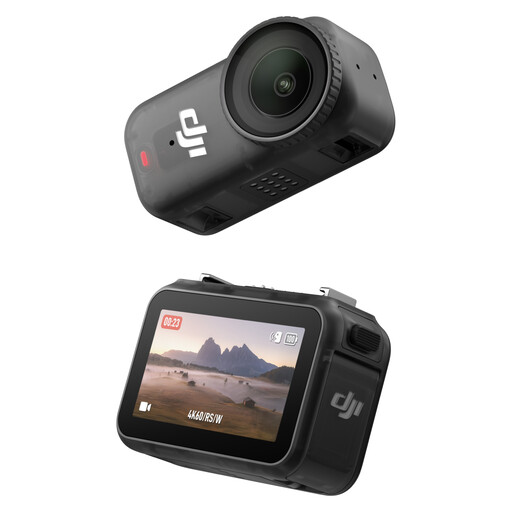
DJI Osmo Nano Standard Combo (128GB)
A compact vlogging camera for video recording; check whether you can attach it securely in the position you need at your workbench.
The product title lists 4K/60fps, a 1/1.3-inch sensor and a 143° wide-angle lens.
Joybuy
 No image available
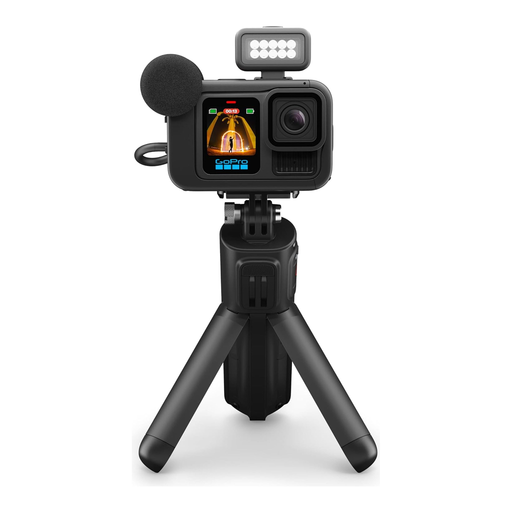
GoPro HERO13 Black Creator Edition
A video option supplied with a grip and tripod legs; check whether you can position it on the desk to get the view of your work area you need.
The product title lists the HERO13 Black, a Volta battery grip with tripod and remote, Media Mod, Light Mod, Enduro battery, magnetic latch mounting and a carrying case. The description mentions 5.3K video.
Joybuy
 No image available
Razer Kiyo V2 X Full HD Webcam, 1080p, 60 FPS, Black
For computer-connected recording, provided the webcam’s field of view captures your work area.
The product title lists Full HD at 1080p and 60 FPS; the product description mentions USB connectivity and autofocus.
Joybuy
 No image available
DJI Osmo Pocket 3 Creator Kit
For moving shots along your model railway; you’ll need to set up a suitable fixed overhead view separately.
The product title lists 4K/120fps and a 1-inch sensor. DJI states that the Osmo Pocket 3 has a focus range starting at 0.2 m; check whether your components will appear large enough in the frame from this distance.
Joybuy
Frequently asked questions
Are 4K and autofocus enough for tiny model railway parts?
No. These specifications alone don’t show how large a component will appear in the finished video. Check the focus range of the specific model and test the framing from your planned camera position.
What do I need to plan for with a USB document camera?
For the IPEVO V4K PRO, IPEVO lists USB-A, a UVC interface and a 150 cm USB cable. Check that your computer supports the connection and consider how to position the camera, cable and your hands on the desk.
What additional purchases might I need?
For the Panasonic setup covered here, the 30 mm macro lens isn’t included in the G100D kit with its 12–32 mm lens. Depending on your camera setup, you may also need a suitable mount or compatible storage medium; check what’s included with the specific offer.
Can I show recognisable people in a model-making video in Germany?
Under § 22 KunstUrhG, consent from the person shown is generally required before their image is distributed or publicly displayed; § 23 sets out exceptions, subject to further limitations. The Federal Ministry of Justice and the Federal Office of Justice publish these provisions. The Federal Commissioner for Data Protection and Freedom of Information explains the legal bases for processing personal data under Art. 6(1) GDPR. Consider recording and publication separately for your specific circumstances.


