Who should think carefully about their camera choice?

Detail filming at the workbench

If you’re laying track, soldering or creating scenery, small steps need to be clearly visible. Pay attention to framing, focus and having enough room for lighting. Canon Germany and Nikon Germany explain the importance of lenses and sharpness for close-ups.

Filming the build with a fixed camera

For longer overhead or side-on shots, your hands and the relevant section of the layout need to stay in frame. Also consider how you’ll manage recording, power and checking the image at your established workspace.

Filming the layout on the move

If you switch between the workbench and walking shots, a stabilised camera that’s easy to reposition may be more useful than high magnification for tiny parts. Also check that the distance from the subject will work for the camera movements you have in mind.

What to look for when buying

Interchangeable-lens camera

A good fit if: you want to capture small components and different viewpoints at a fixed workstation.

The trade-off: the camera body and specific lens need to work well together. Close-ups require precise focusing and enough room for lighting.

Compact gimbal camera

A good fit if: you mainly want to capture moving perspectives and walk-throughs along the layout.

The trade-off: a fixed lens gives you less flexibility for targeted close-ups. The stated minimum focusing distance for the DJI Osmo Pocket 3 is 20 cm.

Priority What to check before buying Who it matters most to
Making small components clearly visible Check how the image looks from your planned shooting distance and the magnification ratio of the specific lens. Remember to allow room for your hands, too. If I want screws or rail joiners to fill the frame, detail matters more to me than general video resolution. Around 28% of consumers are likely to consider capturing small components their top buying priority.
Framing at the workstation Decide where to position the camera, then check the angle of view, clear visibility of your hands and how you’ll monitor the image. For a repeatable overhead view, I want to keep both the work and the relevant section of the layout in frame. Around 22% of consumers are likely to prioritise a fixed frame above all else.
Room lighting and flicker Test the camera with your existing lights and check the exposure, white balance and shutter speed in your preferred video mode. When filming under room lighting, I want to see each step clearly without distracting bands. Around 22% of consumers are likely to place the greatest importance on controlling lighting and flicker.
Recording longer construction steps Check the manufacturer’s specifications against your preferred recording mode, and allow for the power supply and memory card you’ll need for the planned duration. For a long step that would be difficult to repeat, I want to avoid interruptions wherever possible. Around 17% of consumers are likely to rank continuous recording as their top priority.
Moving shots and sound Test how the camera handles and the distance from the subject on a trial run around the layout. Listen to the audio with the room noise you’ll encounter in practice. For walk-throughs with spoken commentary, I need moving shots and clear sound. Around 11% of consumers are likely to prioritise moving perspectives with audio above all else.

Common buying mistakes

  • Confusing video resolution with macro capability

    A high video resolution doesn’t tell you whether a tiny component will appear large enough in the frame from your intended shooting distance. With a shallow depth of field, accurate focusing becomes even more important.

    Choose the camera body and specific lens together, and check a sample frame from your planned camera position beforehand.

    Close-ups may require a suitable additional lens and extra lighting.

  • Assuming stabilisation works for every kind of shot

    A gimbal helps with moving camera shots, but doesn’t automatically meet the needs of a fixed, carefully set-up detail shot. The stated minimum focusing distance for the DJI Osmo Pocket 3 is 20 cm.

    Choose based on how you’ll use the camera most often: walking shots along the layout or close-ups at the workbench.

  • Overlooking differences in what each kit includes

    Lenses and charging accessories can vary between kits. Canon Germany states that the EOS R50 V Kit includes a battery charger, but not a USB-C charger.

    Compare the exact model and kit names, as well as the listed contents, before making your decision.

    Depending on the kit you choose, you may need a different lens or an additional power supply.

Camera brands to consider

Sony

Sony offers the ZV-E10 II as an E-mount mirrorless camera, and in Germany it’s also available as a kit with the SELP16502.

  • You can swap interchangeable lenses to suit future filming needs.
  • Don’t assume the included 16–50-mm kit lens will work as a macro lens without checking first.

Canon

The EOS R50 V takes interchangeable RF and RF-S lenses. The documented kit includes an RF-S 14–30mm F4–6.3 IS STM PZ.

  • The clearly specified kit contents make it easier to compare complete sets.
  • Canon Germany doesn’t list a USB-C charger as included with this kit. You should also check separately whether the lens is suitable for very small components.

DJI

The Osmo Pocket 3 combines a fixed lens with a mechanical gimbal for moving shots along the layout.

  • DJI specifies a 20-mm equivalent lens and microSD recording.
  • DJI states a focus range starting at 0.2 m, so bear this distance in mind for very close detail shots.

Nikon

The Z 30 is available as a kit with the NIKKOR Z DX 16–50mm VR. It’s an interchangeable-lens option for filming construction steps and presenting to camera.

  • Nikon specifies up to 125 minutes of continuous recording under the conditions stated by the manufacturer.
  • The separately available Z Micro lens with a 1:1 magnification ratio isn’t included in the 16–50-mm kit mentioned here; check the working distance separately.

Panasonic

The LUMIX G100D kit DC-G100DV combines a Micro Four Thirds camera body with a 12–32-mm lens and a tripod grip.

  • Panasonic specifies 4K/30p, USB-C charging and built-in audio modes for this kit.
  • For tiny components, check whether the included lens can give you the framing you want from your intended shooting distance.

Joybuy products

Joybuy video-recording options to consider for compact or moving shots.
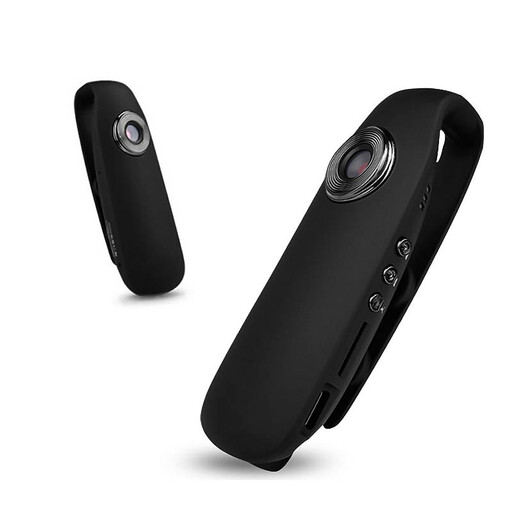
KINSI Mini body camera, 1080P HD, with night vision and magnetic mount

KINSI Mini Body Camera, 1080P HD

Consider it for a compact point of view. First check whether the framing and focusing distance will work for small model railway parts.

The product description lists night vision, a magnetic mount, motion detection, and audio and video recording.

Joybuy
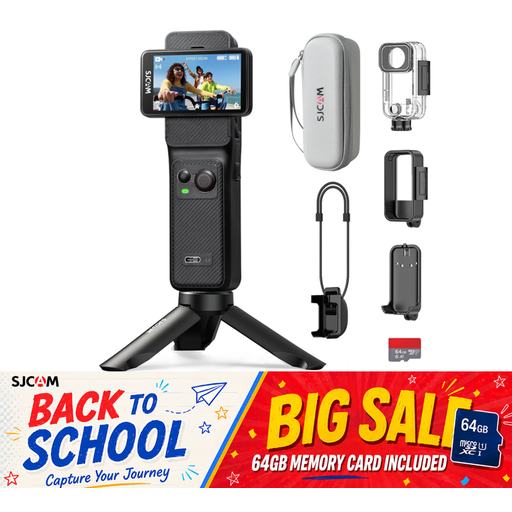
SJCAM C400 action camera with 4K recording and dual touchscreens

SJCAM C400 Action Camera, 4K

Consider it for moving shots or wide views of your layout. Check that the angle of view suits the framing you have in mind.

The product details list a 154° lens, two touchscreens and 6-axis gyro stabilisation. Up to 437 minutes of recording is specified with the grip and additional battery.

Joybuy
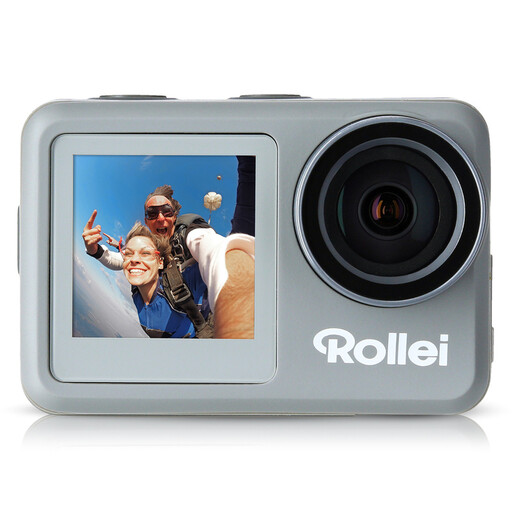
Rollei Actioncam 9s Plus with 4K video at 60 frames per second

Rollei Actioncam 9s Plus, 4K 60fps

If you want to position a camera at your workstation, check that the mount and framing suit your set-up.

The product details list electronic image stabilisation, a 1/4-inch tripod socket and a remote control.

Joybuy
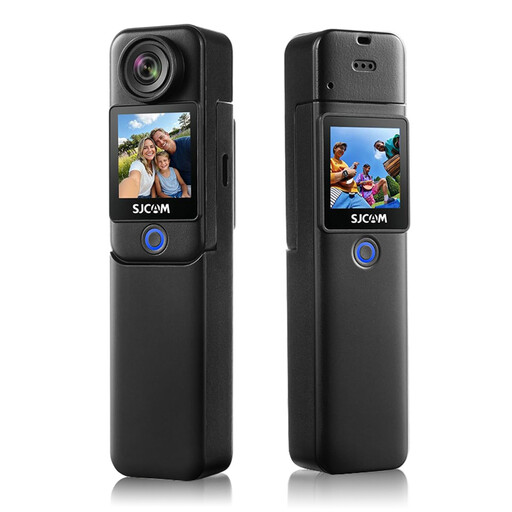
SJCAM C300 action camera with 4K recording and 6-axis stabilisation

SJCAM C300, 4K

Consider it for moving shots. If you want to use it to show small steps, check the framing beforehand.

The product details list a 154° ultra-wide-angle lens and 6-axis stabilisation.

Joybuy

Frequently asked questions

Do I need 4K for tiny model railway parts?

No. Start by choosing a lens, framing and focusing distance to suit the component. Higher video resolution can’t make up for insufficient magnification from the lens; with a shallow depth of field, precise focusing is also important.

How should I set up my camera if my room lighting flickers?

Record a short test under the lights you’ll actually be using and check for bands. Sony Germany lists 1/50 s or 1/100 s as possible shutter speeds with a mains frequency of 50 Hz. The right setting depends on the camera and light source.

What should I prepare for longer construction recordings?

Check the recording time and power supply for your chosen mode, and make sure you have a suitable memory card. Nikon’s figure of up to 125 minutes for the Z 30 applies under the conditions stated by the manufacturer; it isn’t guaranteed in every environment.

Who is responsible if something goes wrong after I buy?

When you buy from a trader in the EU, you have a legal guarantee of at least two years from the date you receive the goods, and this applies to the seller. Your Europe, the European Union’s portal, distinguishes this right from an additional manufacturer’s warranty.

Can I publish a model railway build video if people who helped are recognisable?

Under § 22 KunstUrhG, consent from the person shown is generally required to distribute or publicly display their image. Exceptions and other rights may depend on the circumstances. This rule applies to publications showing identifiable people, not automatically to every private recording.