Collectors with multiple project versions
If you want to keep original photos, edits and earlier building stages, first make sure you have enough space for complete folders that are easy to find.


If you mainly keep original photos and older project versions, start by measuring your folders and choose an external HDD with enough space. An external SSD may suit your workflow better if you copy or edit files frequently. To make older versions recoverable, you’ll also need a backup that’s been set up and tested – drive capacity alone won’t save file versions. Before you buy, check the connection, cable and file system your computer needs.
If you want to keep original photos, edits and earlier building stages, first make sure you have enough space for complete folders that are easy to find.
If you want to go back to an earlier version after accidentally overwriting a file or a drive failure, setting up a backup is just as important as choosing the drive. The German Federal Office for Information Security recommends backing up your data regularly.
If you move or edit photos between workstations, check the connection, file system and how often you copy files before deciding between an HDD and an SSD.
Measure your existing folders and allow for the project versions you plan to keep. Then decide whether archiving or frequent file transfers matters more for your workflow, and plan for a separate backup.
| Key consideration | What to look for when buying | Who should pay particular attention? |
|---|---|---|
| Space for originals and versions | Check your folder sizes and allow for the project versions you plan to keep; confirm the capacity of the specific model. | If I want to keep my originals and several building stages in full, I first work out how much space my folders need. Around 36% of consumers put available storage for originals and additional project versions first. |
| Restoring older versions | Check which project folders your backup covers and how to test restoring a file. | If I want to go back to an older version after accidentally changing or deleting a file, or after a fault, I set up a backup and test the restoration process. Around 29% of consumers put recovery first. |
| Access and device compatibility | Check your computer’s connection, the cable and the file system of the specific model; if you transfer files often, consider your workflow too. | If I regularly move files between devices or edit them directly from the drive, I check the connector and file system for each workstation. Around 21% of consumers prioritise access and connectivity. |
| Protecting private photos | If needed, check the security features of the specific model and securely erase personal data before passing it on. | If I keep private photos on a drive I carry around, or plan to pass it on later, I look for access protection and secure erasure. Around 14% of consumers put privacy first. |
Extra storage doesn’t automatically give you a separate, recoverable backup. If the drive fails or is lost, your originals and older versions could be lost together.
Keep another copy separately and test restoring a file. The German Federal Office for Information Security explains why regular backups matter.
A matching connection alone doesn’t tell you whether the cable and pre-formatted file system will work with your device. Reformatting can erase existing files.
Check the specific model, cable and connection on your computer. Back up existing data before formatting a drive; Toshiba says the documented Canvio Basics needs reformatting for the stated Mac use.
A stated maximum interface or SSD speed isn’t a measurement using your photos and computer.
Consider your actual workflow and the connections your devices support. Samsung states up to 1,050 MB/s for the documented T7 model; this manufacturer figure doesn’t guarantee the transfer rate you’ll get with your project files.
The Canvio Basics range includes documented USB-powered 2.5-inch HDDs. Toshiba Storage lists models with capacities of 1 TB, 2 TB and 4 TB.
My Passport is a portable HDD range with documented capacities including 4 TB.
The One Touch Portable range includes documented portable HDDs for larger collections of files on the go.
The Portable SSD T7 is an SSD alternative for transferring project files frequently. The documented product page covers the blue 2-TB model MU-PC2T0H/WW.
These portable external HDDs are designed for archiving model railway photos and project versions, provided your folders fit within the capacity of the model you choose. You’ll also need to set up a backup if you want to be able to restore older versions.
 No image available
For photo folders and planned project versions, provided they fit within the stated capacity; you’ll need an additional backup to restore older versions.
Capacity: 5 TB. Connection: USB-C.
No image available
For photo folders and planned project versions, provided they fit within the stated capacity; you’ll need an additional backup to restore older versions.
Capacity: 6 TB. Connection: USB-C.
No image available
For photo folders and planned project versions, provided they fit within the stated capacity; you’ll need an additional backup to restore older versions.
Capacity: 4 TB. Connection: USB-C.
 No image available
For photo folders and planned project versions, provided they fit within the stated capacity; you’ll need an additional backup to restore older versions.
Capacity: 2 TB. Connection: USB-C. Interface: USB 3.2 Gen 1. File system: exFAT.
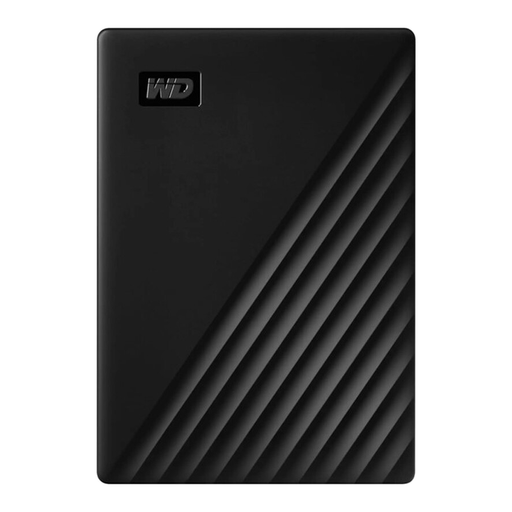 No image available
For photo folders and planned project versions, provided they fit within the stated capacity; you’ll need an additional backup to restore older versions.
Capacity: 1 TB.
No. If necessary, set up File History on Windows or Time Machine on Mac, and check that your project folders are included. Test restoring a file to see whether you can retrieve the version you need.
First check the file system and set-up of the specific model. Toshiba says the documented Canvio Basics needs reformatting for the stated Mac use; Apple notes that setting up a Time Machine volume may require you to erase the drive. Back up any existing files somewhere else first.
Apple recommends using a volume with at least twice the storage capacity of your Mac for a Time Machine backup. This is a recommendation for this type of backup, not a minimum size for a model railway photo archive alone.
Your statutory rights for faulty goods are against the seller and are separate from any voluntary manufacturer’s warranty. The consumer advice centre explains that the first step when there’s a fault is to ask for it to be put right. Keep an additional copy of important photos regardless.
No. The German Environment Agency lists separate disposal routes for electrical waste, such as recycling centres and retailers. Securely erase personal photos before passing on or disposing of the drive.