What should you look for?
First, plan how you’ll recover your photos if the USB flash drive fails. Then check that the storage capacity, device connections and access protection suit the way you work.
| What matters |
What to check |
Who it matters most to |
| Recoverable storage |
Keep an additional copy separately and check that your backed-up photos are readable. |
If you want to recover your project photos if a drive fails, a separate backup is essential. Around 29% of consumers prioritise having a recoverable copy. |
| Room for your photo collection |
Compare the capacity with the size of your existing folders and allow some extra space. |
If your photo collection is growing, you’ll need enough room for both existing and new folders. Around 23% of consumers put storage capacity first. |
| Connections and readability |
Check the connections on all your devices and make sure they support the file system you choose. |
If you move photos between devices with different connections, make sure the files will open on each one. Around 18% of consumers prioritise compatibility between devices. |
| Transfer time |
Compare read and write speeds separately, and check the figures for the specific capacity version. |
If you often transfer new photo folders, you won’t want to wait longer than necessary for them to be written. Around 18% of consumers prioritise a shorter transfer time. |
| Access protection |
Check who will manage the code and how authorised users will unlock the drive. |
If some photos are confidential, the protection should suit both shared access and the way the code is managed. Around 12% of consumers put access protection first. |
These percentages show the priorities within the selection covered here, not market shares. For important photos, it’s still sensible to keep a separate backup; extra storage alone won’t protect you from data loss.
USB flash drives at Joybuy
The models below cover straightforward USB-A use, as well as USB-A and USB-C options for storing photos and transferring them between devices.
 No image available
Kingston Technology DataTraveler 64GB 220MB/s Metal USB 3.2 Gen 1 SE9 G3
A good fit if you use USB-A at your shared workstation and 64 GB is enough for your photo archive.
64 GB; USB 3.2 Gen 1; metal casing.
Joybuy
 No image available
Kexin 2-in-1 USB flash drive, 32 GB, USB-A and USB-C, 2-pack
A good option for switching between USB-A and USB-C devices, as long as the stated capacity suits your folders.
USB 2.0; USB-A and USB-C; OTG; 2-pack.
Joybuy
 No image available
Kexin 2-in-1 USB flash drive, 32 GB, 5-pack
This set could be a good fit if you need several drives for separate photo archives or to keep different files organised.
5-pack; 32 GB as stated in the product name; USB-C listed in the product name.
Joybuy
No image available
Kexin 2-in-1 USB flash drive, 128 GB, 5-pack
An option if you’re looking for a set with the capacity stated in the product name for your photo archive.
5-pack; 128 GB as stated in the product name; USB-C listed in the product name.
Joybuy
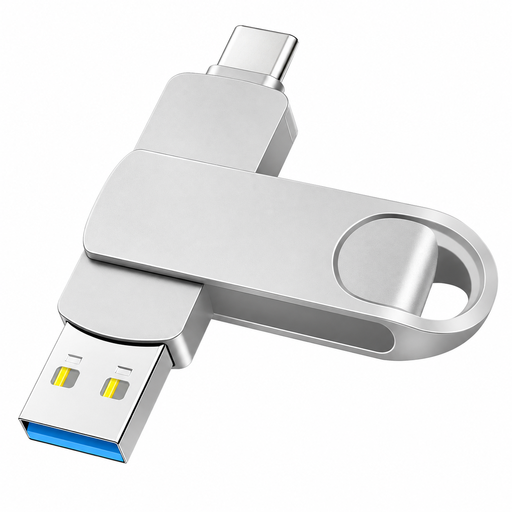 No image available
2-in-1 USB flash drive, 512 GB, USB-A and USB-C
A good fit for a larger photo collection and switching between USB-A and USB-C devices. Check compatibility with each device you plan to use first.
512 GB; USB-A and USB-C; swivel metal casing.
Joybuy
Frequently asked questions
Can I use a USB flash drive as the only archive for my model railway photos?
For important photos, keep an additional copy separately and check from time to time that the files still open. Germany’s Federal Office for Information Security points out that the lifespan of storage media cannot be predicted precisely.
What should I check before using the drive on a shared computer for the first time?
Check the computer’s connection and open a test file on the destination device. If you need to change the file system, back up existing data first, as formatting erases it. Kingston recommends exFAT or NTFS rather than FAT32 for files over 4 GB; also check that all the devices you use support your chosen file system.
How do I safely remove the USB flash drive after copying files?
For Windows 10 or 11, Microsoft recommends ejecting the drive using “Safely Remove Hardware and Eject Media” and waiting for confirmation before unplugging it.
Does an encrypted drive automatically make it safe to use on a shared PC?
No. Depending on the model, encryption can restrict access to stored data, but it won’t protect the drive from malware on the computer you use. Germany’s Federal Office for Information Security still lists USB flash drives as a possible way for malicious software to spread.
What happens with the Verbatim Keypad Secure after incorrect code entries?
According to Verbatim, the drive must be reformatted after 20 incorrect code entries. Before using it, decide who will manage the code and make sure you have a separate backup of your photos.


