What to look for when buying
First, decide which project versions you want to keep and make sure you have an additional, tested copy. You can then choose the capacity, device connections, transfer speed and, if needed, access protection to suit your needs.
| Priority |
What to check |
Who should pay particular attention |
| Restoring older versions |
Label versions separately, keep a copy on another storage device and test opening or copying photos back. |
If I want to recover older build stages after accidental deletion or a USB stick failure, I need separate folders and a tested second copy. Around 33% of consumers are likely to prioritise the ability to restore their files. |
| Space for multiple versions |
Add up the size of all the folders and compare it with the usable capacity of the specific model. |
If I want to keep current photos and older project versions on the USB stick at the same time, I need to consider the size of the whole archive. Around 27% of consumers are likely to focus primarily on having enough capacity. |
| Access on different devices |
Check the connectors, support for external storage and the file system, then open a test file on the target device. |
If I switch between devices with USB-A, USB-C or different operating systems, the USB stick must be readable on every device I plan to use. Around 20% of consumers are likely to give particular importance to device compatibility. |
| Copying time for large folders |
Check write speeds or tests for the exact capacity model, and take the interface on the computer you use into account. |
If I regularly update large photo folders, I’m more likely to focus on write speed than on an advertised read speed. Around 13% of consumers are likely to consider copying time their top priority. |
| Protecting confidential photos |
If you need this level of protection, check encryption and unlocking on all the devices you plan to use. Store your access details separately and securely. |
If I don’t want others to access my project photos or accompanying files, suitable access protection matters. Around 7% of consumers are likely to prioritise confidentiality. |
Joybuy products for storing photos
The following Joybuy products are USB sticks for storing photos. Before choosing, check that the capacity, connectors and, if needed, access protection suit your project folders and devices.
 No image available
Kingston IronKey Keypad 200, 32 GB
An option for project photos that need extra access protection, if 32 GB is enough for the files you plan to store.
The product title lists Keypad 200, AES-256 encryption and FIPS 140-3 Lvl 3.
View at Joybuy
 No image available
Kexin 2-in-1 USB stick, 5-pack, 32 GB
For switching between devices, if the USB-A and USB-C connectors listed are compatible with your equipment.
The product specifications list USB 2.0. Check that the connectors and transfer standard meet your needs.
View at Joybuy
No image available
Kexin 2-in-1 USB stick, 5-pack, 64 GB
For switching between devices, if the USB-A and USB-C connectors listed are compatible with your equipment.
The product specifications list USB 2.0. Check that the connectors and transfer standard meet your needs.
View at Joybuy
No image available
Kexin 2-in-1 USB stick, 5-pack, 128 GB
For switching between devices, if the USB-A and USB-C connectors listed are compatible with your equipment.
The product specifications list USB 2.0. Check that the connectors and transfer standard meet your needs.
View at Joybuy
 No image available
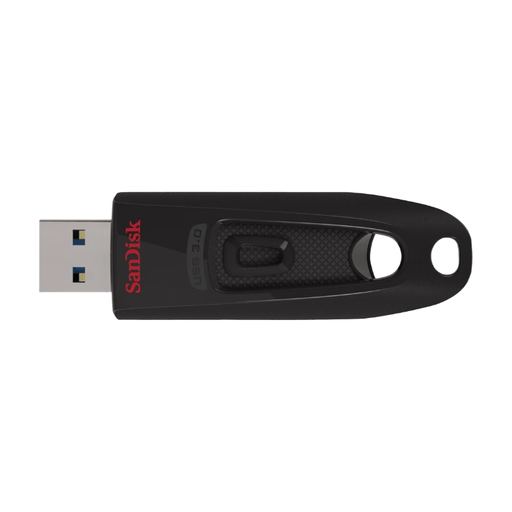
SanDisk Ultra USB flash drive, 64 GB, USB 3.0
An option for photo folders if 64 GB is enough and a USB 3.0 drive is compatible with the devices you use.
Compare the size of your folders with the available storage space and check that every target device supports the drive.
View at Joybuy
Frequently asked questions
How can I stop new copies from overwriting older build stages?
Save project versions you want to keep in separate, clearly labelled folders, and keep another copy on a different storage device. The BSI recommends testing recovery to make sure you can actually open your backed-up photos again.
Which file system is suitable for use with Mac and Windows?
Apple describes ExFAT as a formatting option for a USB stick larger than 32 GB that you want to use with Mac and Windows. Formatting deletes existing files, so back them up to another storage device first. Also check that your other devices support the file system.
Does a five-year manufacturer’s warranty replace backing up my photos?
No. Kingston lists a five-year manufacturer’s warranty for the DataTraveler Exodia M; independently, the BSI recommends backing up data to protect against failure and accidental deletion. A warranty does not promise to recover lost files.
What rights do I have when buying a USB stick online in Germany?
Under EU consumer rules, purchases from a business seller generally come with a legal guarantee of at least two years from the date you receive the goods. Distance purchases generally carry a 14-day right to cancel from delivery, although exceptions may apply. Your Europe (European Union) distinguishes these rights from a voluntary manufacturer’s warranty.


