What should you look for when buying?
If you want to play your own files directly on the TV, first check their formats against the exact model. Then consider the screen size, playback process and energy use in light of where you’ll be showing the videos and for how long.
There are four main buying considerations when it comes to showing model railway videos.
| Consideration |
What to check before buying |
Who is it important to? |
| File compatibility |
Check the storage device’s file system, container and video and audio codecs against the manual for the exact model. |
If I want to show my existing videos without another media player, I’ll check their formats against the TV’s specifications. Around 36% of consumers put file compatibility first. |
| Screen size |
Measure the available space and viewing distance. View a typical recording at its original resolution on a screen of the size you’re considering. |
For presentations viewed from further away, I want a screen that suits the room while still leaving enough space for the TV. Around 29% of consumers prioritise a screen size that suits the presentation space. |
| Playback process |
Check repeat playback, file order and controls on the exact model, or confirm that an HDMI media player is compatible. |
If clips need to play for longer, I want to check the sequence and repeat settings in advance rather than assume they’ll play unattended. Around 21% of consumers prioritise how longer presentations are played. |
| Energy use and still images |
Check the EU energy label for the specific model and consider how long it will be running. For longer static displays, also check the conditions for the device. |
If the TV will be on often or for long periods, I’ll check its energy information and consider how long menus or other parts of the image will remain unchanged. Around 14% of consumers prioritise running costs and how the TV handles long periods with static images. |
Joybuy products
This selection includes TVs in different screen sizes for presentations using local media via USB. The USB ports listed don’t confirm support for your specific video and audio formats.
 No image available
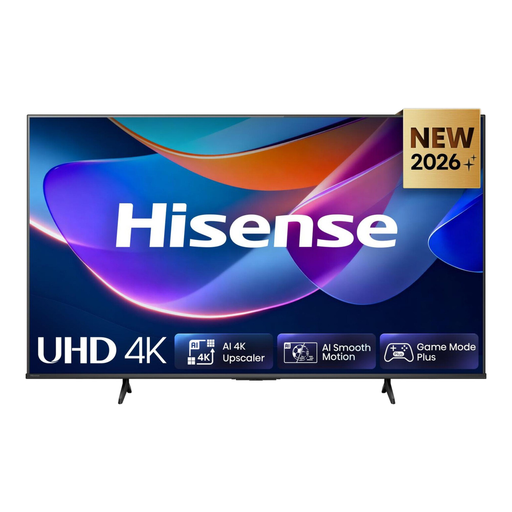
Hisense 55A6S, 55-inch
The listed USB connection for multimedia drives may be useful for local media, but you’ll need to check separately whether your specific files will play.
55-inch, 4K UHD, LED and VIDAA.
View at Joybuy
 No image available
Sony BRAVIA 3, 85-inch (K85S32)
The large screen size may suit a bigger viewing area. Before buying, check your files against the media player specifications.
85-inch, 4K, LCD with Direct LED, Google TV, plus USB and HDMI ports.
View at Joybuy
 No image available
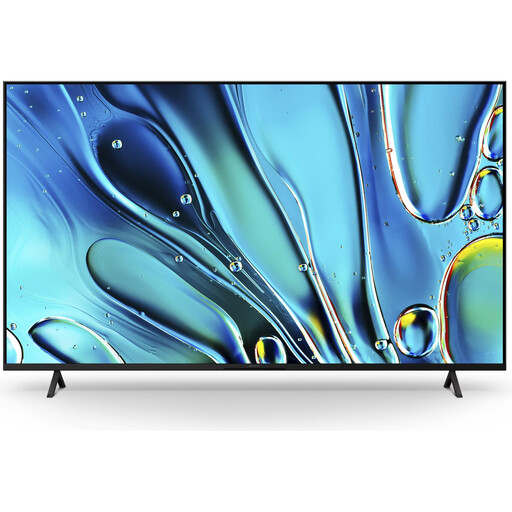
Sony BRAVIA 3, 75-inch (K75S32)
If you’re planning for a larger screen, measure the available space and viewing distance. USB and HDMI ports alone don’t tell you whether the TV supports your codecs.
75-inch, 4K, LCD with Direct LED, Google TV, plus USB and HDMI ports.
View at Joybuy
No image available
Sony BRAVIA 3, 55-inch (K55S32)
The 55-inch screen could work well for a presentation with several viewers. Check file formats separately against the specifications for the model.
55-inch, 4K UHD, LCD with Direct LED, Google TV, plus USB and HDMI ports.
View at Joybuy
No image available
Sony BRAVIA 3, 43-inch (K43S32)
The more compact screen size may suit a smaller space. Before choosing, check whether the media player supports your video and audio codecs.
43-inch, 4K UHD, LCD with Direct LED, Google TV, plus USB and HDMI ports.
View at Joybuy
Frequently asked questions
Is a USB port enough to play my MP4 or MKV file?
No. The exact TV model must support both the container and the video and audio codecs used. LG highlights possible codec issues, while Sony publishes a list for the K-43S3.
Does the TV need an internet connection to play videos from a USB stick?
When you play files from a connected USB storage device, they’re read from that device. Check separately whether initial setup or additional smart TV features require an internet connection on the model you choose.
Is USB recording the same as playing my own model railway videos?
No. Samsung’s PVR help describes recording received TV programmes to a suitable USB storage device. For your own videos, the media player and its supported file formats are what matter.
How can I compare the TVs’ energy use?
Compare the energy information on the EU energy labels for the specific models, using the same basis for consumption. To estimate your own costs, you’ll also need to know how long you’ll use the TV and the price of electricity. The European Commission lists TVs as electronic displays covered by energy labelling.
Can I show the videos at a public model railway event?
This also depends on the rights to the content being shown and the circumstances of the presentation. Section 15 of the German Copyright Act covers public communication of works; the German Federal Ministry of Justice and the Federal Office of Justice explain the legal framework there. Check the rights to the specific content before showing it in public.


