What should you look for when buying?
First, measure the viewing distance and the space available for the TV. Then assess picture quality, playback options and running costs for your own viewing scenario.
| What to consider |
What to look for |
Who it matters most to |
| Picture size as seen from your seat |
Measure the viewing distance and available width; watch a typical clip from the furthest seat. Sony’s minimum viewing distances for 4K are not maximum distances for making out small subjects. |
If I want to see small trains from the back of the room, I’ll check how the picture looks with my own footage. Around 36% of consumers put visibility from a long distance first. |
| Room lighting and seating |
Take light sources and side-on seating into account; check the picture with similarly bright and dark scenes. |
For daytime viewing or when several people are sitting to the side, I want to assess reflections and viewing angles in the actual room. Around 29% of consumers prioritise room lighting and good visibility from multiple seats. |
| Existing videos |
For USB playback, check the file system and video and audio codecs used by your original files; alternatively, check that your player’s HDMI output matches the TV inputs you need. |
If I want to play my footage directly from a USB drive or through an external player, I’ll check compatibility with specific files. Around 21% of consumers focus on file and connection requirements. |
| Running costs and set-up |
Check the energy label, how long you expect to use the TV, and the device and mounting requirements. Follow the manufacturer’s guidance if OLED still images will be displayed for long periods. |
For long viewing sessions or recurring information screens, I want to weigh up power consumption, space requirements and suitability for static images. Around 14% of consumers prioritise running costs and set-up. |
The EU energy label gives consumption in kWh/1000 h; your actual costs also depend on how many hours you use the TV and your electricity tariff. LG warns that OLED screens may be susceptible to image retention when still images are displayed for long periods.
Joybuy models for large-screen viewing
The Joybuy models below include large Mini LED LCD and OLED TVs. Compare picture quality, set-up and suitability for your content in the conditions in which you actually plan to use them.
 No image available
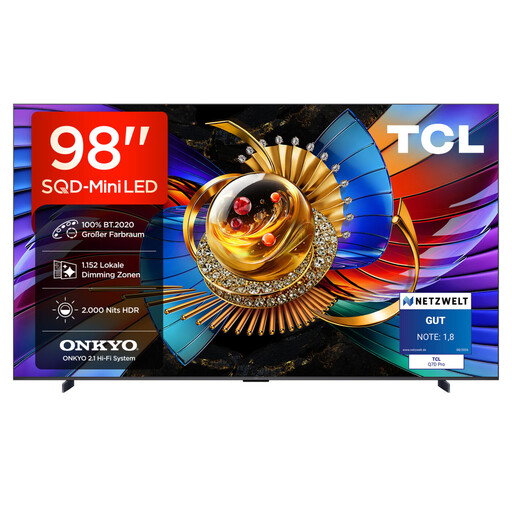
TCL 98Q7D PRO 98-inch 4K SQD Mini LED TV
The 98-inch screen gives you a very large picture to test with clips viewed from the furthest seat.
Listed in the product name: 4K, 100% BT.2020, 1,152 Local Dimming Zones, 2,000 Nits HDR, Anti-Reflection and 144 Hz.
The 98-inch format requires plenty of space and a suitable, sturdy set-up.
View at Joybuy
 No image available
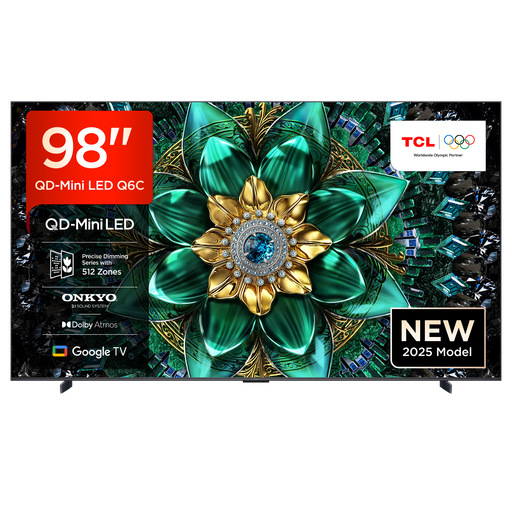
TCL 98Q6C 98-inch QD Mini LED TV
The large screen may suit viewers sitting a long way from the TV; check visibility with your own video footage.
Listed in the product name: 4K, Dolby Vision IQ, Dolby Atmos, 144 Hz, HDMI 2.1 and Google TV.
Check the dimensions and weight against the space where you plan to put the TV.
View at Joybuy
 No image available
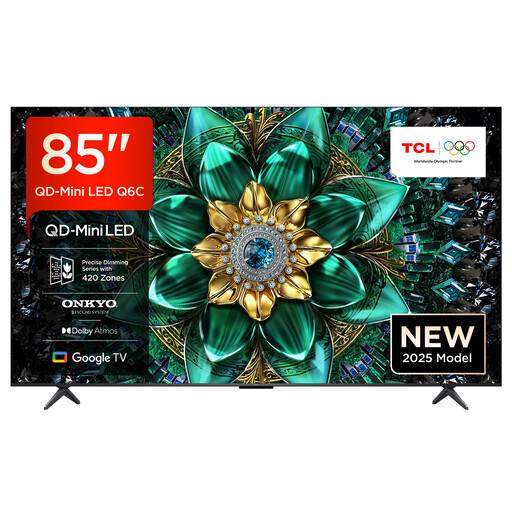
TCL 85Q6C 85-inch QLED Mini LED TV
The 85-inch screen is a large option for watching model railway videos from further away.
Listed in the product name: 4K, Dolby Vision IQ, Dolby Atmos, 144 Hz, HDMI 2.1 and Google TV.
Check visibility from the side seats you’ll actually use, with your own viewing material.
View at Joybuy
 No image available
LG OLED77G67LW 77-inch OLED evo AI G6
This 77-inch OLED may be an alternative to larger LCD models if you can control the lighting and the footage changes regularly.
Listed in the product name: 4K, up to 165 Hz, Dolby Vision, Dolby Atmos and webOS 26.
According to the description, this configuration includes a wall mount but no stand. Bear in mind the risk of image retention described by LG if static images are displayed for long periods.
View at Joybuy
 No image available
LG OLED83C67LA 83-inch OLED evo AI 4K Smart TV
The 83-inch screen gives you a large picture; check whether you can make out small trains from your usual viewing distance with a typical clip.
Listed in the product name: α11 AI Processor, Dolby Vision, Dolby Atmos and webOS Smart TV.
Bear in mind the risk of image retention described by LG if static images are displayed for long periods.
View at Joybuy
Frequently asked questions
How do I choose the right screen size for viewers sitting at the back?
Measure the distance to the furthest seat regularly used, then watch a typical clip featuring small trains from there. Sony’s 4K guidance describes minimum viewing distances at which individual pixels should no longer be visible; it doesn’t set a maximum distance for making out small subjects.
Can I play model railway videos directly from a USB stick?
It depends on the TV, the file system and the video and audio codecs. Sony publishes a list of supported formats for the K-85XR5. Test representative original files, or check that your player’s HDMI output matches the TV inputs you need.
How should I compare power consumption and what are my rights if something goes wrong?
For specific TVs, compare the energy label rating in kWh/1000 h and take your own usage hours into account. In Germany, statutory consumer rights generally apply against the seller; a manufacturer’s warranty is separate, as Germany’s consumer advice centre explains.
Can I publicly screen model railway footage filmed by someone else?
Not simply because the screening is free: under § 52(3) UrhG, public screenings of a film work are only permitted with the rights holder’s consent. Whether a particular screening counts as public, and what rights apply to the material used, must be established for each individual case.


