Joybuy monitors for your editing setup
This selection from Joybuy includes 4K monitors for assessing detail and colour, plus ultrawide models that give you a wider timeline when editing with separate audio.
 No image available
MSI PRO MP273UPDE E6, 27-inch, 4K UHD
The 4K resolution and sRGB preset are well suited to previewing detail and assessing SDR colour. The stated 16:9 aspect ratio gives you less horizontal space for a wide timeline than 21:9.
3840 × 2160 pixels; IPS; 60 Hz; sRGB and HDR presets; HDMI 2.0b; DisplayPort 1.4a; height-adjustable stand.
Joybuy
 No image available
CRUA 49-inch DQHD ultrawide, 32:9
The 32:9 aspect ratio and 5120 × 1440 resolution give you plenty of room for a timeline and separate audio tracks. Its 1440 vertical pixels are below the 2160 of 4K UHD, so bear this in mind if detail in the preview is your priority.
5120 × 1440 pixels; 32:9; 165 Hz; HDMI 2.1; DisplayPort 1.4; height-adjustable stand.
Joybuy
 No image available
INNOCN CB27U1, 27-inch, 4K UHD
The 4K resolution is suited to previewing fine detail, while USB-C with 90 W Power Delivery may be useful for a compatible laptop. The stated 16:9 aspect ratio gives you less horizontal timeline space than 21:9.
3840 × 2160 pixels; IPS; 120 Hz; USB-C with 90 W Power Delivery; height-adjustable stand.
Joybuy
 No image available
ASUS TUF Gaming VG34VQ3B, 34-inch ultrawide
The 21:9 aspect ratio can give you more horizontal room for a wide timeline. Its 1440 vertical pixels are below the 2160 of 4K UHD, which is worth bearing in mind when previewing fine detail.
3440 × 1440 pixels; 21:9; curved; 180 Hz; DisplayPort; HDMI; USB.
Joybuy
 No image available
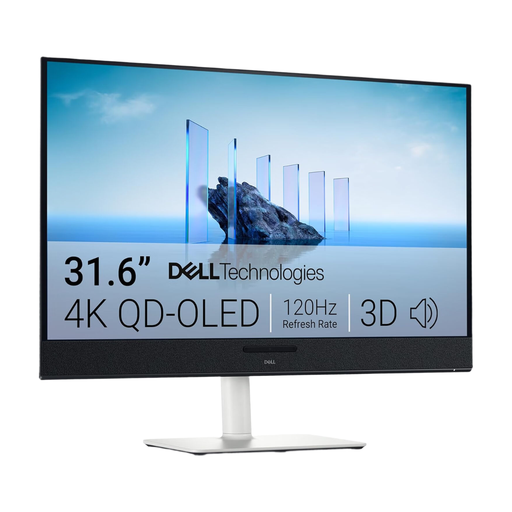
Dell Plus S3225QC, 31.6-inch, 4K UHD
The 4K resolution supports detailed previews, while the stated 16:9 screen is less wide than a 21:9 ultrawide. USB-C with 90 W Power Delivery is useful for a laptop with compatible charging requirements.
3840 × 2160 pixels; QD-OLED; USB-C with 90 W Power Delivery; three USB-C ports; adjustable stand.
Joybuy
Frequently asked questions
Can a monitor synchronise separately recorded sounds with video?
No, synchronisation is handled by your editing software. Blackmagic Design describes features in DaVinci Resolve for synchronising separate audio and video files using timecode or audio waveforms, as well as a manual option. The monitor affects how much of the preview and workspace you can see at once.
Do I need built-in monitor speakers for audio editing?
Not for synchronisation: the synchronisation and waveform tools described by Blackmagic Design are part of the software. For monitoring audio, separately consider which audio output and listening equipment you want to use.
How do I set up a USB-C monitor with my laptop?
First, check whether your laptop’s USB-C port supports video output and how much charging power your laptop needs. BenQ Germany lists DisplayPort Alt Mode and 65 W for the PD2705U; ASUS Germany lists 96 W Power Delivery for the PA279CRV. Then set the resolution, scaling and a colour mode suited to your project.
What should I check about power consumption and energy labels?
EU energy labelling and ecodesign requirements apply to electronic displays. The European Commission lists these requirements for electronic displays; when comparing specific models, compare the stated power consumption figures on a like-for-like basis.
What are my rights when buying a monitor online?
When consumers buy from a trader online, distance contracts generally come with a 14-day withdrawal period. Faulty goods are also covered by a minimum two-year legal guarantee from the seller. Your Europe, the European Union’s information service, explains these rights; a separate manufacturer’s warranty is different.


