What should you look for when buying?
First, check how you’ll play your files. Then make sure the image width, projection distance and room lighting suit your planned set-up. If you’ll be presenting in different locations, battery life matters too.
| What matters |
What to check before buying |
Who should pay particular attention? |
| Playing local files |
For direct playback, look for a projector that explicitly lists a USB media reader, and test a file with both video and audio. Otherwise, plan to use an HDMI playback device. |
If I want to play my footage without streaming and as directly as possible, I check exactly how playback works; around 36% of consumers put local file playback first. |
| Image width with limited space |
Compare the distance from the lens with the image width you want. BenQ specifies a 0.69–0.83:1 ratio for the TH671ST and a fixed ratio of 1.2 for the GV50. |
When space is limited, I want to know whether I can still get the image width I need; around 29% of consumers focus on projection distance. |
| Visibility in the room |
Check performance at your planned image size and in your room’s lighting. Epson specifies 4.000 lumens of white and colour brightness for the EH-TW840; BenQ quotes 500 ANSI lumens for the GV50. |
If I can’t sufficiently darken the room, I pay particular attention to how clearly my footage will show; around 21% of consumers prioritise this. |
| Portability and battery power |
Compare the length of your presentation with the battery life in the mode you plan to use, and check what accessories you’ll need. XGIMI quotes up to 2.5 hours of video in Eco mode using the MoGo 4’s built-in battery. |
When presenting in different locations, I want to be as independent of a power socket as possible; around 14% of consumers prioritise portability. |
Projectors for local playback via HDMI
The projectors below are HDMI options for playing local files through an external playback device. Check that your file plays with both video and audio on that device.
 No image available
Projector with HDMI compatibility and 180° rotation
It may suit local video playback if you’re using a separate HDMI playback device; the HDMI specification doesn’t guarantee that every file will play.
Features listed in the product title: automatic image correction, a 50–200-inch screen size and 180° rotation.
View at Joybuy
 No image available
XGODY Gimbal N6 Pro
The HDMI port is useful for connecting an external playback device; check that your specific file plays on that device.
The product title specifies native 1080p resolution and 700 ANSI lumens.
View at Joybuy
 No image available
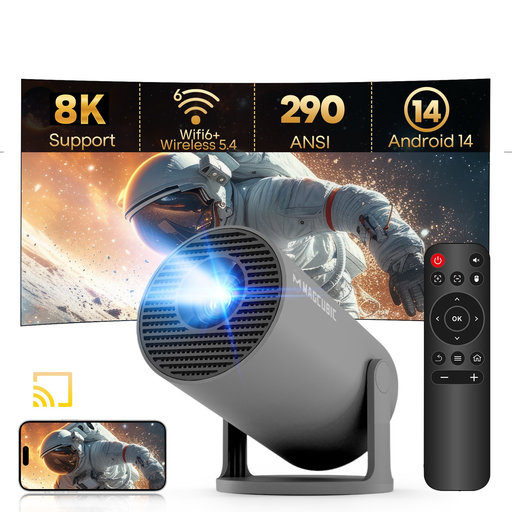
MAGCUBIC HY300Pro mini projector
This projector may suit local model railway videos when you use an external playback device via HDMI; test the specific file on that device first.
The product title specifies HDMI compatibility and 180° rotation.
View at Joybuy
 No image available
Dangbei Atom laser projector
If you want to play local videos through an external playback device, the HDMI port listed in the product title is useful. Test both video and audio before your presentation.
Specifications listed in the product title: 1080p and 1200 ISO lumens.
View at Joybuy
 No image available
Magcubic HY350Max
For local files, you can connect an external playback device via HDMI; whether your file plays also depends on that device.
The product title specifies native 1080p resolution, 900 ANSI lumens and automatic image correction.
View at Joybuy
Frequently asked questions
Is a USB port enough to play model railway videos from a memory stick?
No. A USB port on its own doesn’t prove that the projector can play videos. BenQ lists the TH671ST’s USB-A port for power, while the GV50’s USB ports are also listed as readers. You should also test your specific file with both video and audio.
How can I check whether a projector will fit my space?
Measure the image width you want and the distance from the lens to the screen, then compare both with the throw ratio of the specific model. BenQ specifies 0.69–0.83:1 for the TH671ST and a fixed ratio of 1.2 for the GV50.
What should I consider when it comes to ongoing costs and warranty terms?
For lamp-based models, factor in light-source maintenance. For a battery-powered projector, check whether you’ll need extra accessories to cover the length of your presentation. The Verbraucherzentrale explains that statutory rights against the seller and a voluntary guarantee are different things; make sure you read the relevant guarantee terms too.
Can I show model railway films at a public event?
Not automatically. Whether a screening counts as public depends on § 15 UrhG and the circumstances, particularly the relationships between those present. Under § 52 Abs. 3 UrhG, showing a protected film publicly requires the rights holder’s consent. If you’re using someone else’s material, check that you have the necessary rights; having a local copy of the file doesn’t by itself give you permission to show it.
Is the CE mark an independent quality mark for the projector?
No. The European Union explains that the CE mark is the manufacturer’s declaration that the product meets the relevant EU requirements; no central EU body issues a certificate for it. Check the product and seller information for the specific listing.


