Close-up workbench filming
You want to keep small track and assembly steps in shot throughout. The key is a suitable focusing distance and a camera position you can choose to suit your model.


First, measure the distance between your planned camera position and the small components. For close-up work you want to film regularly, the camera needs a suitable focusing range and a mount that keeps your hands free. A webcam with a desk-view mode may be enough if you mostly film yourself and the monitor angle actually captures your layout. A high resolution alone won’t solve a focusing or positioning problem.
You want to keep small track and assembly steps in shot throughout. The key is a suitable focusing distance and a camera position you can choose to suit your model.
You also speak to camera and show your work from time to time. With Insta360 DeskView and Logitech Show Mode, the key question is whether the monitor angle captures your work area.
On a small desk, your camera, lighting and modelling materials all need to fit side by side. That makes it especially important to choose a mount that won’t get in the way of your hands.
| Consideration | What to check before you buy | Who it matters most to |
|---|---|---|
| Close focus and construction details | Measure the distance from the lens to your model and compare it with the focusing range of the specific model. OBSBOT lists a minimum focusing distance of 10 cm for the Meet 2; Elgato specifies a fixed-focus range of 30–120 cm for the Facecam MK.2. | If you want to show small components from close up, make sure the distance to the lens falls within the focusing range. Around 40% of consumers prioritise close-up detail. |
| View of the layout | Check the monitor height, its distance from the layout and how much of the scene will be visible. Insta360 describes DeskView as a temporary desk view, not the same as filming with a dedicated overhead mount. | If you switch between showing your face and your work while explaining, the desk view needs to show the relevant part of your layout. Around 31% of consumers prioritise this flexibility. |
| Mounting and workspace | Check the mounting point, thread or clip, cable routing and whether there’s room for both hands. A separate mount may give you more positioning options, but it will need extra space. | If your desk has little spare room, you’ll want to mount the camera where it won’t get in the way while you’re building. Around 23% of consumers prioritise saving space. |
| Recording on your computer | Check the model’s connection and system requirements against your computer. In OBS, choose only a resolution and frame rate supported by the device, then make a short test recording. | If you want a webcam that works easily with your existing computer, you’ll need a compatible connection, recording software and settings. Around 6% of consumers prioritise this type of recording setup. |
Resolution and focusing range are different features. Elgato specifies a fixed-focus range of 30–120 cm for the Facecam MK.2, so a model closer than that is outside the stated range.
Measure the distance from the lens to your model at the planned camera position and compare it with the specifications for the exact model.
Insta360 distinguishes DeskView, a view of the desk from the monitor, from filming with a dedicated overhead mount. What the camera captures therefore depends on the monitor’s position and angle.
Before relying on desk mode, check whether the monitor’s actual position captures your work area.
According to the manufacturer, uncompressed 1080p at 60 fps on the Elgato Facecam MK.2 requires USB 3.0; USB 2.0 uses MJPEG.
Compare your computer’s connection with the model specifications, then test your preferred setting in your recording software.
The Meet 2 is an autofocus webcam that lets you choose separate camera angles for close-up work.
According to Insta360, the Link 2 and Link 2C offer DeskView for occasional views of your work area from the monitor.
According to Logitech, the MX Brio has Show Mode for an angled view of your desk; the C920s Pro HD is a separate Full HD model.
The Facecam MK.2 is better suited to a fixed recording position where the distance to your model is known.
According to Trust, the Taxon QHD is an autofocus webcam supplied with a universal tripod.
The webcams below are selected for filming at a workbench. Check the focus, viewing angle and mounting options against the specifications for each individual model.
 No image available
The integrated flexible tripod and rotating lens give you options for positioning the camera at your workbench. The description lists 1080p at 30 fps, a 120° lens and automatic light correction.
 No image available
The product specifications list autofocus and 1080p at 60 fps. Before using it, check whether the focusing distance suits your models. The specifications also list an 80° field of view and an integrated privacy shutter.
 No image available
If you want to adjust the view of your desk, the description lists 180° tilt, 360° rotation and tripod mounting. The lens is specified as a 99° wide-angle lens.
 No image available
The product description includes a desk tripod for positioning the camera at your workbench. Features listed include PDAF autofocus, a 75° viewing angle, USB-A and USB-C, and 4K or 1080p at 60 fps.
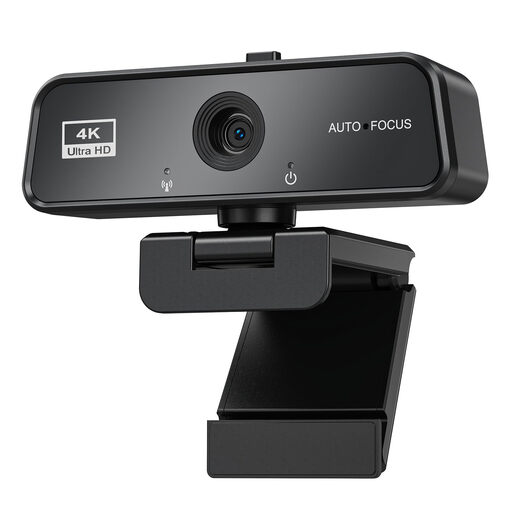 No image available
According to the description, the rotating clip is designed to attach to monitors and laptops. Features listed include autofocus, 4K at 30 fps, USB 3.0 and automatic light correction.
No. Insta360 describes DeskView as a temporary desk view from a laptop or monitor, and distinguishes it from filming with a dedicated overhead mount. Check whether the monitor angle captures your work area.
In the video capture device properties, choose a supported resolution and frame rate. According to OBS, no image will appear if the device doesn’t support your chosen setting. Then make a short test recording.
Keep the lens, connection and mount accessible, and follow the care instructions for your chosen model. Test a longer recording with your computer: according to OBS, the recording performance you can achieve depends on factors including the encoder, resolution and frame rate.
The seller’s statutory liability for faulty goods is different from a voluntary guarantee, as explained by the Verbraucherzentrale. Online purchases also generally come with a 14-day right to cancel, although exceptions may apply.
There’s no blanket permission. The Federal Commissioner for Data Protection and Freedom of Information points out that video recordings can affect people’s personal rights, and that recordings made for purposes beyond purely private use may be subject to different data protection rules. Where possible, point the camera at your work, and get permission before recording or publishing footage of identifiable people. The legal position depends on the purpose and circumstances.