
Lieferung heute & morgen

Qualitätsgarantie

Willkommens-Angebote freischalten: KOSTENLOSE Lieferung | Bis zu 80 % RABATT | Kostenlose 30-Tage-JoyPlus-Testphase
App herunterladen
The right lighting can boost concentration, reduce eye strain, and completely transform a room's atmosphere. But the market for modern lamps is overwhelming. Often, well-intentioned purchases result in unsuitable light that hinders more than it helps. Before investing in a new lamp, it's crucial to understand the most common pitfalls to make an informed decision.
This guide will help you understand the technical features that truly matter and show you which lamp types are best suited for specific needs.
Many buyers focus on design and price, overlooking functional flaws that only become apparent in daily use. These three issues most frequently lead to disappointment:
LED desk lamp or monitor light bar, a symmetrical light cone creates distracting reflections on the display. The result is counterproductive home office lighting.dimmable floor lamp might look impressive online but prove to be wobbly after assembly. A heavy lamp head combined with a lightweight base poses a stability risk, especially in households with children or pets.To avoid these problems, you should check three technical specifications before buying. These define a high-quality and functional eye-caring task light.
For workstations, an asymmetrical light design is essential. Unlike conventional lamps that cast a cone-shaped beam, asymmetrical lights direct the light onto the workspace in front of the monitor at a specific angle. This prevents the screen itself from being illuminated, effectively eliminating glare and reflections.
The Colour Rendering Index (CRI) indicates how true-to-life colours appear under an artificial light source. A value of CRI > 90 is recommended for work areas, as it ensures realistic colour representation and reduces eye strain.
A modern lamp should do more than just turn on and off.
reading lamp.A smart lamp offers convenience and advanced control options. Integration with voice assistants like Alexa or Google Assistant, app control, and programmable schedules and scenes are features that simplify daily life. Check whether a separate bridge (hub) is required for use or if the connection is made directly via Wi-Fi or Bluetooth.
Instead of making a general recommendation, we have identified products tailored to clearly defined user profiles that meet the quality criteria mentioned above.
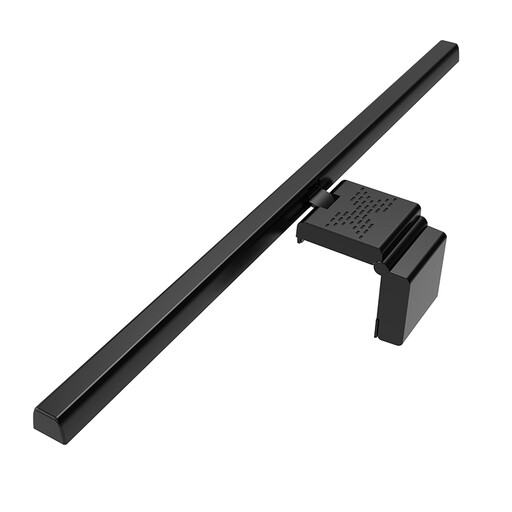
Why This Fits Their Persona: Ideal for users who spend a lot of time at their screen and need a space-saving, functional solution. The lamp attaches directly to the monitor, keeping the desk clear.
The asymmetrical optical design specifically illuminates the work area, preventing the typical glare and reflections on the screen.
Wide 50 cm light bar for large monitors; 3 colour temperatures (3000K/4500K/6500K) and stepless brightness adjustment.
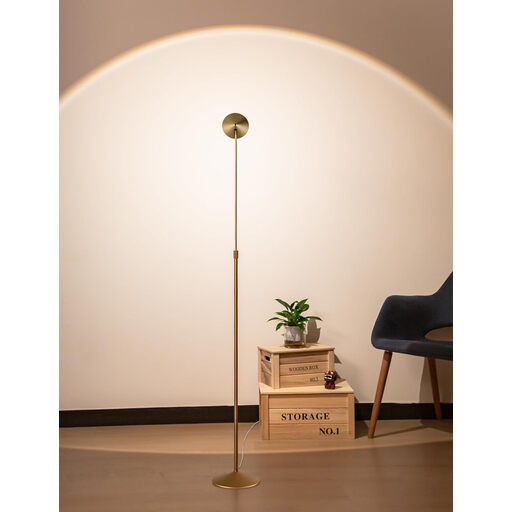
Why This Fits Their Persona: For users seeking a flexible lamp with a modern, high-end design. It's suitable for indirect room lighting, a focused reading lamp, or for precise hobby work.
The galvanised steel construction and weighted base counteract the problem of instability. The rotating head allows for precise light alignment without glare.
150° rotatable head and telescopically adjustable height for maximum flexibility; 3-level touch dimming.
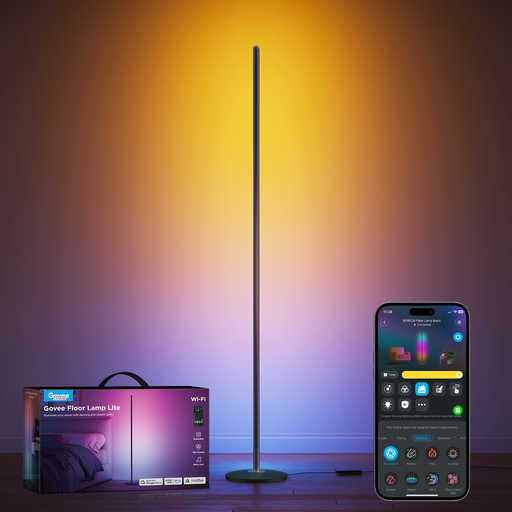
Why This Fits Their Persona: Perfect for users who want to fully integrate their lighting into their smart home system. Ideal for gaming setups, ambient lighting in the living room, or parties.
Solves the problem of unsuitable colour temperature with a choice of 16 million colours and 58 scene modes. The user can set the perfect light mood for any situation.
Compatible with Alexa and Google Assistant for voice control; RGBIC technology allows multiple colours to be displayed on the light bar simultaneously.
We have compiled a complete, up-to-date list of products that fully meet these strict selection criteria.
Lumens (lm) is the unit of measurement for a lamp's brightness, i.e., the total amount of light it emits. More lumens mean more brightness. Kelvin (K) describes the colour temperature of the light. Low Kelvin values (approx. 2700 K) produce a warm, yellowish light that is perceived as cosy. High Kelvin values (approx. 6500 K) produce a cool, bluish light that resembles daylight and promotes concentration.
A monitor light bar should be placed centrally on the top edge of the monitor. The light beam must be directed so that it only illuminates the desk area in front of the monitor. The screen itself should remain dark. Make sure the light does not shine directly into your eyes. On models with an asymmetrical light design, this alignment is already optimised by construction.
Not necessarily. Many modern smart lamps connect directly to your home network via Wi-Fi (2.4 GHz) or Bluetooth and can be controlled via a smartphone app or voice assistant. However, some systems, particularly from Philips Hue or older Zigbee/Z-Wave devices, require a central control unit (bridge or hub) to access all features. Check the product description for "Hub required" or "works without a hub".