What should you consider when choosing?
First, check that you can assess the portal interface clearly at your usual text scaling. Then decide how many views you need open at once, and whether your image workflow, connectivity or desk space brings any additional requirements.
| Consideration |
What to check before buying |
Who should consider this? |
| Readability during keyboard testing |
Check the form, focus indicator and upload at your usual text scaling; test actual operation separately. |
If I work through forms and uploads without a mouse, the text and focus need to remain visible in my usual view. Around 36% of consumers prioritise readable keyboard testing. |
| Multiple development views |
Compare window layouts, resolution and text scaling at your own workstation. |
If I need to see code, the portal and developer tools at the same time, usable screen space matters more than pixel count alone. Around 29% of consumers prioritise multiple development views. |
| Image previews and colour modes |
Check the image size you need and your own colour workflow; don’t treat colour gamut specifications as a measurement of the individual device. |
If I want to assess submitted artwork alongside the form, the resolution and colour mode should suit my image workflow. Around 21% of consumers prioritise image previews. |
| Desk space and laptop connectivity |
Check the space available, your laptop’s video output and the power it needs against the ports on the specific model. |
If my desk is short on space or I want to connect a laptop, the monitor’s position and connection options need to suit my existing setup. Around 14% of consumers prioritise space and connectivity. |
Monitors for portal development and image review
This selection includes monitors for portal development, working with multiple views and reviewing submitted images.
 No image available
MSI PRO MP273UPDE E6, 27-inch 4K UHD IPS
The 4K view may suit visual checks of the portal and submitted images; you’ll still need to test keyboard operation separately.
27 inches, 3840 × 2160 pixels, IPS and 60 Hz. The product specifications also list 10-bit colour depth, HDMI and DisplayPort connections.
Joybuy
 No image available
INNOCN CB27U1, 27-inch 4K UHD
This 4K option may work for checking the portal and development views side by side, provided the text remains readable at your chosen scaling.
3840 × 2160 pixels and IPS. The product specifications list USB-C with 90 W Power Delivery, as well as PIP/PBP; check that your laptop’s ports and charging needs are compatible.
Joybuy
 No image available
MSI PRO MP275QPDGDE, 27-inch WQHD
The QHD specification makes this an option for code, a browser and developer tools; check how your windows fit at your preferred text scaling.
2560 × 1440 pixels and IPS. The product specifications list USB-C docking with 98 W Power Delivery, RJ45, KVM and a height-adjustable stand. Check laptop compatibility and charging needs.
Joybuy
 No image available
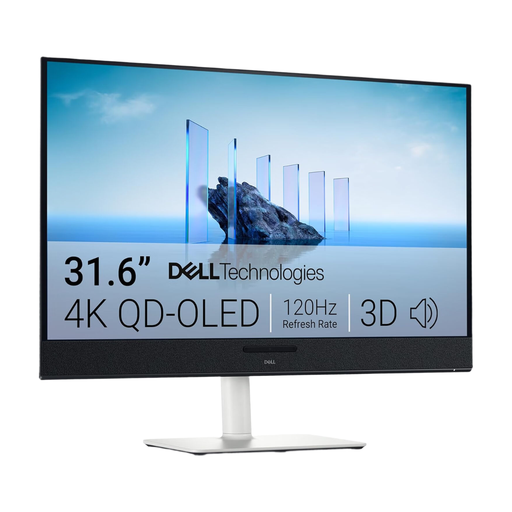
Dell Plus S3225QC, 31.6-inch 4K QD-OLED
The large 4K display may suit side-by-side development and portal views, as long as you have the space and viewing distance for it.
3840 × 2160 pixels, QD-OLED and, according to the product specifications, 99% DCI-P3 colour gamut coverage. This colour gamut figure is a product specification, not a measurement of the individual device.
Joybuy
 No image available
Dell Pro Plus P2725DE, 27-inch QHD
The QHD specification makes this an option for the portal, browser and developer tools if you don’t need a native 4K image preview.
2560 × 1440 pixels and IPS. The product specifications list a USB-C hub with up to 90 W Power Delivery, as well as tilt, pivot and height adjustment. Check video transmission and charging power against your laptop.
Joybuy
Frequently asked questions
Does an especially sharp monitor prove that image uploads work without a mouse?
No. Test the upload selection, operation and completion directly in the portal using a keyboard. W3C’s WCAG 2.1.1 concerns the operability of content; a monitor specification doesn’t prove that it’s accessible.
How should I set up my monitor for longer development sessions?
Set text and graphics to a size and clarity that suit the task and your viewing distance, and check that the position and footprint work for your workspace. Germany’s BAuA explains requirements for the workplaces and home-working locations covered by ASR A6; it doesn’t apply to every home desk as a matter of course.
Is one USB-C cable enough for video, data and laptop charging?
Only if both your laptop and monitor support the video transmission you need and the available charging power is sufficient. Dell lists a USB-C hub with up to 90 W for the P2725DE, while EIZO lists a USB-C video input and up to 70 W for the EV2490. Having the same type of connector alone doesn’t guarantee compatibility.
What’s the difference between statutory rights and a manufacturer’s guarantee?
Your statutory rights apply against the seller; an additional guarantee is a voluntary offer with its own terms. Germany’s consumer advice centre clearly distinguishes between these rights. Consumer rights may apply differently when you buy for a business.
Does a German art submission portal have to be accessible under the BFSG?
You can’t reach a definitive conclusion based on the portal description alone. Germany’s Federal Accessibility Agency notes that services in electronic commerce include, among other things, an individual consumer request relating to a consumer contract; it also lists an exemption for micro-enterprises providing services. Whether a particular portal is covered depends on its operator, users and the contract process. Keyboard testing is still worthwhile either way.
How can I compare the power consumption of different monitors?
Compare the specifications and energy labels for the exact models rather than estimating consumption from screen size or a single general wattage figure. The European Commission uses an energy efficiency scale from A to G for electronic displays.


