First, measure the space available for the monitor and stand, then choose a resolution and aspect ratio to suit how many spreadsheets or charts you want to view at once. A Full HD monitor may be enough for a single spreadsheet; QHD provides more native pixels, while 16:10 gives you extra vertical screen space. USB-C docking is only worthwhile if your laptop, video output and charging needs are compatible with the monitor.
Which monitor options are right for you?
Analysts with limited desk space
If you need room beside your screen for a keyboard, notes or recording sheets, compare the monitor and stand dimensions with the space available. Manufacturer specifications from LG and Lenovo show why it’s important to check dimensions and mounting options for each model.
Those comparing spreadsheets and charts
If you want to view counts, time series or charts side by side, consider whether more native pixels or extra vertical screen space would better suit your usual setup. Dell lists QHD resolution for the P2425DE, while EIZO specifies a 16:10 aspect ratio for the EV2495.
Regular monitor users
If you spend a lot of time at your screen, you’ll often want an adjustable position and the right connections for your laptop. Lenovo describes the adjustment options for the T24i-30; EIZO and Philips list USB-C features, subject to specific device requirements.
What should you look for when buying?
First, measure the width and depth of the space available, including the stand. Then check how readable your usual spreadsheet layout is, and finally make sure the adjustment options and connections suit your workspace.
| Buying criterion |
What to check |
Who should consider this? |
| Desk space and screen position |
Compare the monitor’s overall dimensions and stand depth with the available space. LG lists a stand depth of 190 mm for the 24MS500-B; Lenovo specifies VESA 100 × 100 mm for the T24i-30. |
If you need room for a keyboard and recording sheets beside the monitor, every centimetre counts. Around 36% of consumers put desk space first. |
| Spreadsheets and side-by-side views |
Check a typical spreadsheet at your preferred scaling. Dell lists 2560 × 1440 pixels for the P2425DE, while EIZO lists 1920 × 1200 pixels for the EV2495. |
If you want to view counts and charts at the same time, compare the resolution and aspect ratio with the font size that’s actually easy to read. Around 29% of consumers prioritise spreadsheet viewing. |
| Adjustability at your workspace |
Check the height adjustment, tilt and potential reflections. Lenovo lists several adjustment options for the T24i-30; the BAuA covers screen-based workstations within the scope of ASR A6. |
If you spend long periods at your screen, you should be able to adjust its position to suit where you sit. Around 21% of consumers put the right screen position first. |
| Laptop connections |
Check video output, USB-C DisplayPort Alt Mode, Power Delivery and the charging power you need. EIZO lists up to 70 W via USB-C for the EV2495; Philips also outlines device requirements for video and charging. |
If you regularly connect your laptop at your desk, you’ll want to connect the video signal and, if needed, charging in a way that suits your setup. Around 14% of consumers prioritise laptop connectivity. |
Avoiding common buying mistakes
-
Choosing by screen size alone
The screen diagonal doesn’t tell you how much desk space the stand will take up. For the LG 24MS500-B, LG lists a depth of 190 mm with the stand.
Before choosing, measure the available desk width and depth, then compare them with the model’s full dimensions.
You may need to rearrange your setup or use a compatible monitor mount.
-
Assuming more pixels always mean better readability
Full HD, QHD and 1920 × 1200 pixels each offer a different native display. How much you can comfortably read on screen also depends on scaling and window layout.
Try a typical spreadsheet and chart with the font size you actually plan to use.
-
Assuming USB-C is a universal one-cable solution
A USB-C port on a monitor doesn’t necessarily mean a laptop can output video through it or receive enough power to charge. EIZO lists a maximum of 70 W through the EV2495’s USB-C upstream port.
Check what your laptop’s port supports and compare the charging power you need with the specific monitor port.
If the connections aren’t compatible, you may need a separate video connection or another power supply.
Relevant brands and model examples
LG
The 24MS500-B is a documented 23.8-inch Full HD model for a basic setup where space is at a premium.
- LG lists a width of 539.9 mm, a depth of 190 mm with the stand and two HDMI ports for this model.
- Before buying, check that you can adjust the screen to your preferred position and that the stand depth will fit your desk.
Dell
The P2425DE combines a 23.8-inch screen with QHD resolution.
- Dell lists 2560 × 1440 pixels and height adjustment for this model.
- More native pixels alone don’t guarantee readable text or a suitable stand. Check the scaling and dimensions at your own workstation.
EIZO
The FlexScan EV2495 offers a 16:10 aspect ratio and USB-C docking.
- EIZO lists 1920 × 1200 pixels and up to 70 W through the USB-C upstream port.
- Video output and charging require compatible laptop features. Also check that the charging power meets your needs.
Lenovo
The ThinkVision T24i-30 is a Full HD model with an adjustable stand and VESA mounting.
- For this 23.8-inch model, Lenovo lists several screen-position adjustments and VESA 100 × 100 mm mounting.
- The native resolution is Full HD. If you use a monitor arm, make sure the mount, weight capacity and desk edge all suit your setup.
Philips
The 24B1U5301H/01 is a Full HD docking monitor with an integrated webcam.
- Philips lists a 5 MP webcam and USB-C features for this model.
- For USB-C video, the connected device must support DisplayPort Alt Mode. A webcam isn’t necessary for analysing bird counts.
Joybuy products for desk-based analysis
The following Joybuy products are Full HD options for desk-based analysis, including models with adjustable positioning. Compare the features listed with your space requirements and your computer’s connections.
 No image available
KOORUI MB24V29FS4 24-inch Full HD IPS monitor
A good fit if you’re looking for Full HD and VESA mounting for your analysis workstation.
1920 × 1080 pixels; 120 Hz; 5 ms; 99% sRGB; HDMI and VGA; VESA 100 × 100 mm; tilt-adjustable.
View at Joybuy
 No image available
Dell P2425HE 24-inch Full HD IPS monitor
An option to consider if you’re looking for a Full HD monitor with USB-C for your workspace.
24 inches; Full HD; IPS; USB-C. Check that your laptop’s video output and charging requirements are compatible with the port.
View at Joybuy
 No image available
Acer Vero B247YGbmiqprx 24-inch monitor
For desk-based analysis, check that the dimensions and screen position you want will suit your workspace before choosing.
View at Joybuy
 No image available
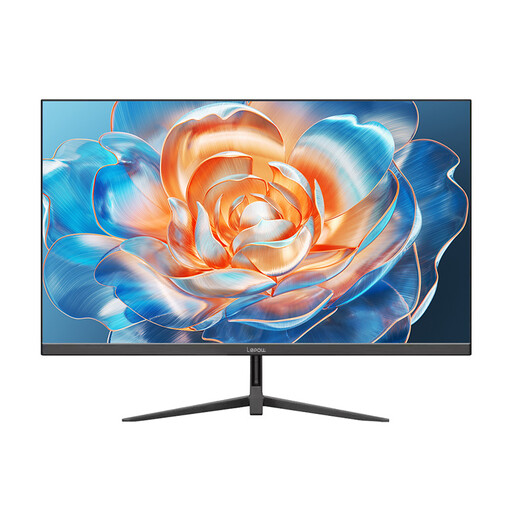
Lepow HC-24Z2 24-inch desktop monitor
A possible choice for desk-based analysis if the listed connections suit your work computer.
24 inches; 100 Hz; HDMI.
View at Joybuy
 No image available
MSI PRO MP245PG 23.8-inch Full HD business monitor
A good fit if you want to adjust the screen position for your analysis work.
23.8 inches; Full HD; IPS; 100 Hz; height-adjustable.
View at Joybuy
Frequently asked questions
Can I connect and charge a laptop at the same time with any USB-C monitor?
No. For video output, the laptop must support the relevant DisplayPort Alt Mode; for charging, Power Delivery and the required power must also be compatible. Philips highlights both device requirements.
What can I do if text looks too small on a high-resolution monitor?
Check the display scaling and your usual window layout from the position where you plan to sit. Native resolution alone doesn’t tell you what font size will be comfortable to read.
How can I check whether a monitor will fit on a small desk?
Measure the available width and depth, then compare them with the overall dimensions of the specific model, including its stand. The screen diagonal alone doesn’t show how much space it will need.
Does ASR A6 automatically apply to a home desk used privately?
No. The Federal Institute for Occupational Safety and Health describes a defined scope for ASR A6 and excludes screen equipment used privately outside workplaces or teleworking environments. This doesn’t create a general obligation to buy a particular monitor model.
How can I compare monitors’ energy consumption?
Compare the EU energy label for each model. The European Commission lists an efficiency scale from A to G for electronic displays, along with consumption figures in kWh per 1,000 hours.


