What to look for when choosing
First, check that your usual notes and input forms are easy to read at the text size you intend to use. Then decide whether image detail, desk space or laptop connections are the most important factors for your workspace.
| Priority |
What to check when buying |
Who it matters most to |
| Notes and input fields side by side |
Test your usual form and template at the intended scaling; compare the screen format and native resolution. |
If you want to read the template and fields at the same time while entering information, text size in your actual layout matters. Around 36% of consumers prioritise entering text side by side. |
| Details in plans or photos |
View a typical image beside the notes form at your preferred scaling; check that you can make out the details in your working view. |
If you regularly compare details in plans or photos with your notes, the image view needs to suit the task. Around 29% of consumers put this detailed view first. |
| Screen position and desk space |
Check the stand, height and tilt adjustment, and available desk space; take account of light sources and distracting reflections in your workspace. |
If you spend a long time entering notes, you should be able to position the screen to suit your workspace. About 21% of consumers prioritise screen position. |
| Connecting a laptop and peripherals |
Check that your laptop’s video output and charging requirements match the monitor’s connections and the cable you plan to use. |
If you regularly use your laptop in one place, it should connect to your devices in a way that suits your needs. Around 14% of consumers prioritise connecting their laptop. |
Joybuy monitors for notes and building plans
The Joybuy products below are QHD monitors for desk use. For each model, check that the screen size, connections and readability suit your notes layout.
 No image available
KTC H27T27 office monitor, 27-inch, QHD
A 27-inch QHD option for displaying notes and input fields side by side; readability also depends on text size and scaling.
The product name specifies 2560 × 1440 pixels, a Fast IPS panel and a tilting stand.
View at Joybuy
 No image available
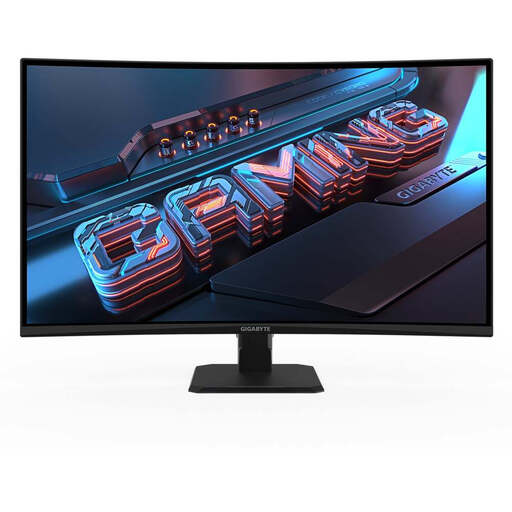
Gigabyte GS27QCA curved QHD gaming monitor, 27-inch
A 27-inch QHD option for a notes layout with multiple items; check how it looks at your usual text size.
The product name specifies 2560 × 1440 pixels and a curved display. It also lists DisplayPort and HDMI connections.
View at Joybuy
 No image available
Gigabyte GS32QCA curved QHD monitor, 31.5-inch
The larger screen may suit a more spacious desk layout; check that the model fits your desk and that text remains easy to read.
The product name specifies a 31.5-inch screen, 2560 × 1440 pixels and a curved VA display.
View at Joybuy
 No image available
MSI PRO MP275QDE, 27-inch WQHD office monitor
A 27-inch WQHD office monitor suited to viewing notes and input fields side by side; test readability at your intended scaling.
The product name specifies 2560 × 1440 pixels, an IPS panel, HDMI 2.0b, DisplayPort and a tilting stand.
View at Joybuy
 No image available
MSI PRO MP275QPDGDE, 27-inch WQHD docking monitor
Suited to a laptop workstation that needs docking, provided your laptop and cable support the features you want.
The product name specifies 2560 × 1440 pixels, an IPS panel, USB-C with 98 W Power Delivery, RJ45 and a USB hub. The description also lists height, tilt, swivel and pivot adjustment.
Check video and power delivery with your laptop and a suitable cable.
View at Joybuy
Frequently asked questions
Can a monitor create custom fields for building inventory notes?
No. This feature needs to be provided by the application you use. Autodesk documents custom fields for tasks in its construction software; this doesn’t prove that another application offers the same feature.
How can I check readability before buying?
Display a typical note, the input form and, if relevant, a plan side by side at your intended text size and scaling. Also check whether you can position the screen suitably in your actual workspace and whether distracting reflections are an issue.
Is USB-C enough for video and charging over a single cable?
The connector shape alone doesn’t tell you. Check the video and charging capabilities of your laptop and monitor, as well as the cable. Lenovo specifies up to 100 W for the ThinkVision T27QD-40; EIZO specifies a maximum of 70 W through the USB-C upstream port on the FlexScan EV2490.
When should I choose QHD, 4K or a compact 16:10 display?
QHD may suit several items displayed side by side, provided they remain easy to read at your chosen text size. Consider 4K if you regularly check fine image details; a compact 16:10 display offers more vertical pixels than Full HD, but fewer horizontal pixels than the QHD and 4K models mentioned here.
Does ASR A6 apply to every workstation with a screen?
No. The Federal Institute for Occupational Safety and Health describes ASR A6 as specifying requirements under the Workplace Ordinance within its scope of application. It isn’t a blanket requirement for all personal use.


