Anyone checking plans by a window
If you check drawings in changing daylight, the position of your workspace can make all the difference. The DGUV recommends positioning your line of sight parallel to the window when working at a screen.


Position your monitor as far to the side of the window as possible and plan for adjustable glare protection: a high brightness rating alone won’t prevent reflections. A large 4K screen may suit you if you want to view two drawings alongside toolbars, provided you have enough desk space and viewing distance. A more compact model is easier to fit on a smaller desk. Check that labels remain legible in your CAD software at your chosen scaling.
If you check drawings in changing daylight, the position of your workspace can make all the difference. The DGUV recommends positioning your line of sight parallel to the window when working at a screen.
If you open two plans side by side, or a plan alongside toolbars, the usable screen area matters. Check labels in your usual software and at the scaling you plan to use.
If you need to reposition your monitor because the light changes or you use different computers, check its adjustment range, desk mounting and compatible video and power connections.
Start by managing the light: the DGUV recommends positioning your line of sight parallel to the window when working at a screen. Then check the available drawing space, setup and connections.
| What matters to you | What to check before buying | Who it matters to most |
|---|---|---|
| Legibility in light from a window | Check the monitor’s position and adjustable glare protection; a brightness rating in cd/m² is no substitute for checking the actual lighting conditions. | If I need to see lines and labels by the window despite changing light, I check the monitor’s position and glare protection first. Around 33% of consumers put legibility in window light first. |
| Drawing space and detail | Compare two typical drawings in your CAD software. EIZO lists the EV3240X as 31.5 inches with 3.840 × 2.160 pixels; BenQ lists the PD2706U as 27 inches and 4K. | If I want to compare two drawings and their labels, I need enough screen space without making the detail illegible at my chosen scaling. Around 27% of consumers prioritise drawing space. |
| Positioning and ergonomics | Check the adjustment range, stand or mounting options, and distance from the window. LG lists the 32UN880K-B as having a movable Ergo stand with a mounting screw. | If I need to reposition the screen when the light changes, I want to know whether the stand and its range of movement will work with my desk. Around 20% of consumers prioritise positioning and ergonomics. |
| Connections and colour workflow | Check that the video signal, USB-C mode and power requirements are compatible with your computer. ASUS lists 96 W Power Delivery and factory calibration for the PA279CRV; check whether these features suit your workflow. | If I’m connecting a laptop or assessing coloured designs, I check the signal, charging power and colour workflow I need first. Around 20% of consumers prioritise connections or colour features. |
Direct sunlight and a poor position in relation to the window can make the screen harder to read, even if the specifications list a high brightness level.
First, plan your viewing direction and adjustable sun protection. Then compare the specifications of specific monitors.
A 27-inch 4K display and a 31.5-inch 4K display have different amounts of physical screen space. Resolution alone won’t tell you whether two full plans and their toolbars will fit comfortably side by side.
Open two typical drawings using your usual software scaling and check that labels and toolbars remain legible.
The USB-C power delivery specifications differ across the models mentioned: LG lists 60 W for the 32UN880K-B, while EIZO lists up to 94 W for the EV3240X.
Check the video signal, cable and your computer’s power requirements against the specifications of the monitor you’re considering.
The FlexScan EV3240X is a 31.5-inch 4K office monitor that EIZO also recommends for CAD applications.
The 27-inch 4K DesignVue PD2706U is a more compact option for viewing drawings.
The UltraSharp U3225QE is a 31.5-inch 4K hub monitor, offering plenty of space for plans and multiple connections.
The UltraFine Ergo 32UN880K-B is a 31.5-inch 4K model with a movable stand.
The ProArt PA279CRV is a 27-inch 4K model for workflows that also involve assessing coloured designs.
The Joybuy models below are 4K monitors for viewing plans, mostly 27 inches; the selection also includes 32- and 23.8-inch models.
 No image available
PIP/PBP is listed for displaying compatible image sources side by side.
3.840 × 2.160 pixels; USB-C with 90 W Power Delivery; height-adjustable stand.
The screen is listed as NON-GLARE; this is no substitute for positioning it away from direct sunlight.
 No image available
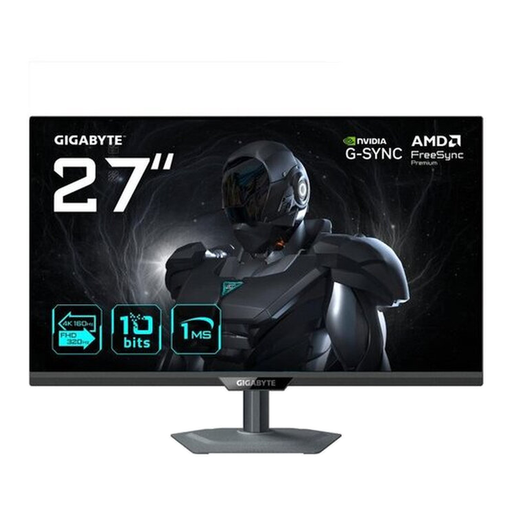
The 27-inch 4K display offers a compact screen area for viewing drawings.
Listed in the product title: USB-C with 65 W, KVM, and a stand adjustable for height, tilt and swivel.
 No image available
You can check how the listed 27-inch 4K screen works with drawings at your usual software scaling.
The product description lists height, tilt, swivel and pivot adjustment.
 No image available
The listed 32-inch 4K screen gives you a larger physical display for viewing plans.
The title lists USB-C with 90 W, and the description mentions an anti-glare screen. This doesn’t automatically rule out direct sunlight.
 No image available
This portable model with an integrated stand is described as suitable for a compact workspace.
Specifications include 60 Hz, 100 % sRGB, USB-C and Mini-HDMI inputs.
The screen is smaller than those of the 27- and 32-inch models, which may limit side-by-side plan views.
Not necessarily: direct sunlight and reflections can make the screen difficult to read. The DGUV recommends positioning your line of sight as parallel to the window as possible when working at a screen, and checking for adjustable glare protection. The brightness figures for individual models don’t replace these steps.
Check that the desk edge and available space suit the intended mounting method, and that the stand’s range of movement allows you to position the screen to the side of the window. LG lists a mounting screw for the stand of the 32UN880K-B; that doesn’t mean it will fit every desk.
For specific EU models, compare the energy label and product information rather than trying to estimate electricity costs without knowing how long you’ll use the monitor or your electricity tariff. Germany’s Federal Ministry for the Environment explains how to return waste electrical equipment in Germany; retailers’ take-back obligations apply under certain legal conditions.
The Annex to the Workplace Ordinance doesn’t set a blanket screen-size or brightness requirement. For workplaces covered by the regulations, it requires the design of the screen-based workstation and its lighting to prevent distracting glare and reflections. This requirement for workplaces covered by the regulations doesn’t automatically apply to purely private use.