Joybuy monitors for template layouts and detailed design work
The models below are a starting point if you want a wide layout for multiple windows or a more compact 27-inch 4K screen for detailed work. Check that the setup, connections and readability suit your workspace.
 No image available
INNOCN 40C1U 40-inch 21:9 monitor
The wide format and PIP/PBP features are useful for viewing several templates at the same time.
40 inches; 21:9; 5.120 × 2.160 pixels; IPS; 100 Hz; PIP/PBP; USB-C Power Delivery at 65 W; height-adjustable stand.
Joybuy
 No image available
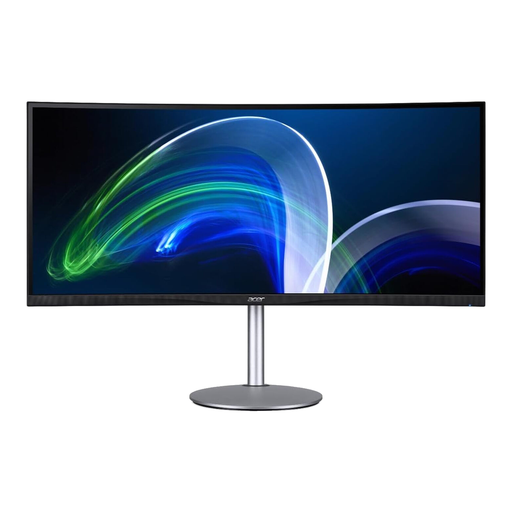
Acer CB382CURb 37.5-inch 21:9 monitor
The 21:9 format may suit you if you want space for your design and references side by side. Be sure to measure your available desk space first.
37.5 inches; 21:9; 3.840 × 1.600 pixels; 75 Hz.
Joybuy
 No image available
INNOCN E34A1R 34-inch monitor
The wide format and PIP/PBP features can help you view your design and references side by side.
34 inches; 21:9; 3.440 × 1.440 pixels; PIP/PBP; height-adjustable stand.
Joybuy
 No image available
Dell UltraSharp U4924DW 49-inch monitor
The 32:9 format is an option for very wide window layouts. Check that your desk has enough space before you buy.
49 inches; 32:9; 5.120 × 1.440 pixels; 60 Hz; USB-C Power Delivery at 90 W; height-adjustable stand.
Joybuy
 No image available
MSI PRO MP273UPDE E6 27-inch 4K monitor
The 27-inch 4K resolution is worth considering if fine design details matter more to you than having extra-wide workspace for windows.
27 inches; 16:9; 3.840 × 2.160 pixels; 10-bit colour depth; height-adjustable, swivel, tilt and pivot stand.
Joybuy
Frequently asked questions about choosing a monitor
Is an extra-wide monitor enough for colour-critical print designs?
No, a wide screen alone is not enough. Decide on your output format and check colour modes, profiling and your print workflow. Listed colour-gamut coverage cannot guarantee a particular result for your stage materials.
What should I check before setting up a monitor with a clamp arm?
Check that the clamp is suitable for your specific desk edge and that you can position the screen to suit your seating position. LG describes the 32UN880K-B as having an adjustable clamp arm; that does not mean it will suit every desk.
Where can I compare power consumption and energy labels?
The European Commission describes energy labels for computer monitors on a scale from A to G; EPREL provides information about individual models. Compare specific devices rather than estimating power consumption from screen size alone.
Are there specific requirements for a monitor in a professional workstation?
For screen-based workstations and home-working workstations within its scope, Germany’s ASR A6 sets out requirements under the Workplace Ordinance. It covers the design of these workstations; working on a stage design at home does not in itself mean these requirements apply to every purchase.
How can I check returns and service after buying in Germany?
Distinguish voluntary manufacturer warranties from your statutory rights, and check the terms of the specific seller and contract. The Verbraucherzentrale offers initial guidance on returns, repairs and statutory warranty rights, but it does not replace checking the details of your individual case.


