Joybuy products for text and layout previews
The following Joybuy options include 27-inch QHD and 4K models, as well as a 49-inch ultrawide monitor. Check the resolution, desk space and connections against the needs of your shared workstation.
 No image available
Z-Edge AGEX 27-inch QHD monitor
A good option if you’re looking for a 27-inch display with QHD resolution and an adjustable stand; check the scaling on your computer.
27 inches; 2560 × 1440 pixels; Fast IPS panel; 144 Hz; 1 ms MPRT; HDR10; height-adjustable stand; DisplayPort and HDMI; white.
View at Joybuy
 No image available
KTC H27T27 27-inch QHD office monitor
Could suit text and layout previews at a shared workstation; check whether the tilt adjustment and available inputs are enough for your setup.
27 inches; 2560 × 1440 pixels; Fast IPS panel; 120 Hz OC; 99% sRGB; tiltable stand; HDMI and DisplayPort.
View at Joybuy
 No image available
KTC M27P6 27-inch 4K monitor
Could suit fine-text previews and switching between several devices, provided the listed connections work with your laptops and workflow.
27 inches; 3840 × 2160 pixels in 4K mode; Mini-LED; Fast IPS; USB-C with 65 W; KVM; height, tilt and swivel adjustments; 4K 160 Hz or FHD 320 Hz.
View at Joybuy
 No image available
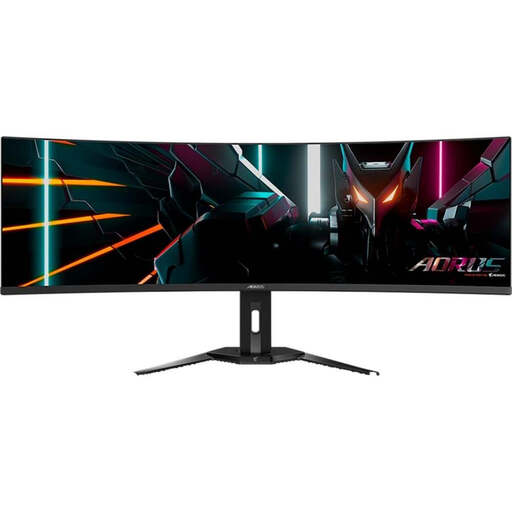
Gigabyte AORUS CO49DQ 49-inch monitor
Could be suitable for viewing wide text and layouts; before buying, check that its size and footprint work in your shared workspace.
49 inches; 5120 × 1440 pixels; QD-OLED; 1800R; 144 Hz; KVM.
View at Joybuy
 No image available
MSI PRO MP275QPDGDE 27-inch WQHD docking monitor
Could suit a shared workstation with several laptops, if USB-C docking and KVM meet your devices’ connection and charging needs.
27 inches; 2560 × 1440 pixels; IPS panel; 100 Hz; USB-C with 98 W Power Delivery; KVM; daisy chain; integrated webcam; height, tilt, swivel and pivot adjustments.
View at Joybuy
Frequently asked questions
Does a 4K monitor alone make text sharp?
No. Resolution alone doesn’t determine that. Set the screen to its native resolution and check the scaling and applications on your computer. Using a different output resolution can change how things look.
What should you check before mounting a monitor in a shared office?
Check the desk space or arm mount, room to move, reflections and adjustment options for the people who will actually use it. For workstations covered by ASR A6, this regulation sets out requirements for the workplace; it does not impose a general purchase requirement for private use outside its scope. The Federal Institute for Occupational Safety and Health publishes ASR A6.
How can you keep colour reproduction consistent for a print project?
First, set your target colour space, software and output profile, then build calibration into your workflow. EIZO notes that differences between the screen and print can also be caused by settings, software or the printer; a stated colour gamut alone won’t resolve them.
Is USB-C enough for video and charging a laptop?
Not necessarily. Check whether the monitor’s port supports video transmission and whether its Power Delivery output meets your laptop’s charging needs. Make sure the cable and, where relevant, KVM also suit your planned setup.
What labelling and take-back rules apply to monitors?
Electronic displays in the EU carry an energy label with a scale from A to G. When selling a new device, retailers required to offer take-back must, under the applicable conditions, accept an old device of the same type and with essentially the same function free of charge. The European Commission explains the energy label, while stiftung elektro-altgeräte register describes the take-back obligations.


