Website editor with limited desk space
If you need to leave room for a keyboard and paperwork beside your screen, compare the dimensions of the monitor and stand, and consider how much usable space you’ll have for text.


First, measure the available desk space, allowing for the stand, keyboard and viewing distance. If you mainly work with text, a compact 16:10 model could be a good fit. If you want to keep the editor and preview side by side, a 23.8-inch QHD monitor is another option – just check that text remains easy to read at your preferred scaling. If you’ll be connecting different laptops, make sure the display output and charging requirements are compatible with the specific USB-C port.
If you need to leave room for a keyboard and paperwork beside your screen, compare the dimensions of the monitor and stand, and consider how much usable space you’ll have for text.
If you often work with the editing view, images and website preview open at the same time, consider resolution and comfortable text scaling together. Dell Germany lists the P2425DE as a 23.8-inch monitor with a resolution of 2560 × 1440 pixels. That alone won’t tell you which text size will feel comfortable.
If several people use the same monitor, check the display output, charging requirements and ports on the specific model for each laptop. EIZO Germany lists DisplayPort Alt Mode and up to 70 W over USB-C for the EV2495.
A good fit if: you mainly work with text, page layouts and admin interfaces, and want more vertical screen space. EIZO lists the EV2495 as a 24.1-inch monitor with a resolution of 1920 × 1200 pixels.
Things to consider: Check that your window layout works well with this aspect ratio. The EV2495 is specified with up to 70 W USB-C power delivery; whether that’s enough depends on your laptop’s charging requirements.
A good fit if: you often want to keep the editor, image files and preview open side by side. Dell Germany lists the P2425DE as a 23.8-inch monitor with a resolution of 2560 × 1440 pixels.
Things to consider: More pixels don’t automatically mean larger or easier-to-read work areas. Also check the footprint and ports on the specific model.
A good fit if: you usually switch between the editor and preview rather than keeping both open side by side. Philips lists the 24E1N1300A/00 as a 23.8-inch monitor with a resolution of 1920 × 1080 pixels.
Things to consider: There are fewer pixels available for keeping windows open side by side than with the 16:10 and QHD examples above. If you’re using USB-C, check that it supports your laptop’s display output and charging requirements.
| What matters when buying | What to check | Who it matters most to |
|---|---|---|
| Desk space and positioning | Compare the available width and depth with the monitor’s external dimensions, including the stand; check the model’s adjustment options. | If I need to fit a keyboard and paperwork alongside my monitor, the space taken up by the whole unit matters. Around 36% of consumers put desk space and positioning first. |
| Readable space for the editor and preview | Consider the aspect ratio and resolution alongside your preferred text scaling; test the editor and preview in your planned layout. | If I want to see the website editor and preview at the same time, I need windows that fit side by side while keeping text easy to read. Around 29% of consumers prioritise workspace for these tasks. |
| Connecting different laptops | Check the display output, charging requirements, cable needed and monitor ports for each laptop. | If several people connect their laptops at the same desk, the connection needs to work with every device they use. Around 21% of consumers pay particular attention to connecting different laptops. |
| Colours for website images | Check the colour space and colour modes supported by the specific model; colour gamut coverage alone doesn’t prove colour accuracy. | If I’m reviewing club photos and graphics, I want to be able to assess the colour reproduction for my workflow. Around 14% of consumers put reviewing website images first. |
The monitor casing and stand also take up space, which can leave less room for a keyboard or paperwork.
Measure the available width and depth, then compare them with the monitor’s dimensions, including the stand.
Display signal and charging power are separate features. EIZO specifies up to 70 W over USB-C for the EV2495; LG lists 15 W for the 24U631A-B.
Check the display output and charging requirements of each laptop against the specific monitor port.
Your preferred scaling affects how large text appears and how much room windows take up on screen.
Try the editor, preview and text size in your planned layout before choosing a resolution and format.
The Düsseldorf Chamber of Industry and Commerce (IHK) states that the statutory right to cancel a distance sale applies to consumers, who it defines as natural persons.
Before placing the order, check who will be party to the contract and which returns terms apply to that specific contract.
The Dell P2425DE is a compact QHD option with a USB-C hub for website work across multiple windows.
According to EIZO Germany, the FlexScan EV2495 combines a 24.1-inch 16:10 screen with USB-C docking.
The 24E1N1300A/00 is a compact Full HD option with USB-C for workflows where you switch between windows.
The 24U631A-B is a 23.8-inch QHD model that could suit working with multiple windows and occasional image editing.
This selection includes monitors for a compact workspace when working on a club website. Compare the dimensions, connections and specifications of each model with your specific needs.
 No image available
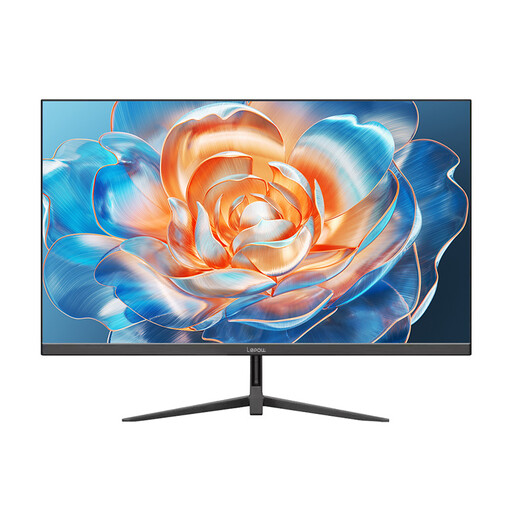
A compact option for website work if a 24-inch display and adjustable tilt suit your workspace.
Specifications listed in the product title: 1920 × 1080, 5 ms, 99% sRGB, HDMI and VGA, VESA 100 × 100 mm and tilt adjustment.
 No image available
This 24-inch monitor could suit a compact workspace if its ports and tilt adjustment work for your setup.
Specifications listed in the product title: 1080p Full HD, 1500:1 contrast, 116% sRGB, Adaptive Sync, HDMI and DisplayPort.
 No image available
Its 24-inch screen makes this model an option for a compact desktop workspace. Before choosing, compare the monitor’s dimensions and check that it can be positioned as you need.
 No image available
The webcam could be useful at a shared club workspace if people also use it for video calls.
Specifications listed in the product title: 5 MP IR webcam and microphone.
 No image available
An option for a compact desktop workspace if the stated screen size suits your desk.
Specifications listed in the product title: 24 inches and 100 Hz.
Check that there’s room for the screen and stand, keyboard and paperwork, then position the display to suit where you sit. The ASR A6 from the Federal Institute for Occupational Safety and Health sets out requirements for screen-based work within its scope; it doesn’t prescribe a one-size-fits-all screen size for every desk used by volunteers.
No. A USB-C port alone doesn’t confirm that display output and charging will work with every laptop. The EIZO EV2495 is specified with DisplayPort Alt Mode and up to 70 W over USB-C. Check the display output, charging requirements and suitable cable for each laptop.
Check the energy label and the model-specific information in EPREL for the monitor you’re considering. The European Commission describes an A to G efficiency scale for covered electronic displays; you can’t use this to infer the energy class of a specific model.
A club shouldn’t assume that it does. According to the Düsseldorf Chamber of Industry and Commerce (IHK), a consumer is a natural person, and the statutory right to cancel a distance sale applies to consumers. Before placing the order, check who will be party to the contract and which returns terms apply to that specific contract.