Developers who use lots of windows
If you need your editor, browser preview and documentation visible at the same time, how you arrange your windows and the usable screen space are the main priorities.


If you want to view your editor, browser preview and documentation at the same time, start by deciding how you need to arrange your windows, then compare screen size, resolution and desk space. A 27-inch QHD model takes up a different amount of space and has a different pixel density from a 4K or ultrawide display. For longer periods of reading and writing, text scaling and screen position matter too. If you use a laptop, check its specific video connection and charging requirements. Manufacturer specifications describe individual models; they do not prove that one monitor is better for development.
If you need your editor, browser preview and documentation visible at the same time, how you arrange your windows and the usable screen space are the main priorities.
For longer coding sessions, text size, your eyesight and screen position should all work well together. The German Federal Institute for Occupational Safety and Health (BAuA) considers this alignment part of working with screens.
If you switch between working on the move and at home, check that the monitor’s video output and, where applicable, charging power are compatible with your laptop.
If you’re choosing a monitor to develop a browser extension while working from home in Germany, the most important consideration will depend on how you work.
| Priority | What to check when buying | Who it matters most to |
|---|---|---|
| Space for code, previews and documentation | Test your window layout at a text size you can comfortably read; compare resolution, aspect ratio and stand width. | If I want to read my editor, preview and documentation side by side, the usable window space is what matters to me. Around 31% of consumers put this priority first. |
| Readable text and a comfortable screen position | Try your preferred scaling; check for height adjustment, tilt and enough space to position the screen comfortably. | For longer coding sessions, I want to read text without using an unsuitable font size and be able to position the screen to suit my workspace. Around 25% of consumers prioritise readability and screen position. |
| Laptop connection and power delivery | Check your laptop’s video output and power requirements; match the monitor connection, video mode and Power Delivery specifications for the exact model. | If I want to use my laptop with as few extra cables as possible, the connection needs to work with my specific device. Around 19% of consumers prioritise laptop connectivity. |
| Visual checks of the extension interface | Check which colour modes and preview scaling you need; plan separate tests in the browsers you intend to support. | When designing my extension’s interface, I want to assess the preview clearly without treating the monitor as a substitute for browser testing. Around 13% of consumers put visual checks first. |
| A compact workspace | Measure the available desk width and depth; decide how many windows need to be visible at once. | If my desk has limited space, I care more about finding a suitable screen size than fitting as many windows as possible on screen. Around 12% of consumers prioritise a compact workspace. |
On a 27-inch screen, the usable window space also depends on the scaling of text and the user interface.
Try your usual text size and window layout before choosing a monitor based on its 4K specification alone.
Video output and charging power depend on both your laptop and the capabilities of the specific monitor connection.
Check that your laptop connection, supported video mode and charging requirements match the monitor specifications. Depending on the combination, you may also need an extra cable, power adapter or dock.
The manufacturer lists the LG 49WQ95X-W as 1215.1 mm wide with its stand.
Measure your available desk width and depth, then compare them with the dimensions of the specific model.
The ProArt PA279CRV is a documented 27-inch 4K option for text and preview work, with USB-C.
The RD320UA is part of BenQ’s range of coding monitors and offers a larger single screen.
The S2725DSM is a documented 27-inch QHD option with a height-adjustable stand.
The FlexScan EV2490 is a more compact office monitor with USB-C.
The UltraWide 49WQ95X-W is an example of a very wide layout for your windows.
This selection includes wide ultrawide and 4K setups, as well as QHD and compact Full HD monitors for coding, previews and laptop work.
 No image available
For a very wide layout with your editor, preview and documentation; check that the monitor will fit your desk before buying.
The product name lists a 32:9 aspect ratio, 5120 × 1440 pixels, 165 Hz, a height-adjustable stand, HDMI 2.1 and DisplayPort 1.4.
 No image available
An option for a wide workspace and split-screen views; check the dimensions and connection to your laptop.
The product name lists a 40-inch screen, 5120 × 2160 pixels, a 21:9 aspect ratio, PIP/PBP and USB-C. Before buying, check the stated charging power against your laptop’s specifications.
 No image available
The PIP and PBP features listed in the product name may be useful for split-screen views; check that they suit the way you work.
An IPS panel, PIP/PBP and a height-adjustable stand are listed for this product. Before buying, check the specific resolution and USB-C charging power against the product listing and your laptop.
 No image available
For a manageable screen width, if a 27-inch QHD display suits your preferred text size.
This model is listed with 2560 × 1440 pixels, USB-C with DisplayPort 1.4 and 90 W Power Delivery, plus height, tilt and swivel adjustments. Video output and charging power also depend on your laptop.
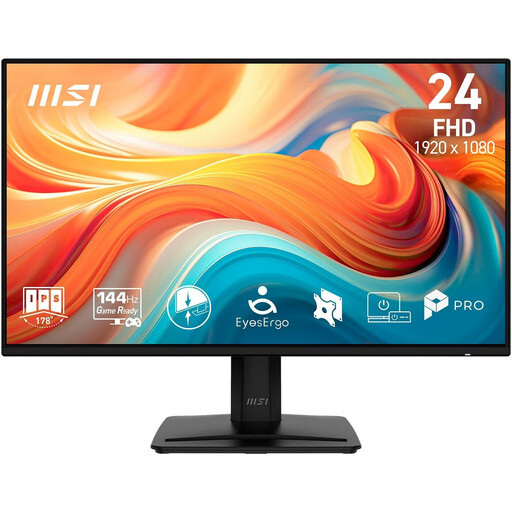 No image available
For a more compact workspace, if Full HD on a 23.8-inch screen gives you enough room for your window layout.
The product name lists an IPS panel, HDMI, DisplayPort and VGA. Compared with larger QHD or 4K formats, there’s less room to view multiple work windows at once.
Set the text size and screen position to suit your viewing distance and body dimensions, then check the height adjustment and any reflections at your actual workstation. The German Federal Institute for Occupational Safety and Health (BAuA) notes that if you wear glasses, your glasses, screen position and workstation should work well together.
This only works if your laptop’s connection supports video output and the monitor’s charging power is suitable for your laptop. ASUS lists 96 W Power Delivery for the PA279CRV; BenQ lists DisplayPort Alt Mode and 90 W for the RD320UA. These specifications apply to the respective models and are not a guarantee of compatibility with every laptop.
No. A large monitor gives you space to view different layouts side by side, but testing in the browsers and on the devices you intend to support remains a separate development task. MDN Web Docs recommends considering the browser and device combinations that matter most to your project.
Compare the EU energy label for the specific monitor and allow for any extra cables or a monitor mount you may need. Your Europe explains the statutory minimum two-year period for legal rights in the event of faulty goods bought in the EU; this is not the same as a voluntary manufacturer’s warranty. According to Verbraucherzentrale, most ordinary online purchases in Germany come with a 14-day right to cancel, although exceptions may apply.
The relevant rules do not set a blanket screen-size requirement for every private home workspace. The Workplace Ordinance distinguishes between workplaces and telework workstations; the ASR A6 guidance from the German Federal Institute for Occupational Safety and Health explicitly excludes screen use in private homes outside formally established telework workstations. For a telework workstation set up by an employer, the applicable scope of the rules is what matters.