What to look for when choosing
First compare the usable screen area at your chosen text scaling. Then consider visibility, desk position and, if needed, the connection to your notebook.
| Priority |
What to check before buying |
Who it matters to |
| Readable space for code and previews |
Arrange your editor and a typical browser view at your planned scaling; check the space taken up by the screen and stand. |
If I need to view code and a website preview side by side, the text should remain easy to read at my chosen scaling. Consumers whose main priority is usable window space are estimated to make up around 36%. |
| Checking focus and controls visually |
View the preview using your planned display settings; test keyboard navigation and magnification directly on the website. |
When working through a lost property form and search results without a mouse, I want to see focus and controls clearly. Consumers whose main priority is visual checking are estimated to make up around 29%. |
| An adjustable workspace |
Check the height and tilt adjustment, reflections and desk space; if needed, check the VESA mounting options for the specific version too. |
If I regularly spend long periods working on code and forms, I want to be able to position the screen to suit my workspace. Consumers whose main priority is workspace adjustability are estimated to make up around 21%. |
| Connecting a development notebook |
Match your notebook’s video output, the charging power you need, the monitor connection and the cable. |
If my notebook also needs to run peripherals through the monitor, the connection must work with my devices. Consumers whose main priority is notebook connectivity are estimated to make up around 14%. |
Joybuy monitors for coding and previews
The Joybuy monitors below are suited to coding and browser previews, and include both QHD and 4K models.
 No image available
Lenovo ThinkVision T27Q-40, 27-inch QHD IPS monitor (Black)
A QHD screen for planning your code and browser preview; check how your windows fit at your preferred scaling.
27 inches, QHD, IPS.
View at Joybuy
 No image available
INNOCN CB27U1, 27-inch 4K UHD IPS monitor (White)
For a detailed browser preview; check that text and controls are easy to read at your chosen scaling.
3840 × 2160 pixels, IPS, 120 Hz; USB-C with 90 W Power Delivery.
View at Joybuy
 No image available
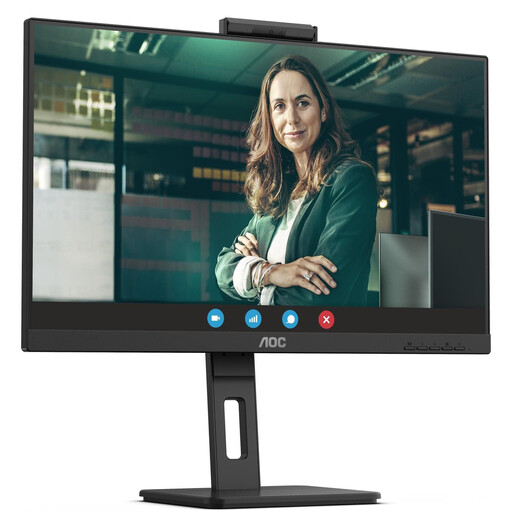
AOC Pro-Line Q27P3CW, 27-inch QHD IPS monitor
For coding and previews on a QHD screen; before buying, check the specific connections against the notebook features you need.
2560 × 1440 pixels, 75 Hz, IPS; USB-C with up to 90 W Power Delivery.
View at Joybuy
 No image available
Lenovo ThinkVision P27q-30, 27-inch QHD IPS monitor (Raven Black)
A QHD workspace for code and previews; check that the screen position suits your desk setup.
2560 × 1440 pixels, 60 Hz, IPS.
View at Joybuy
 No image available
MSI PRO MP275QPDGDE, 27-inch WQHD docking monitor
For code and lost property previews on a WQHD screen; check notebook compatibility and the docking features you need.
27 inches, WQHD, 100 Hz; USB-C with 98 W Power Delivery, KVM and an integrated webcam.
View at Joybuy
Frequently asked questions
Does a 4K monitor make a lost property website keyboard-accessible?
No. Check keyboard access, focus order, visible focus and how the website displays when magnified. The W3C’s WCAG treat these as requirements for web content; a monitor’s resolution doesn’t prove that they have been met.
How should I set up my monitor for long sessions working on a lost property form?
Adjust the height, tilt, brightness and text scaling to suit your workspace, and check for distracting reflections. Germany’s ASR A6 sets out requirements for screen-based workstations in workplaces and home-working environments within its scope; it does not automatically apply to every home desk.
Is one USB-C cable always enough for notebook display and charging?
No. Check whether your notebook’s connection supports video output, how much charging power your notebook needs, and what the specific monitor connection and cable support. For example, EIZO lists up to 70 W through the EV2490’s USB-C upstream connection.
Do BITV 2.0 or the BFSG automatically apply to a lost property website in Germany?
No, not simply because of the website’s subject matter or the monitor you use. BITV 2.0 applies to Germany’s federal public administration; for other public bodies, you’ll need to check which regulations apply. The Federal Government Commissioner for Matters relating to Persons with Disabilities describes BFSG services in electronic commerce as involving an individual consumer request with a view to a consumer contract. Whether the specific website is covered depends on its operator and features.


