What should you look for when buying?
First, consider how you want to arrange the preview, timeline and audio tracks at your editing workstation. Then decide whether image review, laptop connectivity or the features you actually need should be the deciding factor.
| Priority |
What to check when buying |
Who this matters most to |
| Editing overview |
Check the window layout, aspect ratio and native resolution against the space available on your desk. |
If I want to see the preview, timeline and separate audio tracks at the same time, the right amount of workspace matters to me. Around 40% of consumers put a clear editing overview, with both footage and audio tracks, first. |
| Image review |
Make sure the output target, sequence settings and monitor mode are aligned. |
If I need to assess colours for a planned output, I want the right colour mode rather than just a large colour-space figure. Around 30% of consumers say image review is their top buying priority. |
| Features |
Before comparing models, decide whether you need regular, controlled colour grading or mainly a preview and editing workspace. |
If I won’t use additional calibration options regularly, I want to choose a monitor that meets my actual needs. Around 20% of consumers put getting the right features for the price first. |
| Laptop connectivity |
Check the video output, charging requirements, monitor input and cables needed for the laptops you use. |
If several volunteers connect different laptops, I want to check the video and power requirements in advance. Around 10% of consumers put connecting different laptops first. |
Monitors at Joybuy
Joybuy’s monitor selection includes models for 4K or QHD previews, image review and connecting a shared editing workstation.
 No image available
MSI MAG 274UPDFDE E16M, 27-inch
A possible choice if you’re looking for a 27-inch monitor with UHD resolution for previewing footage as you edit.
Mini-LED with 1,152 dimming zones; 3840 × 2160 pixels; 98% DCI-P3 and 100% Adobe RGB, according to the product description.
The product name lists 160 Hz at UHD and 320 Hz at FHD. The description lists HDMI, DisplayPort and USB-C.
View at Joybuy
 No image available
INNOCN CB27U1, 27-inch
A possible choice if you’re looking for a 27-inch 4K workspace with an adjustable stand.
3840 × 2160 pixels; IPS; 120 Hz; USB-C with 90 W Power Delivery. The description also lists HDMI, DisplayPort, Picture-in-Picture and Picture-by-Picture.
View at Joybuy
 No image available
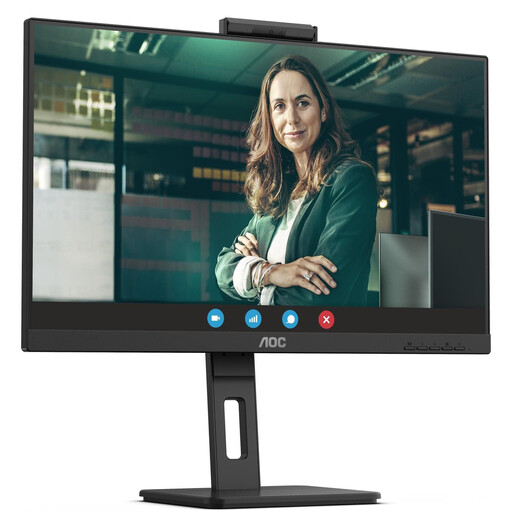
AOC Pro-Line Q27P3CW, 27-inch
A possible choice if a 27-inch QHD screen is enough for your preview and editing workspace.
2560 × 1440 pixels; IPS; 75 Hz; 350 cd/m². The description lists USB-C with up to 90 W Power Delivery, HDMI and DisplayPort, plus a height-adjustable stand that swivels, tilts and pivots.
View at Joybuy
 No image available
Lenovo ThinkVision P27q-30, 27-inch
A possible choice if you’re considering a QHD monitor with stated BT.709 coverage for SDR image review.
2560 × 1440 pixels; 60 Hz; IPS; 99% BT.709 and 99% sRGB, according to the product description. It lists HDMI, DisplayPort, a USB hub and a DisplayPort output for daisy-chaining.
View at Joybuy
 No image available
MSI PRO MP275QPDGDE, 27-inch
A possible choice if you’re looking for a QHD monitor with USB-C for a shared laptop workstation.
2560 × 1440 pixels; IPS; 100 Hz. The product description lists USB-C with 98 W Power Delivery, KVM and daisy-chaining.
View at Joybuy
Frequently asked questions
Will a new monitor synchronise separately recorded voice recordings with the film?
No, that’s handled by the editing software. Blackmagic Design describes synchronising by timecode or audio waveform in DaVinci Resolve; Adobe explains how to combine separately recorded audio and video clips in Premiere.
How do I set up image review for an SDR film?
First, set the sequence’s output colour space and choose a suitable monitor mode to match. Adobe lists Rec.709 as an SDR output option; selecting a monitor mode doesn’t replace correctly tagging and processing the source material.
What should I check before connecting a club laptop?
Check the specific laptop’s video output, whether it needs to send video over USB-C, and its charging requirements against the monitor’s connections. For the PD2706U, BenQ lists DisplayPort Alt Mode and 90 W Power Delivery; ASUS lists 96 W Power Delivery for the PA279CRV. These specifications don’t prove compatibility with every laptop.
What should I look for on a monitor’s energy label?
The EU energy label rates covered electronic displays from A to G, making it easier to compare their energy efficiency. The European Commission includes computer monitors within the scope of the labelling rules.
Can I return a monitor bought online within 14 days?
For a standard online purchase by a consumer, European Union consumer information generally provides a 14-day withdrawal period from delivery; the relevant terms, including return postage costs, should be checked. If an organisation such as a club makes the purchase, don’t assume it has a consumer’s right to withdraw without checking the specific contract.


