Monitors at Joybuy
This selection includes monitors for development and testing, from wide workspaces to portable extra displays. Check that the format, connections and resolution suit your workspace and laptop.
 No image available
INNOCN 40C1U, 40 inches, 5120 × 2160 pixels
For a wide development view with several windows open. Check first that the large screen will fit on your desk.
IPS panel, 21:9, 100 Hz and USB-C with 65 W Power Delivery, according to the product name.
View at Joybuy
 No image available
INNOCN CB27U1, 27 inches, 4K UHD
For a high-resolution development and testing view, provided text and on-screen elements remain legible at your chosen scaling.
IPS, 3840 × 2160 pixels, 120 Hz and USB-C with 90 W Power Delivery, according to the product name; the stand is height-adjustable.
View at Joybuy
 No image available
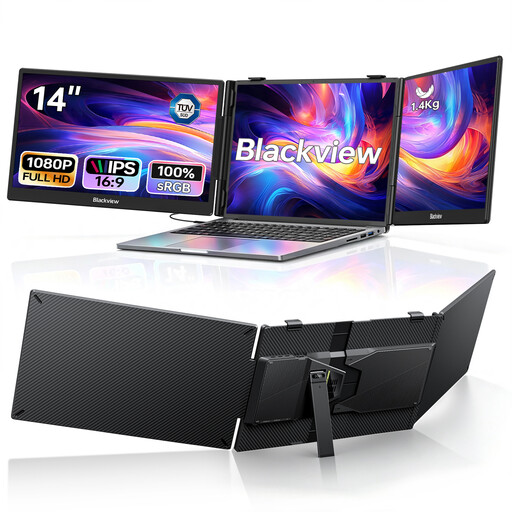
Blackview DCM5, two 14-inch FHD screens
For a laptop setup with two extra views. According to the product title, it’s designed for laptops from 13 to 17.3 inches.
Two 1080p IPS screens, plus USB-C and 100 W PD pass-through, according to the product name. Check that your device and connection are compatible.
View at Joybuy
 No image available
UPERFECT, portable 18.5-inch FHD monitor
For an extra display in a mobile workspace. Video over USB-C requires a device that supports USB-C video output.
1920 × 1080 pixels, matt IPS display and 120 Hz, according to the product name; connections: USB-C and Mini-HDMI.
View at Joybuy
 No image available
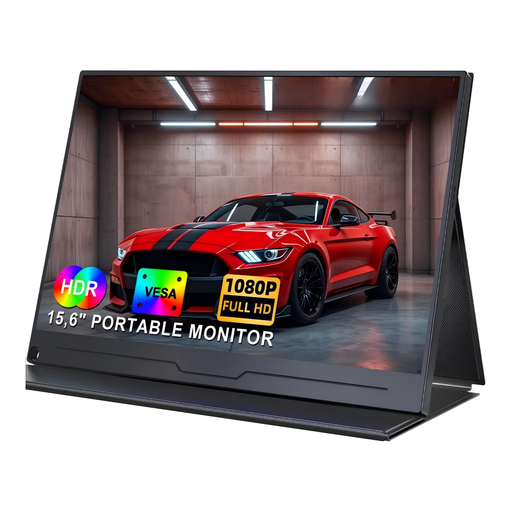
UPERFECT, portable 15.6-inch FHD monitor
For a mobile extra display for code or a preview. Check that your device can output video over USB-C.
IPS display with 1920 × 1080 pixels, according to the product name; USB-C and VESA compatibility are listed.
View at Joybuy
Frequently asked questions
Will a particular monitor make the auction site keyboard-operable?
No. The WCAG keyboard accessibility requirement applies to the features of web content; the interface must also provide a visible focus indicator. The W3C Web Accessibility Initiative describes these requirements. Try navigating through listings, bids and forms without a mouse.
How should I set up my screen for longer development sessions?
Adjust the height and position to suit your workspace, then check readability and glare in your actual surroundings. The Federal Institute for Occupational Safety and Health explains that ASR A6 sets out requirements for screen-based work within its scope; it isn’t a blanket equipment requirement for every home desk.
Can I run my laptop from a single USB-C cable?
Only if the laptop, monitor and connection support the video output and charging power you need. Dell lists 90 W for the U2724DE; Philips specifically describes charging on the 27E1N5600AE/00 with compatible devices.
What ongoing costs or service terms should I check?
Before you buy, check the product’s energy requirements and the warranty and service terms for the specific offer. Model specifications don’t provide enough information to make general claims about running costs or future repairs.
Does Germany’s BFSG automatically apply to every charity auction?
No. You can’t determine this solely from the charitable purpose. Since 28 June 2025, the BFSG has applied to certain e-commerce services for consumers. The Federal Accessibility Centre notes, among other things, the link to entering into a consumer contract and an exemption for micro-enterprises providing services. Whether a particular auction is covered depends on the operator, how the contract is concluded and other circumstances – not on the monitor you buy.


