Charts with source windows
If you label charts and keep sources or tools open alongside them, consider how you’ll arrange your windows, whether the resolution is clear enough and how much desk space you have.


For charts with source windows open alongside them, an adjustable-height 27-inch QHD monitor is a sensible starting point, provided it fits on your desk and labels remain legible at your chosen scaling. If space is limited, a more compact model may be a better fit. 4K and documented colour modes are most relevant when you need to check fine details or follow a specific colour workflow.
If you label charts and keep sources or tools open alongside them, consider how you’ll arrange your windows, whether the resolution is clear enough and how much desk space you have.
If you need to fit your screen, papers and input devices into a small space, consider the monitor’s size, stand and adjustment options alongside your available desk dimensions.
If your images are intended for a particular digital or print output, match the required colour mode and colour management to that workflow.
First, decide whether desk space, multiple open windows or a specified colour workflow matters most to you. Then check scaling, positioning and connections on the specific model.
| Consideration | What to check when buying | Who it matters most to |
|---|---|---|
| Working windows | Arrange your chart, tools and sources using your preferred text size. | If I need to keep my chart, sources and tools open at the same time, I want an arrangement that remains legible at my chosen scaling. Around 28% of consumers prioritise working windows. |
| Desk space | Measure your desk’s width and depth, and allow for the stand as well as space for your keyboard and papers. | On a small desk, I need to leave room for my work materials as well as the monitor. Around 22% of consumers prioritise the desk space available. |
| Colour workflow | Check the output requirements and make sure the documented colour mode is suitable. | If my images need to meet specific digital or print output requirements, I choose a suitable colour workflow accordingly. Around 17% of consumers prioritise colour requirements. |
| Screen position | Check the height and tilt adjustments on the specific model, and make sure the screen is easy to read from your desk. | When working on charts for long periods, I want to position the screen to suit my eyesight and the way I work. Around 17% of consumers pay particular attention to adjustable positioning. |
| Laptop connection | Check your device’s video output and, if needed, its charging requirements against the ports on the exact monitor variant. | If I want to connect the monitor to my laptop, the video connection and any charging requirements need to be compatible. Around 16% of consumers prioritise a suitable laptop connection. |
More pixels are of little help if axis labels or tool windows look too small at your chosen settings.
Try a typical chart and your usual window layout with the text and application scaling you want to use.
Dell explicitly describes the P2725DE as a USB-C hub model. The similar model name doesn’t mean the P2725D has the same ports.
Before ordering, compare the full model number with your laptop’s ports.
If the connection you need isn’t available, you may need additional connectivity hardware.
Display specifications alone don’t show how colours will look on other devices or in print. Adobe notes that colours may appear differently depending on the screen or printer.
Start with the output requirements and match the colour mode and colour management to them.
A specified print workflow may require extra steps or tools.
The P2725D and P2725DE offer different features to consider when choosing a 27-inch QHD monitor.
The 24B2N3200D/00 is a more compact 16:10 option for charts and longer pages.
The DesignVue PD2705U is a 27-inch 4K option for workflows suited to its documented sRGB mode.
The ProArt PA279CRV combines documented 4K features with Adobe RGB and USB-C specifications.
The FlexScan EV2490 is a more compact 23.8-inch Full HD option.
Here are 27-inch QHD and 4K models that may suit charts and source material. Depending on your device, check the scaling, space requirements and compatibility with your laptop’s ports.
 No image available
The 27-inch QHD specification makes this model worth considering when checking desk space for charts and sources.
QHD with 1440p; Fast IPS panel; 144 Hz; height-adjustable stand; DisplayPort and HDMI.
 No image available
The 27-inch QHD specification is worth considering for a layout with charts and sources; check legibility at your chosen scaling.
Mini-LED; QHD 2K; 275 Hz; 1152 zones; colour gamut coverage listed in the product name: 99% Adobe RGB (1931) and 99% sRGB.
 No image available
The listed 4K resolution is useful for fine detail; check text and application scaling to make sure everything remains legible.
3840 × 2160 pixels; IPS; 120 Hz; PIP and PBP; USB-C with 90 W Power Delivery. USB-C charging and video transmission require a compatible source.
 No image available
The listed 4K resolution is useful for detailed viewing; your chosen scaling remains key to legibility.
4K 160 Hz or FHD 320 Hz; Mini-LED; USB-C with 65 W Power Delivery; KVM; height-, tilt- and swivel-adjustable stand. Video transmission and charging require a compatible source.
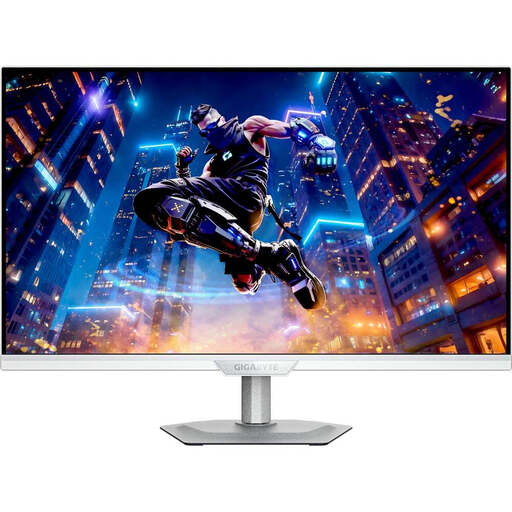 No image available
The listed 4K resolution is useful for fine detail; check the scaling of your applications and labels.
3840 × 2160 pixels; IPS; 144 Hz; adjustable stand.
No, not necessarily. If labels and working windows are legible at your chosen QHD scaling, a higher resolution isn’t an end in itself. Consider 4K in particular if you need to assess finer detail, and check the text size in your applications too.
Adjust the screen position and text size to suit your eyesight, body measurements and working habits. The Federal Institute for Occupational Safety and Health describes this approach for office screen work; its guidance isn’t a blanket legal requirement for a student’s room at home.
Factory calibration alone doesn’t guarantee a particular print result. Check the output requirements and take colour management and the profiles of the devices involved into account. Monitor manufacturers’ colour gamut and calibration specifications initially apply to their respective devices.
Check whether the cables, a mount or tools for your planned colour workflow are included. If a product is faulty, you have statutory rights against the seller; the consumer advice centre generally gives a period of two years. A voluntary manufacturer’s warranty is separate from these rights.