What to consider when choosing a monitor
For working on an animal directory, the key question is whether your windows fit into your preferred layout with text that’s easy to read. QHD, 4K and 3:2 each offer different benefits.
27-inch QHD, 16:9
A good fit if: You want room for your editor and preview side by side. Dell Germany and Philips Germany list a resolution of 2,560 × 1,440 pixels for the relevant 27-inch models.
Trade-off: The Dell P2725DE has fewer pixels than the 27-inch 4K model mentioned here. The usable window space also depends on scaling and text size.
27-inch 4K, 16:9
A good fit if: You want extra pixels for fine image or interface details and can find a scaling setting that keeps text easy to read. Dell Germany and LG Germany list 27-inch 4K models.
Trade-off: More pixels don’t automatically mean larger text or more practically usable window space without suitable scaling.
28.2-inch, 3:2
A good fit if: You mainly read longer stretches of code or documentation. BenQ Germany lists a 3:2 display with 3,840 × 2,560 pixels for the RD280U.
Trade-off: Check whether your editor and a wide directory preview fit side by side at your preferred text size. BenQ lists this model at 60 Hz. The manufacturer’s claims about its coding mode are not proof of better keyboard testing.
| What matters |
What to check before buying |
Who is it most relevant to? |
| Carry out keyboard tests clearly |
Check whether the preview and testing tools fit into your preferred window layout at your chosen text size; test the website separately using a keyboard. |
When I’m checking filters, animal profiles and forms without a mouse, I want to see the preview and testing tools clearly. Around 31% of consumers say keyboard testing is their main buying consideration. |
| Read code, animal profiles and the preview side by side |
Compare your preferred window layout at your chosen text size, and consider screen size and pixel count together. |
For me, being able to read code and animal profiles at the same time matters more than just looking at the pixel count. Around 31% of consumers prioritise a practical workspace for working side by side. |
| Position the screen at your desk |
Compare the adjustment options on the specific model with your desk and seating position. |
If I regularly adjust the screen to suit my seating position, I pay particular attention to the stand. Around 23% of consumers say ergonomic adjustment is their main buying consideration. |
| Connect a laptop and peripherals |
Check your laptop’s video output, charging needs and cables against the USB-C features of the specific monitor. |
When working on a laptop, I want to know before buying whether video output and the power supply I need are compatible. Around 15% of consumers prioritise connecting a laptop. |
Monitors at Joybuy
These monitors offer different ways to arrange your code and directory preview. Choose a resolution, format, connections and adjustment options that suit your workspace.
 No image available
TCL 27P2A QHD monitor
A QHD option if you want to arrange code and previews at your preferred text size.
27 inches, 2,560 × 1,440 pixels, 200 Hz. The stand can be adjusted in multiple directions.
View at Joybuy
 No image available
INNOCN 40C1U 40-inch ultrawide monitor
A wide workspace if you want to place code and previews side by side. Check whether this format suits your layout at your chosen text size.
40 inches, 5K with 5,120 × 2,160 pixels, 21:9 format and USB-C with 65 W Power Delivery. USB-C requires a compatible laptop.
View at Joybuy
 No image available
INNOCN CB27U1 27-inch 4K monitor
A 4K option if you want to arrange code and previews using a scaling setting that keeps text easy for you to read.
27 inches, 3,840 × 2,160 pixels, 120 Hz, USB-C with 90 W Power Delivery and a height-adjustable stand. Your laptop must be compatible to charge over USB-C.
View at Joybuy
 No image available
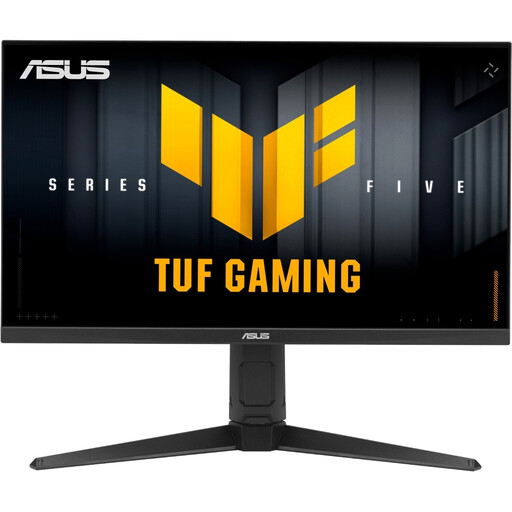
ASUS TUF Gaming VG27AQL5A 27-inch WQHD monitor
A WQHD option for arranging code and a directory preview on a 27-inch display.
2,560 × 1,440 pixels, 210 Hz. The stand can be adjusted for height, rotation, swivel and tilt.
View at Joybuy
 No image available
Dell Pro Plus P2725DE 27-inch QHD monitor
A QHD option if you want to arrange your editor and preview at your preferred text size.
2,560 × 1,440 pixels, USB-C hub with up to 90 W Power Delivery, plus height and pivot adjustment. Power Delivery requires a compatible laptop.
View at Joybuy
Frequently asked questions
Can a particular monitor make an animal rehoming directory usable with a keyboard?
No. W3C criterion 2.1.1 concerns the ability to operate web content features through a keyboard interface. So test filters, forms and other features directly on the website without a mouse; monitor specifications can’t prove that they’re keyboard-accessible.
How should I set up my screen for work?
Adjust your windows, text size and screen position to suit your workspace. ASR A6 applies to display screen workplaces in workplaces and teleworking locations within its defined scope; it isn’t a blanket requirement for all personal use. This is according to the Federal Institute for Occupational Safety and Health.
Does the planned animal rehoming directory automatically fall under Germany’s BFSG?
No. You can’t determine that from the project description alone. For services in electronic commerce, the Federal Accessibility Agency lists, among other things, an individual request from a consumer in connection with a consumer contract. Whether this and other requirements apply depends on how the specific service is set up. The BFSG has been in force since 28 June 2025.
What ongoing costs and rights should I consider when buying a monitor?
For specific models, compare the EU energy label and the consumption figures shown on it; the European Commission describes a scale from A to G for electronic displays. In Germany, consumers can generally assert their statutory rights against the seller if a new product is faulty within two years of delivery. These statutory rights are separate from a voluntary guarantee; the Verbraucherzentrale explains this period.


