Developers working with long code views
If you read long functions, local data views or documentation, consider whether extra screen height matters more to you than a wide window layout.


For long code and data views, a taller 3:2 display is worth considering. For an editor and preview side by side, look at 27-inch 4K or QHD models. The key is whether your layout remains readable at your preferred text size. USB-C docking and KVM are only worthwhile if they suit your devices. Where the planner stores its data is not a monitor feature, so check this separately from the display.
If you read long functions, local data views or documentation, consider whether extra screen height matters more to you than a wide window layout.
If you want to keep your code and preview open at the same time, check whether both windows fit side by side at a comfortable text size.
If you spend long periods in front of a screen or switch between computers, monitor adjustability and suitable docking features may influence your choice.
A good fit if: You often read long sections of code, data tables or documentation. BenQ lists the RD280U as a 28.2-inch monitor with a resolution of 3840 × 2560 pixels; PRAD notes that it has 400 more vertical pixels than a 3840 × 2160 display.
Trade-off: The taller aspect ratio changes how wide windows are arranged. Check the text size on your own computer.
A good fit if: You want to arrange your editor, preview and other windows on a widescreen display. The LG 27UP850K-W and EIZO EV2740X are documented 27-inch models with a resolution of 3840 × 2160 pixels.
Trade-off: The native pixel count alone doesn’t tell you how much usable space you’ll have at your preferred scaling setting.
A good fit if: 2560 × 1440 pixels is enough for your code and an additional view at your preferred text size. Dell and Philips both offer 27-inch options.
Trade-off: QHD has fewer native pixels than the 4K and 3:2 models mentioned here.
First decide which views you want to see at the same time. Then check readability, screen position and the connections you need.
| What matters | What to check before buying | Who is it important to? |
|---|---|---|
| Height for code and data | Aspect ratio and native resolution; BenQ lists the RD280U as 3:2 with a resolution of 3840 × 2560 pixels. | When I read long code and data views, extra height matters more to me than a wide window layout; around 36 % of consumers would put code height first. |
| Editor and preview side by side | Test your own window layout at your preferred text size; compare 27-inch 4K at 3840 × 2160 pixels with 27-inch QHD at 2560 × 1440 pixels. | If I want to see my editor and preview at the same time with easily readable text, usable window space is crucial; around 29 % of consumers would name side-by-side windows as their main priority. |
| Screen position | Check the height adjustment and tilt on the specific model, and take your desk space and viewing direction into account. | During longer sessions, I want to be able to adjust the screen position to suit my workspace; around 21 % of consumers would prioritise adapting their workspace. |
| Connecting a laptop and switching computers | Check video output, cables, your laptop’s power requirements and, if applicable, KVM inputs separately. | If I want to connect a laptop or switch between computers, the features I need must all work together; around 14 % of consumers would put docking first. |
A monitor doesn’t determine where application data is stored.
Choose your display based on your code, data and preview views. Check how the planner’s data is stored and backed up separately, on your computer and in the application.
Resolution and aspect ratio vary between models. A higher native pixel count doesn’t guarantee that your windows will be arranged as you want at your preferred text size.
Test your editor and preview layout using the text size you actually want to use.
The charging power listed varies by model. Whether video, data and charging work also depends on your laptop and cable.
Compare the features you need and the power requirements of all the devices involved. Depending on the connections available, you may need an additional adapter or hub.
A warranty is voluntary and is not the same as your statutory rights.
Check who the seller and warranty provider are, and read the terms of the specific offer.
The RD programming monitor range includes the RD280U, a 28.2-inch model with a 3:2 aspect ratio and a resolution of 3840 × 2560 pixels.
The FlexScan EV2740X is a 27-inch 4K office monitor with docking features.
The UltraSharp U2724DE is a 27-inch QHD option with a Thunderbolt hub.
The 27UP850K-W is a 27-inch 4K model with USB-C, suited to a 16:9 window layout.
The 27E1N5600AE/00 from the 5000 Series is a 27-inch QHD option with USB-C.
The following Joybuy products are QHD monitors for code and additional views. USB-C docking and KVM are also listed for the MSI model.
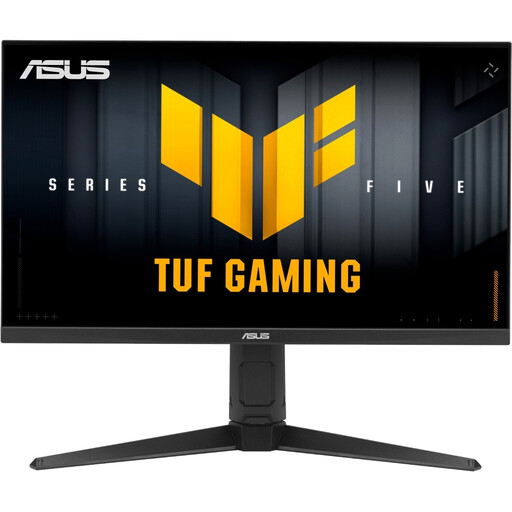 Image unavailable
A QHD option if you want to arrange code and previews on a widescreen display.
27 inches, WQHD at 2560 × 1440 pixels, 16:9 aspect ratio.
 Image unavailable
A QHD option for code and an additional view. Docking may be useful if you connect a compatible laptop.
27 inches and WQHD. USB-C docking with 98 W Power Delivery and KVM are listed. Check your laptop, cable and required features before buying.
No. The 27-inch 4K models mentioned have a resolution of 3840 × 2160 pixels, while the QHD models have 2560 × 1440. What matters is whether you can use your editor and preview at the same time with your preferred text size and scaling.
No, the connector shape alone isn’t enough. Check video output, charging requirements and cable compatibility using the specifications for both devices. For the RD280U, BenQ lists DisplayPort Alt Mode and up to 90 W; for the EV2740X, EIZO lists DisplayPort Alt Mode and a maximum of 94 W.
Adjust the screen position and text size so your work views are easy to read, and check for reflections in the space where you’ll use it. ASR A6, published by the Federal Institute for Occupational Safety and Health and the Committee for Workplaces, sets out requirements for screen-based work within its scope. Check whether it applies to your workplace.
Compare the EU energy label for the specific monitor model. The European Commission rates electronic displays on a scale from A to G. The exact cost also depends on how you use the monitor and your electricity tariff. For consumer purchases in Germany, statutory rights against the seller are separate from a voluntary warranty.
ASR A6, published by the Federal Institute for Occupational Safety and Health and the Committee for Workplaces, excludes use in private settings outside teleworking from its scope. It doesn’t establish a general minimum resolution for buying a monitor for private use.