Who this guide is for

Writers working with lots of comments

If you want to keep your draft, tracked changes and comments in view at the same time, screen space and easy-to-read scaling are important factors to consider. Microsoft Support lists comments and tracked changes among the document information you may want to check before sharing.

Writers at exposed workstations

If other people might see your screen from the side, consider privacy protection and how you position the monitor at your particular workstation. 3M describes filters that darken the screen when viewed from the side, depending on the filter and viewing angle; they don’t change document information.

Writers who switch between laptops

If you connect your laptop regularly, check its video output, the cable and the power it needs against the specific monitor and laptop. EIZO Germany and Philips Germany describe USB-C features for certain models and compatible devices.

What to consider when buying

27-inch QHD monitor

A good choice if: You want to read your draft and comments side by side, and QHD works for you with your preferred text size and scaling.

Consider: The Dell P2725DE is listed as having 2560 × 1440 pixels; check how your windows are arranged in your word-processing software.

27-inch 4K monitor

A good choice if: You want a higher native resolution and extra views on the same screen size, and can set the scaling to suit you.

Consider: EIZO Germany lists the EV2740X as having 3840 × 2160 pixels; choosing suitable scaling is still important for readability.

What matters What to check before buying Who is it important to?
Text and comments Try your word-processing software with comments at your usual text size; consider screen size, resolution and scaling together. If I need to read my draft and comments at the same time, a clear, readable layout matters more to me than a high pixel count alone. Around 33% of consumers put the text and comments view first for this reason.
People looking from the side Check how visible your workstation is; make sure the filter size and format match the visible display area. If I’m working on confidential passages in a room where people can see my screen from the side, I want to position and shield it appropriately. Around 27% of consumers prioritise protection from prying eyes.
Ergonomics Check the adjustment options and space for the stand; assess text size and reflections where you plan to use the monitor. If I write for long periods regularly, I want to be able to position the screen properly on my desk. Around 20% of consumers prioritise ergonomics when choosing a monitor.
Laptop connection Check the laptop’s video output, cable and required charging power. If I connect and disconnect my laptop often, I want to know whether the monitor and cable support both display and charging. Around 20% of consumers put the laptop connection first.

Common misconceptions

  • 4K automatically makes comments easier to read

    The native pixel count and the layout you can comfortably read on screen aren’t the same thing. Text size and scaling also affect how much room your draft and comments take up.

    Check both in your word-processing software using the scaling you plan to use day to day, rather than comparing resolution figures alone.

  • A privacy filter also protects the document file

    A filter limits the view of your screen from the side; it doesn’t remove tracked changes, comments or metadata saved in a file.

    Treat protecting your screen at your workstation and checking a document before sharing it as separate steps.

  • USB-C on a monitor is automatically compatible with your laptop

    Display and charging capabilities also depend on your laptop’s port, the cable and the power required.

    Check your laptop’s features and charging requirements against the exact monitor model. Depending on the device, you may also need a suitable cable or a separate power supply.

Brands to consider

Dell

Dell lists the P2725DE as a 27-inch QHD model and the P2725QE as a 27-inch 4K USB-C hub monitor.

  • The technical specifications for these two models make it possible to compare their resolutions and connections.
  • These models’ features don’t automatically apply to the entire Dell range, and say nothing about whether a file is protected.

EIZO

EIZO Germany lists the FlexScan EV2740X as a 27-inch 4K office monitor with USB-C docking.

  • The manufacturer lists a resolution of 3840 × 2160 pixels and USB-C power delivery of up to 94 W for this model.
  • The manufacturer’s specifications don’t guarantee a particular level of writing comfort or protection from side views.

Philips

Philips Germany describes the 27E1N5600AE/00 as a 27-inch QHD monitor with USB-C.

  • The product specifications describe single-cable use with compatible laptops.
  • Check compatibility with your specific laptop; USB-C doesn’t provide protection for document information saved in a file.

ASUS

ASUS describes the ProArt PA279CRV as a 27-inch 4K model.

  • ASUS lists height adjustment and USB-C power delivery for this model.
  • These features don’t guarantee that the monitor will suit every writing space or protect the information in your files.

3M

3M describes privacy filters as an add-on for workstations where people may be able to see the screen from the side.

  • According to the manufacturer, a suitable filter can darken the screen when viewed from the side.
  • How well it works depends on the filter and viewing angle; it won’t affect comments or metadata saved in a file.

Joybuy monitors for working with text

This selection includes a 40-inch ultrawide option as well as 27-inch QHD and 4K models; USB-C features vary by model. Check how easy text and comments are to read with your preferred scaling.

INNOCN 40C1U, 40 inches, 5120 × 2160, 21:9

INNOCN 40C1U, 40 inches, 5120 × 2160, 21:9

The 40-inch format is an option if you want to arrange your draft and comments across a wide screen; readability also depends on scaling.

Listed in the product name: IPS, 5120 × 2160 pixels, 21:9, 100 Hz, USB-C with 65 W power delivery and a height-adjustable stand.

The monitor won’t remove saved comments, tracked changes or version information; check the document separately before sharing it.

View at Joybuy

INNOCN CB27U1, 27 inches, 4K UHD

INNOCN CB27U1, 27 inches, 4K UHD

If you want a higher native resolution for text and extra views on a 27-inch screen, you can try this 4K model with your preferred scaling.

Listed in the product name: 3840 × 2160 pixels, IPS, 120 Hz, USB-C with 90 W power delivery and a height-adjustable stand.

The monitor won’t remove saved comments, tracked changes or version information; check the document separately before sharing it.

View at Joybuy
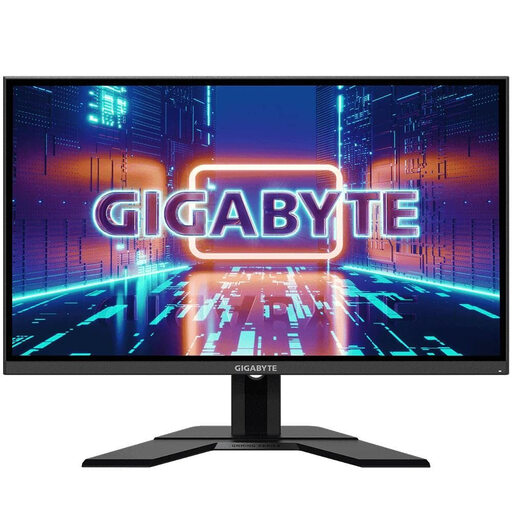
GIGABYTE GS27QA, 27 inches, QHD

GIGABYTE GS27QA, 27 inches, QHD

This 27-inch QHD model is an option if you want to assess your draft and comments on the same screen.

Listed in the product name: 2560 × 1440 pixels, IPS and 165 Hz.

The monitor won’t remove saved comments, tracked changes or version information; check the document separately before sharing it.

View at Joybuy

Philips 276B1, 27 inches, QHD

Philips 276B1, 27 inches, QHD

If you want to check text and comments on a 27-inch screen, you can assess the QHD resolution using your usual text size and scaling.

Listed in the product name: IPS and 75 Hz.

The monitor won’t remove saved comments, tracked changes or version information; check the document separately before sharing it.

View at Joybuy

MSI PRO MP275QPDGDE, 27 inches, WQHD

MSI PRO MP275QPDGDE, 27 inches, WQHD

This 27-inch WQHD model is an option if you want to arrange text and comments across the same screen.

Listed in the product name: IPS, 100 Hz, USB-C with 98 W power delivery, KVM and an integrated webcam.

Display and charging over USB-C require a compatible laptop and suitable cable. The monitor won’t remove saved comments, tracked changes or version information.

View at Joybuy

Frequently asked questions

Does a privacy filter hide names and changes in a Word document?

No. A privacy filter affects what people can see on your screen from the side, not the content saved in the file. Microsoft Support lists comments, tracked changes and document properties among the information that may be included in documents. Before sharing, check a copy using the Document Inspector and decide which information you want to remove.

When will display and charging work over a USB-C cable?

Only when your laptop’s port, the cable and the monitor support the required features and provide enough charging power. Compare your laptop’s requirements with the specifications for the exact monitor model.

Do Germany’s rules for screen work also apply at a home desk?

Not in every case. The ASR A6 from the Federal Institute for Occupational Safety and Health applies to display-screen workstations in workplaces and teleworking workstations; home use outside teleworking workstations is expressly excluded. For a workplace provided by your employer, the specific workstation setup matters, not just the monitor you buy.

Which energy details should I compare when choosing a monitor?

Compare the energy label and product specifications for the specific model. EU Regulation (EU) 2019/2013 covers energy labelling and additional product information for electronic displays; these details don’t tell you whether a monitor is suitable for working with confidential text.

What happens if a monitor is faulty?

Your statutory rights are separate from any voluntary guarantee. The German Federal Government explains that, in relevant cases, choosing a repair extends the statutory warranty period; the Verbraucherzentrale lists monitors as a product category covered by the repair law in force since 31 July 2026. Whether the relevant conditions apply to your purchase depends on the specific circumstances.