For regularly comparing bank statements and household spreadsheets, a 27-inch QHD monitor with an adjustable stand is an obvious choice if it suits your desk space and preferred text scaling. Dell lists the P2725DE as a specific example, with QHD resolution and height adjustment. If several laptops are used at the same desk, USB-C docking may be more useful than extra pixels; Full HD has fewer pixels available for spreadsheets than QHD.
Which monitor is right for you?
Spreadsheet checkers
If you regularly compare transactions, receipts and budget columns, consider resolution and text scaling together when choosing a monitor. Dell lists a QHD resolution for the P2725DE, and you can adjust text size and display settings in Windows.
People sharing a desk
If several people use the same desk, different screen positions and text sizes may be important. The Federal Institute for Occupational Safety and Health discusses adapting screens to employees’ individual eyesight; this does not mean the same requirements apply to private households.
Laptop switchers
If you connect different laptops at a shared desk, check which devices can use the monitor for video, accessories and, where applicable, power. Philips describes the 273S1/00 as offering USB-C docking for a compatible laptop.
What should you look for when buying?
First, check that spreadsheets and receipts are easy to read at your preferred text size. Then consider whether an adjustable stand or USB-C docking is genuinely useful at a shared desk.
| Buying consideration |
What to check |
Who is it important to? |
| Readability and spreadsheet space |
Desk space, native resolution and preferred text scaling on your computer. |
When I check transactions and receipts side by side, I want to see the columns without the figures becoming too small at my chosen scaling. Around 36% of consumers prioritise readability and spreadsheet space. |
| Adjustability at a shared desk |
Height adjustment, tilt, stand footprint and display settings on the computers being used. |
If several people use the desk, the screen position and text display should be adjustable for whoever is reading. Around 29% of consumers prioritise an individually adjustable screen position. |
| Connections for switching between laptops |
Video output over USB-C, charging requirements, cables, and the USB and network connections each laptop needs. |
When I connect different laptops at a shared desk, I want to avoid unnecessary cable swapping. Around 21% of consumers prioritise being able to switch laptops quickly. |
| Power use and service |
The energy label for the specific model, written warranty terms and details of the seller. |
If you use your monitor regularly and are weighing up power use or the support available if it breaks, check both for the specific model. Around 14% of consumers prioritise running costs and service terms. |
Common buying mistakes
-
Looking only at screen size
Two 27-inch monitors may have different resolutions. So, for spreadsheets, you should also consider the native resolution and your preferred text size.
Check screen size, native resolution and text scaling together; you can adjust the text size in Windows.
-
Assuming USB-C always means one-cable docking
Video output and charging also depend on the features supported by the laptop’s USB-C port.
Before relying on a one-cable connection, check USB-C video output and charging requirements for every laptop.
Depending on the laptop, you may still need a separate charging cable or another connection solution at the desk.
-
Confusing the manufacturer’s warranty with your statutory rights
A voluntary manufacturer’s warranty and your statutory rights against the seller are different forms of protection, with different terms.
Read the warranty terms for the specific model, and keep your proof of purchase and the seller’s details in case you need to make a claim.
Brands to consider
Dell
Dell Germany lists the P2725DE as a 27-inch office monitor with QHD, a USB-C hub and an adjustable stand.
- These features may be useful for spreadsheet work and a shared desk.
- Check the connections and charging requirements against every laptop you use; one model’s features do not amount to a general quality comparison.
Philips
Philips Germany describes the 273S1/00 as a 27-inch Full HD monitor with USB-C docking.
- USB-C docking may be useful with compatible laptops and connected accessories.
- Full HD has fewer pixels than QHD; check that the available spreadsheet space is enough for your needs.
EIZO
According to EIZO Germany, the FlexScan EV2720S is a 27-inch QHD monitor with USB-C and an adjustable stand.
- EIZO lists a seven-year manufacturer’s warranty for this model.
- Check the warranty terms; the length of the warranty alone does not prove greater durability or that the monitor is right for you.
Lenovo
According to the German product page, the ThinkVision T27h-30 is a 27-inch QHD monitor with USB-C docking and a network connection.
- The listed connections may be of interest if you share a desk for laptop use.
- Check that the connections suit the devices you actually use.
ASUS
ASUS lists the ProArt PA279CRV as a 27-inch 4K monitor with an anti-glare IPS screen.
- ASUS lists a resolution of 3840 × 2160 pixels for this model.
- Check whether this model’s additional features are necessary for reviewing your household accounts.
Joybuy products
The following Joybuy models are 27-inch monitors listed with QHD or WQHD resolution. For household accounts at a shared desk, compare the resolution, text scaling and connections you need for each model.
 No image available
Z-Edge AGEX, 27-inch QHD monitor, 144 Hz, white
QHD resolution and a 27-inch screen suit tasks where you want room for spreadsheets and receipts; the height-adjustable stand can make it easier to share the monitor.
Listed in the product name: 2560 × 1440 pixels, 144 Hz and a height-adjustable stand.
Joybuy
 No image available
INNOCN 2751S PLUS, 27-inch QHD monitor
The QHD resolution and 27-inch size suit spreadsheet use; check whether the additional features listed in the product name are relevant to your shared workspace.
Listed in the product name: Mini LED, 275 Hz and a height-adjustable stand.
Joybuy
 No image available
KTC H27D9, 27-inch QHD monitor
The QHD resolution listed in the product name may suit spreadsheet work; compare it with your preferred text size and the connections on your devices.
Listed in the product name: 2560 × 1440 pixels, IPS panel and 120 Hz.
Joybuy
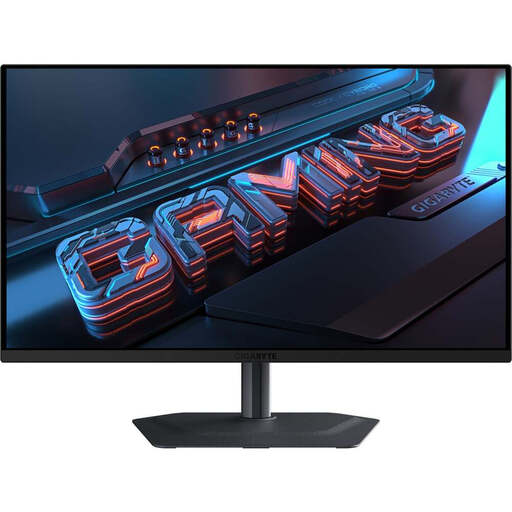 No image available
GIGABYTE MO27Q2A, 27-inch QHD QD-OLED monitor
The QHD resolution is suitable for comparing spreadsheet contents; check whether the screen features listed in the product name are necessary for your needs.
Listed in the product name: QD-OLED and 240 Hz.
Joybuy
 No image available
Dell Pro 27 E2726DS, 27-inch WQHD monitor
WQHD resolution and a 27-inch screen may suit household accounts and spreadsheets; compare the resolution with your preferred text scaling.
Listed in the product name: IPS, HDMI and DisplayPort.
Joybuy
Frequently asked questions
How should I set up the screen if several people share the same desk?
Adjust the stand and text display for the person reading whenever you switch. Windows 10 and 11 let you change text size and scaling. The Federal Institute for Occupational Safety and Health explains how screen position can be adapted to employees’ individual eyesight; according to its scope, its workplace rules do not apply generally to private screen use.
Is USB-C enough for video and charging with any laptop?
No. Philips specifically describes video and charging via the 273S1/00 for a compatible laptop. Before buying, check the capabilities of each laptop’s USB-C port and its charging requirements.
What’s the difference between a monitor warranty and your statutory rights?
Your statutory rights cover claims against the seller if a product is faulty; a manufacturer’s warranty is voluntary and subject to its own terms. The German consumer advice centre recommends distinguishing the written warranty terms from the seller’s details.
Which label matters for monitors in Germany, and where should you take an old one?
The European Commission classifies computer monitors as electronic displays that carry an energy label and efficiency scale; check the label for the specific model. An old monitor must not go in household rubbish: the German Environment Agency lists recycling centres and suitable take-back options at retailers.


