Developing with several windows open
If you often want to read code, an inventory tracker and locally stored documentation at the same time, look for enough usable screen space and text that’s comfortable to read from your usual sitting distance.


If you often need to see code, your tracker interface and documentation at the same time, an adjustable 27-inch QHD monitor is a sensible starting point, provided you have room for a permanent workstation. If desk space is limited or you work in different locations, consider a more compact desktop monitor or a portable second screen. In either case, check text size, connections and, where relevant, the USB-C charging power available to your computer. A monitor won’t make documentation available offline by itself: the files and software you need must be available on the connected device.
If you often want to read code, an inventory tracker and locally stored documentation at the same time, look for enough usable screen space and text that’s comfortable to read from your usual sitting distance.
If you spend long periods programming or reading in the same place, check whether you can adjust the screen to suit your workstation. ASR A6 from the Federal Institute for Occupational Safety and Health applies to workplaces and teleworking environments within its scope; it does not automatically apply to private hobby workstations.
If you occasionally need an extra display elsewhere, a portable monitor could be a good option. First, check which connection your computer supports and whether you need to install any drivers.
| Buying consideration | What to look for | Who is it important to? |
|---|---|---|
| Readable workspace | Check your window layout and text scaling from your intended sitting distance. A 27-inch monitor with 2.560 × 1.440 pixels is one proven option, but it isn’t a minimum requirement. | If I want to read code, a tracker preview and documentation at the same time, usable screen space matters most to me; around 36 % of consumers put the amount of workspace they can read at once first. |
| Screen positioning | Check whether you can adjust the height and tilt to suit you, and whether you need a swivel function for reading long documents. | Anyone who spends long periods reading and programming at a permanent desk may want to adjust the screen position to suit their workstation; around 29 % of consumers prioritise this adjustability. |
| Computer connection | Check that your video output, monitor input and cables are compatible, and that the monitor can meet your computer’s charging needs. Make sure local files and any required drivers are ready before working offline. | If I want to connect my existing computer and possibly charge it through the monitor, the combination needs to work; around 21 % of consumers focus above all on connection compatibility. |
| Portability | Decide whether you need a permanent main monitor or an extra screen for working in different locations. If using the ASUS MB16ACE via USB-A, check whether the DisplayLink driver is installed. | Anyone who wants to read documentation on an extra screen while travelling will place particular importance on portability; around 14 % of consumers put portability first. |
USB-C alone doesn’t tell you whether the port supports video or can charge your particular laptop sufficiently. Charging power varies by model.
Check that the video connection, your computer’s charging requirements and the monitor’s Power Delivery rating all match.
You may still need a separate laptop power supply or an adapter.
According to ASUS, the ASUS ZenScreen MB16ACE requires an installed DisplayLink driver for its hybrid connection via USB-A.
Set up the connection in advance and test access to local files before working without an internet connection.
The screen size alone won’t tell you whether code, a preview and documentation will be easy to read in your preferred layout.
Check your window layout, text scaling and screen position at your intended workstation.
The Pro P2725DE is an option for a permanent workstation, with a 27-inch QHD screen and USB-C hub.
The 24E1N1300A/00 is a more compact 23.8-inch Full HD monitor with USB-C.
The 27U631A-B is a 27-inch QHD IPS monitor with a tilt-adjustable stand.
The ThinkVision T27h-30 combines a 27-inch QHD screen with USB-C docking, a USB hub and Ethernet.
The models considered include the portable ZenScreen MB16ACE and the 27-inch 4K ProArt PA279CRV monitor.
This selection includes permanent 27-inch QHD and 4K monitors, a more compact Full HD desktop monitor and portable second screens for code, tracker interfaces and locally stored documentation.
 No image available
For a permanent desk setup where you want code, a tracker interface and documentation visible side by side.
27 inches, QHD and IPS. Check that the USB-C charging power is suitable for your laptop.
 No image available
A 27-inch option if you’re specifically considering 4K resolution for working with text and several views at once.
3.840 × 2.160 pixels, IPS and USB-C 90 W Power Delivery, according to the product name. Check that the text scaling and connection suit your computer.
 No image available
For a permanent workstation with several windows open, if a 27-inch QHD format suits your space and preferred text display.
2.560 × 1.440 pixels, 75 Hz and USB-C with 65 W Power Delivery, according to the product name. Check the charging power against your laptop’s requirements.
 No image available
A more compact desktop option if desk space matters more than having as many pixels as possible for multiple windows.
Full HD, IPS, 100 Hz and a height-adjustable stand, according to the product name. Full HD provides less screen space in pixels than a 27-inch QHD monitor.
 No image available
For an extra screen when working in different locations, if portability matters more than the larger physical screen of a desktop monitor.
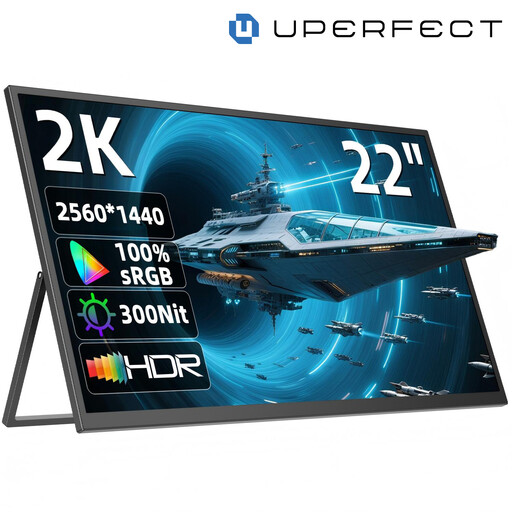
2.560 × 1.440 pixels, IPS, USB-C and Mini-HDMI, according to the product name. Check which connection is right for your computer.
No. Choose a monitor based on readability and how it connects to your computer; the documentation and software you need must be stored locally on the computer separately. According to ASUS, the ASUS ZenScreen MB16ACE requires an installed DisplayLink driver to display video via USB-A.
At your workstation, check that text and graphics are large enough and easy to read from your usual sitting distance, then adjust the screen position and scaling. ASR A6 from the Federal Institute for Occupational Safety and Health applies to workplaces and certain teleworking environments within its scope; it does not automatically cover private hobby work.
The European Commission describes the energy label for electronic displays as using an efficiency scale from A to G. Your actual electricity costs also depend on how you use the monitor and your electricity tariff.
Online consumer purchases generally come with a right to cancel; in its guidance dated 13 August 2026, the Verbraucherzentrale says this is usually 14 days from receipt of the goods. Exceptions and the specific terms of the contract should also be considered. The statutory rights you have against the seller are separate from a voluntary guarantee, as the Verbraucherzentrale explained on 28 September 2026.
ASR A6 from the Federal Institute for Occupational Safety and Health applies to screen-based work at workplaces and teleworking environments within its scope; private hobby work outside teleworking is not automatically covered. Whether a particular workstation falls within the rules depends on how it is classified in practice.