A 27-inch QHD monitor is a sensible starting point for checking whether you can read a knitting pattern and spreadsheet side by side. If desk space is limited, consider a smaller QHD model; 4K can offer additional detail views, but more resolution does not guarantee more readable window space at every scaling setting. Your catalogue software, not the monitor, provides custom fields and filters. USB-C docking is only useful if both the monitor and laptop support the features you need. Dell, Lenovo and LG list the features of their respective models, while Airtable documents configurable views as a software feature.
Which screen is right for you?
Collectors working with a catalogue spreadsheet
You transfer details from a knitting pattern into a spreadsheet and want to read both at the same time. Try your usual font size and window layout to see whether a QHD screen works for you. Airtable describes customisable table views; these features depend on the software you use.
Cataloguers with limited desk space
You need room for both a spreadsheet and a pattern, but can’t fit a large screen on your desk. A 23.8-inch QHD model such as the Dell P2425DE could be a more compact option. Before buying, check that the text and controls are easy to read at your preferred scaling setting.
Knitting pattern collectors who use a laptop
You switch between using your laptop on the go and working at your desk, and want to connect your monitor and peripherals easily. Check that the specific monitor’s ports support your laptop and the features you need. Lenovo lists USB-C, a USB hub and Ethernet for the ThinkVision T27h-30.
What should you look for when buying?
First, check that you can read the pattern and spreadsheet side by side at your preferred font size. Then consider desk space, adjustability and the connections you actually plan to use.
| What you need |
What to check before buying |
Who it matters to |
| Read a pattern and spreadsheet at the same time |
Try your usual window layout and font size with your own workflow. Dell lists the P2725D as a 27-inch monitor with a resolution of 2560 × 1440 pixels. |
When I transfer pattern details, I want to read the pattern and spreadsheet at the same time in my usual font size. Around 34% of consumers put side-by-side readability first. |
| Position the screen to suit your setup |
Check the stand’s adjustment options and how it will fit on your desk. Dell lists height adjustment for the P2725D; LG lists a stand for the 27UP850K-W that tilts, adjusts in height and swivels. |
When I work on a pattern for a long time, I want to be able to position the screen to suit how I’m sitting. Around 20% of consumers prioritise adjustability. |
| Make the most of limited desk space |
Check the screen’s footprint and readability together at your preferred scaling setting. Dell specifies the P2425DE as a 23.8-inch monitor with a resolution of 2560 × 1440 pixels. |
When desk space is limited, I want a compact screen without having to make the text uncomfortably small. Around 20% of consumers prioritise a small footprint. |
| Connect a laptop and peripherals |
Check the video output, power delivery, cables and ports you need against your laptop. Lenovo lists USB-C, a USB hub and Ethernet for the ThinkVision T27h-30. |
When I regularly use my laptop at my desk, I want to be able to connect the devices I need. Around 13% of consumers prioritise laptop connectivity. |
| View additional details |
Open sample scans or charts alongside your spreadsheet at your preferred scaling setting. LG lists a resolution of 3840 × 2160 pixels for the 27UP850K-W; this does not automatically mean more usable window space. |
When I compare additional pattern views alongside my spreadsheet and instructions, I want to check the details without compromising readability. Around 13% of consumers prioritise additional detail views. |
Common selection mistakes
-
Expecting the monitor to provide custom catalogue fields
A screen displays software content, but it doesn’t create fields or filters in your catalogue software.
First check the field types, views and filters available in the software you use, then choose a monitor to suit the resulting window layout. Airtable documents customisable views, filters and sorting.
-
Assuming 4K automatically means more readable spreadsheet space
Which windows remain readable depends not only on resolution, but also on screen size and scaling. A higher pixel count therefore doesn’t guarantee that you’ll be able to read more columns comfortably.
Compare the pattern and spreadsheet using the font size you actually want to use, and take your preferred scaling setting into account.
-
Assuming similarly named models or USB-C ports offer the same features
Features vary between monitors, even when their names are similar. Dell lists the P2425DE as a USB-C hub model; you can’t assume the P2725D has the same features.
Check the full model number, video connection, charging function and what’s included against your laptop.
If a required connection isn’t available, you may need to buy additional accessories.
Key brands at a glance
Dell
The P2725D and P2425DE are options to consider if you have different screen-size or connectivity requirements.
- Dell lists the P2725D as a 27-inch monitor with a resolution of 2560 × 1440 pixels and a height-adjustable stand.
- For the P2425DE, Dell lists a 23.8-inch screen, a resolution of 2560 × 1440 pixels and a USB-C hub.
- The P2425DE’s listed features don’t necessarily apply to the P2725D.
Lenovo
According to Lenovo, the ThinkVision T27h-30 combines 27-inch QHD with USB-C docking, making it an option for compatible laptop setups.
- Lenovo lists a USB hub and Ethernet for this model.
- Check that video, power delivery and peripherals work with your laptop and the specific combination of devices.
LG
According to LG, the 27UP850K-W is a 27-inch 4K model for buyers who want to check additional detail views.
- LG lists a resolution of 3840 × 2160 pixels, USB-C and a stand that tilts, adjusts in height and swivels.
- At every scaling setting, 4K is no guarantee of more readable window space or an advantage when creating custom catalogue fields.
Philips
According to Philips, the 27E1N1600AE/00 is a 27-inch QHD model with USB-C.
- Philips lists a resolution of 2560 × 1440 pixels and USB-C with Power Delivery.
- Check the full model name when comparing monitors. The manufacturer’s specifications don’t show that cataloguing knitting patterns will be quicker or less tiring.
Joybuy monitors for patterns and tables
The Joybuy models below include 27-inch QHD and 4K monitors that you can consider as a starting point for displaying a pattern and catalogue spreadsheet side by side. It’s up to you to check whether the windows remain readable at your preferred scaling setting with your own workflow.
 No image available
Lenovo ThinkVision T27Q-40, 27-inch QHD IPS monitor (Black)
The 27-inch QHD format is one option for displaying a pattern and spreadsheet side by side. Check readability at your usual font size.
Listed in the product name: 27 inches, QHD and IPS.
View at Joybuy
 No image available
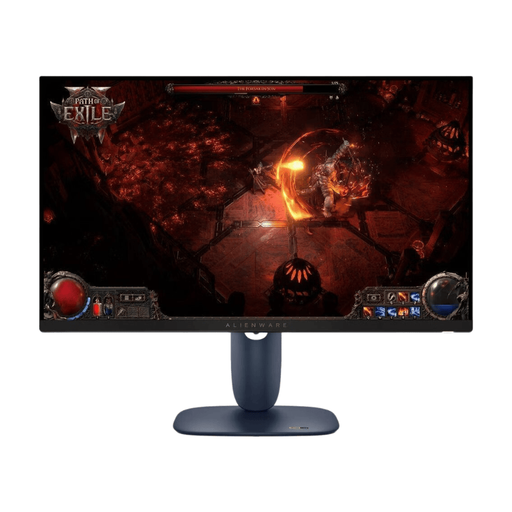
Dell Alienware AW2725DM, 27-inch WQHD IPS gaming monitor
You can consider the listed screen size and WQHD resolution for displaying a pattern and spreadsheet side by side. Actual readability depends on your window layout and scaling setting.
Listed in the product name: 27 inches, WQHD, IPS and 180 Hz.
View at Joybuy
 No image available
Gigabyte GS27QCA, 27-inch curved QHD gaming monitor
The 27-inch QHD format can be a starting point for displaying a pattern and spreadsheet side by side. Before buying, check that the curved screen suits your desk setup.
Listed in the product name: 27 inches, curved, QHD and 180 Hz.
View at Joybuy
 No image available
KTC H27D9, 27-inch QHD IPS monitor
You can try the 27-inch QHD format listed in the product name with your window layout. Check whether the pattern and spreadsheet remain readable at your preferred font size.
Listed in the product name: IPS, 120 Hz, HDMI and DisplayPort connections.
View at Joybuy
 No image available
KTC M27P6 Dual Mode White, 27-inch 4K MiniLED gaming monitor
A 4K monitor could be worth considering for additional detail views. Check whether your preferred scaling setting keeps the windows you need readable at the same time.
Listed in the product name: 4K at 160 Hz or FHD at 320 Hz, Type-C with 65 W and KVM. Check that the connection features you need are compatible with your laptop.
View at Joybuy
Frequently asked questions
Can a monitor create custom fields for knitting patterns?
No. Fields and views are part of the software you use. Airtable, for example, documents configurable table views with filters and sorting. Check whether the application you actually use supports the fields you need.
How do I set up the display for a pattern and spreadsheet?
Open both views in your usual software and adjust the window widths, columns and font size before choosing a screen size. Airtable describes features including adjustable column widths and hiding fields; these are software features, not monitor specifications.
Does USB-C on a monitor automatically support video output and charging?
No. The port alone doesn’t tell you whether the video and charging features you need will work with your laptop. Lenovo lists USB-C docking for the ThinkVision T27h-30; check that the specific features, laptop port and cable are compatible.
Is 4K always the better choice for knitting patterns and catalogue spreadsheets?
Not necessarily. Higher resolution doesn’t guarantee more readable window space at every scaling setting or an advantage when cataloguing. Open representative pattern views alongside your spreadsheet and check readability at your preferred font size.
What rights do you have when buying a monitor online for personal use in Germany?
The European Union’s consumer information states that distance sales contracts generally include a 14-day right to withdraw, subject to exceptions, as well as a minimum of two years’ statutory consumer rights for goods. Check the terms of the specific offer and distinguish your statutory rights from any additional manufacturer’s warranty.


