What to look for when buying
First, compare the screen space available for your preferred arrangement of code, counter and instructions. Then consider whether portrait orientation, adjustability or a suitable laptop connection matters for your workflow.
| Consideration |
What to check |
Who will find it most useful |
| Workspace |
Check the resolution and aspect ratio against your window layout, and take text scaling into account. |
If you want code, the counter interface and a preview visible at the same time, every bit of usable screen space counts. Around 36% of consumers prioritise a practical workspace. |
| Long documents |
Check for a pivot function and portrait orientation; landscape may be better for wider windows. |
If you want to read locally saved instructions without scrolling as often, portrait orientation may be better suited to long pages. Around 29% of consumers prioritise reading longer documents. |
| Adjustability |
Check the height adjustment, tilt and rotation of the specific stand. |
If you want to adjust the screen to suit your sitting position, its range of adjustment matters more than a particular brand name. Around 21% of consumers prioritise an adjustable workspace. |
| Laptop connection |
Compare the monitor’s USB-C video output and the charging power your laptop requires. |
If you regularly connect and disconnect your laptop, a single-cable setup needs to match its ports and power requirements. Around 14% of consumers prioritise laptop connectivity. |
Monitors at Joybuy
This selection at Joybuy includes monitors for code, documentation and adjustable workspaces, including models with a wide aspect ratio or a pivot function.
 No image available
TCL 27P2A Pro 27-inch Mini-LED monitor, QHD 2560 × 1440
An option if you want to arrange code and documentation across a 27-inch workspace.
27 inches; QHD resolution: 2560 × 1440 pixels.
Joybuy
 No image available
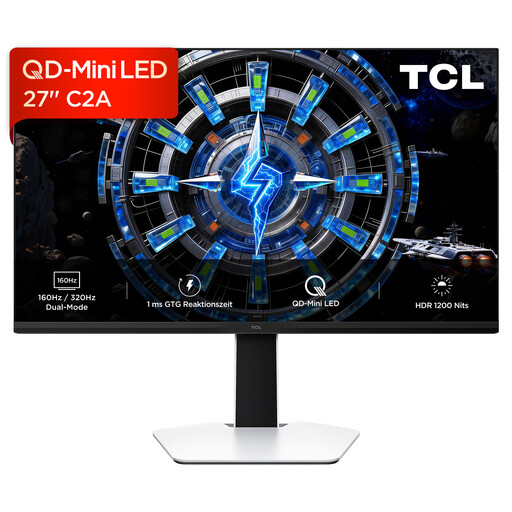
TCL 27C2A 27-inch QD-Mini-LED monitor
A 27-inch option if you want to arrange code and other work on one screen.
27 inches; QD-Mini-LED panel.
Joybuy
 No image available
TCL 27P2A 27-inch Mini-LED monitor, QHD 2560 × 1440
An option if you’re looking for a 27-inch screen to arrange code and documentation.
27 inches; QHD resolution: 2560 × 1440 pixels.
Joybuy
 No image available
INNOCN 2751S PLUS 27-inch QHD monitor
An option if you want to read longer documents or sections of code in portrait orientation too.
27 inches; QHD resolution: 2560 × 1440 pixels; 90° pivot adjustment and height adjustment according to the product description.
Joybuy
 No image available
INNOCN 40C1U 40-inch ultrawide monitor, 5120 × 2160
An option if you want to arrange several work items across a wide screen.
40 inches; 21:9 aspect ratio; 5120 × 2160 pixels; USB-C with 65 W Power Delivery; PIP and PBP.
Joybuy
Frequently asked questions
Can I open the documentation on the monitor alone, without an internet connection?
No. A standard monitor displays the signal from a connected computer; it doesn’t store your project files. Save the instructions and any files you need to your computer in advance, and check separately whether your development tools work offline. Device manuals, such as the one for the Dell P2425, may be available to download.
How should I set up my screen for long instructions?
If you often read long texts, try using a model with a pivot function in portrait orientation. Landscape may work better for wide code and preview windows. Adjust the height and tilt to suit your workspace.
Will every monitor with USB-C charge my laptop?
No. Dell Deutschland describes the P2425’s USB-C port as a data port that provides up to 15 W. For a single-cable connection, check that the specific monitor supports video over USB-C and that its charging power is suitable for your laptop. EIZO Deutschland lists a maximum of 70 W for the EV2495.
What consumer rights and energy information should I know about when buying a monitor in Germany?
When you buy online as a consumer from a business seller, you generally have a 14-day right to cancel from the date of delivery; exceptions and return postage costs should be taken into account. The European Union provides for a legal guarantee of at least two years from receipt of goods; this is separate from any additional manufacturer’s warranty. For electronic displays, the European Commission describes an energy label with efficiency classes from A to G.


