Landscape photographers who print their work
If you regularly assess merged landscape images for print, you need a consistent workflow from your monitor profile through to the profile for your printer and paper.


Choose your monitor based on your intended output. For digital images, you’ll need the right colour profile and gamut; if you regularly produce colour-critical prints, a calibrated print workflow and consistent display also matter. At a shared desk, consider connectivity, power delivery and stable display and lighting conditions too. You don’t need an HDR monitor just to merge an exposure bracket.
If you regularly assess merged landscape images for print, you need a consistent workflow from your monitor profile through to the profile for your printer and paper.
If several people or computers use the same desk, reliable display settings, suitable connections and controllable lighting conditions are important.
If you mainly edit images for screens, the colour gamut and profile should suit that output. Additional print or HDR features only matter if you actually need them.
| Priority | What to check when buying | Who it matters most to |
|---|---|---|
| Tonal range and gradations | Check the resolution and the panel and contrast specifications for the exact model. They don’t replace an assessment of actual uniformity or calibration. | If I want to assess highlights, shadows and gradations in merged landscape images, I need a reliable display. Around 33% of consumers put assessing tonal range first. |
| Colours for print | Check the Adobe RGB coverage and calibration options for the exact model. A wide colour gamut is no substitute for a monitor profile or a profile for your printer and paper. | If I prepare landscape images for printing, I want to assess colours within the right colour-managed workflow. Around 27% of consumers prioritise print preparation. |
| Shared workstation | Check the anti-glare finish, adjustability and signal connections you need. USB-C power delivery must be suitable for the computer you’re connecting. | If I share a desk or switch between computers, I want to manage settings and working conditions reliably. Around 20% of consumers prioritise switching between workstations. |
| The right features | Decide in advance whether you need an SDR screen display, print or genuine HDR output. Don’t treat colour gamut specifications such as DCI-P3 and Adobe RGB as equivalent. | If I mainly edit for digital output, I want to choose features that suit my needs rather than pay attention to extras without a clear purpose. Around 20% of consumers prioritise getting the right features. |
The percentages provide context for the priorities in this selection; they are not based on measured buyer preferences. Adobe describes both HDR files and tone-mapped output, while colour-critical printing also requires suitable colour profiles for the monitor and print.
Merging exposures and choosing how to output the finished image are separate decisions. Adobe also describes tone-mapped output at 16 or 8 bits.
First decide whether you’re editing for SDR screen viewing, print or genuine HDR playback.
A DCI-P3 figure doesn’t tell you the Adobe RGB coverage. An accurate monitor profile is also important for colour-critical work.
Compare figures for the same colour gamut and plan profiling to suit your output workflow.
Signal transmission and power delivery must suit the computers you actually use; power output can vary between models.
Check the connections you need and the charging power required for each computer before deciding.
If the connection type or power delivery isn’t suitable, you may need an additional adaptor or a separate power supply for the workstation.
The ColorEdge CS2740 is an option for a 4K workflow, with specified colour management features.
The PhotoVue SW272U is a 27-inch photo monitor with 4K resolution and a manufacturer-stated Adobe RGB coverage figure.
According to the German specification sheet, the ProArt PA279CRV combines a 27-inch screen, 4K resolution, colour gamut presets and USB-C connections.
The UltraSharp U2725QE is described as a 4K hub monitor for a workstation with demanding device connectivity needs.
The UltraFine 27UP850K-W is a 27-inch 4K IPS monitor with USB-C and an adjustable stand.
These models offer 4K resolution. Depending on the variant, they may also include features such as Adobe RGB coverage figures, HDR support, adjustable stands or connections for multiple devices. Check that each model’s features suit your output and the computers you use.
 No image available
An option if you’re looking for 4K resolution and HDR support in a height-adjustable monitor. Check that the listed connections suit your devices.
27 inches; 4K UHD; Mini-LED; Rapid IPS; 160 Hz at 4K and 320 Hz at FHD; 100% Adobe RGB and VESA DisplayHDR 1000 according to the product specifications; HDMI 2.1, DisplayPort and USB-C.
 No image available
An option for a shared desk if you need an adjustable stand and 4K resolution.
27 inches; 4K UHD; IPS; 10-bit colour depth; matte finish; picture modes including sRGB and User; height adjustment, swivel, tilt and pivot; HDMI and DisplayPort.
 No image available
An option for print preparation if you want to check the stated Adobe RGB coverage and connectivity options against your workstation needs.
27 inches; 4K UHD (3840 × 2160); IPS; 120 Hz; 99% Adobe RGB and Delta E < 1 according to the product specifications; USB-C with 90 W Power Delivery; PIP/PBP; HDMI and DisplayPort.
 No image available
An option for a shared desk if you want to connect two devices and use an integrated KVM switch.
27 inches; 4K UHD (3840 × 2160); Mini-LED; Fast IPS; 160 Hz at 4K and 320 Hz at FHD; DisplayHDR 1400; USB-C with 65 W; KVM switch; height-adjustable, swivel and tilt stand.
 No image available
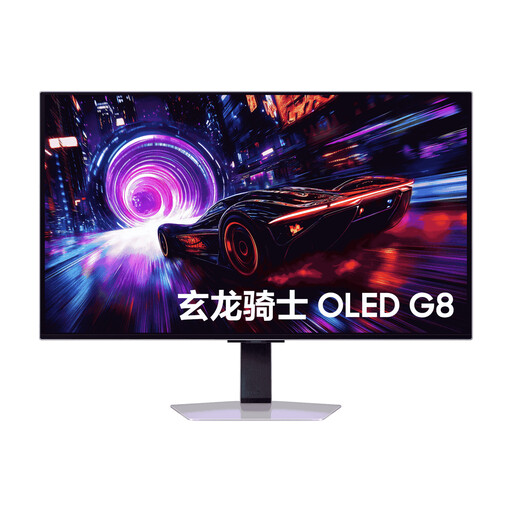
An option if you’re considering a 32-inch 4K screen with QD-OLED technology. If you’re using it at a shared workstation, check the guidance on displaying static content.
32 inches; 4K; QD-OLED; 99% DCI-P3 according to the product specifications; Glare-Free anti-reflective technology; HDMI, DisplayPort and USB. The product specifications advise against displaying static images for long periods.
No, not just for that part of the process. Adobe describes both a 32-bit HDR file and tone-mapped output at 16 or 8 bits. An HDR monitor is relevant if you’re specifically editing for playback on HDR-capable devices.
Check which monitor profile is in use and keep lighting and display settings as consistent as possible for colour-critical work. Adobe notes that changes to brightness, contrast or colour settings after calibration may mean you need to calibrate again.
No. For a Photoshop-managed print workflow, Adobe specifies not only a calibrated monitor with an accurate profile, but also an ICC profile for the specific combination of printer, ink and paper.
According to the Verbraucherzentrale, consumers generally have a right to cancel a distance-selling purchase, usually within 14 days of receiving the goods; exceptions and the specific contract must be taken into account. If a product is faulty, the seller’s statutory liability for defects is separate from any voluntary manufacturer’s guarantee. For sales contracts from 31 July 2026, the Verbraucherzentrale also describes a one-off 12-month extension to the statutory limitation period if you choose a repair when a defect arises.
No. Germany’s ASR A6 sets out its scope for workplaces and teleworking workplaces, and expressly excludes private use outside teleworking workplaces. Whether a shared desk counts as such a workplace must be assessed on a case-by-case basis.