Writers of long manuals
If you mainly work on drafts with several levels of headings, easily readable text and enough vertical space matter more than extra features.


If you mainly work on one long document, a 16:10 monitor is worth considering. If you often compare sources, QHD or 4K may be suitable, provided you can read the text comfortably with your chosen window layout and scaling. USB-C, charging power and adjustability matter most when they suit your laptop and workspace. More pixels alone won’t guarantee comfortably readable text.
If you mainly work on drafts with several levels of headings, easily readable text and enough vertical space matter more than extra features.
If you often compare a draft, catalogue details and notes in separate windows while writing, consider screen space and text scaling together.
If you connect a laptop at different workstations or frequently adjust your screen, suitable ports, charging power and mounting options all matter.
A good fit if: you usually work on one long document and its structure, and have limited desk width. Dell lists the P2425E as a 24-inch 16:10 model.
Trade-off: Extra height doesn’t provide room for two wide windows. Also check the text size and whether the specific model is available.
A good fit if: you want to view manual text and references side by side. Dell lists a resolution of 2560 × 1440 pixels for the 23.8-inch P2425DE.
Trade-off: More pixels alone don’t guarantee easily readable text. Consider how you’d arrange your windows and set the scaling.
A good fit if: you also check page layouts or scans, and have enough room on your desk. The LG 27UP850K-W and ASUS PA279CRV are documented 27-inch 4K models.
Trade-off: Picture and colour features aren’t automatically useful for writing alone. Also consider text scaling and the dimensions with the stand attached.
A good fit if: you usually work with one document in the foreground and connecting your laptop matters more than having as many windows visible at once as possible. EIZO lists the EV2490 as a 23.8-inch Full HD monitor with USB-C and DisplayPort Alt Mode.
Trade-off: Full HD has fewer pixels for viewing documents side by side than the QHD or 4K models mentioned here. EIZO specifies a maximum charging power of 70 W for the EV2490.
| Priority | What to check when buying | Who is it important to? |
|---|---|---|
| Readable text and document structure | Check the aspect ratio, native resolution and text scaling in the writing software you use. | When I’m working on long sections with lots of headings, I want to see enough of the document without making the text uncomfortably small. Around 36% of consumers place particular importance on readable text and visible heading levels. |
| Sources alongside the draft | Check the window layout and screen size with your preferred text scaling. | When I’m comparing a draft, catalogue details and edits side by side, I want the windows to remain readable at my preferred text size. Around 29% of consumers give top priority to having source windows open alongside their work. |
| Desk setup | Check the height adjustment, tilt and stand dimensions against the space available. | When I spend a long time working at a screen, I want to be able to position the monitor to suit my sitting position, desk space and lighting. Around 21% of consumers prioritise setup and ergonomics. |
| Laptop connectivity | Check your laptop’s video output, cable and required charging power against the exact monitor model. | When I connect my laptop at different workstations, I need a connection that suits its display output and power requirements. Around 14% of consumers put laptop connectivity first. |
A USB-C port doesn’t automatically transmit video or provide enough power to charge a laptop. For example, Dell lists the P2425’s USB-C downstream port as a data port with up to 15 W.
Check the full model number and the manufacturer’s specifications for video and charging features, then make sure they’re compatible with your laptop.
QHD and 4K provide more pixels than Full HD, but text legibility also depends on screen size and your chosen text scaling.
Before buying, consider the text size and window layout you’ll actually use.
CHIP names the ASUS PA279CRV as the winner of its own office monitor selection. That award doesn’t tell you whether its extra picture and colour features are necessary for writing a manual.
First decide how much vertical space for text you need, how many windows you use and which ports you require. Consider extra picture features only if you need them for other tasks.
The documented Pro Plus models offer different options for working with text: 16:10 on the P2425E, and QHD with a USB-C hub on the P2425DE.
The FlexScan EV2490 is a compact office and docking option for keeping one document in the foreground or moving between laptop workstations.
The UltraFine 27UP850K-W is a 27-inch 4K model for writing, with the option to check layout details or scans as well.
The ProArt PA279CRV is a 27-inch 4K option with pivot and USB-C if you work with images or layouts as well as text.
The RD320UA is a large-format, programming-focused alternative for workspaces where you want particularly generous screen space for text.
The Joybuy models below include 27-inch 4K and QHD options for long texts and reference windows open side by side. Check text scaling and desk space; if you use a laptop, make sure the ports are compatible.
 No image available
This 27-inch 4K model is worth considering if you work with long documents and want to arrange windows to suit your needs. Check that the text remains readable at your chosen scaling.
Specifications include 3840 × 2160 pixels, USB-C with 90 W Power Delivery and a height-adjustable stand. PIP and PBP are also listed.
 No image available
If you want to arrange a draft and sources side by side, this 27-inch QHD model is one option. Check how readable the text is at your preferred scaling.
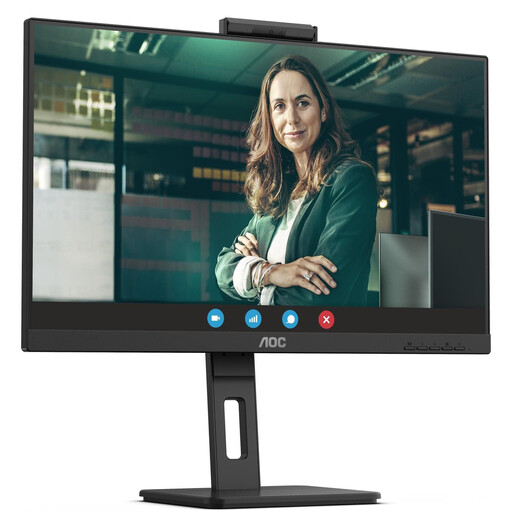
Specifications include 2560 × 1440 pixels, USB-C with 90 W Power Delivery, height adjustment and pivot. The description also mentions an integrated webcam.
 No image available
This 27-inch QHD model is an option for working on longer documents with several windows open. Adjust the text scaling to suit your preferred text size.
Specifications include 2560 × 1440 pixels, USB-C with up to 65 W Power Delivery and a USB hub. Height adjustment, tilt, swivel and pivot are also listed.
 No image available
If you compare drafts with reference windows and connect a laptop, this QHD docking model could be one to consider.
Specifications include 2560 × 1440 pixels, USB-C with 98 W Power Delivery, a USB hub, KVM and daisy-chain support. Height adjustment, tilt, swivel and pivot are also described.
 No image available
This 27-inch QHD model is an option for comparing a manual draft with sources. Check that the text size and window layout suit your needs.
Specifications include 2560 × 1440 pixels, USB-C with up to 90 W Power Delivery and a USB hub. Height adjustment and pivot are also listed.
If you mainly work through a long text from top to bottom, first check whether a 16:10 screen gives you more vertical document space for your workflow. If you want to keep drafts and sources side by side, QHD and the readability of both windows at your chosen text scaling are also important. Aspect ratio and pixel count answer different questions.
No. A USB-C port alone doesn’t tell you whether it can transmit video or provide enough charging power for your laptop. Check your computer’s video output, the cable and the charging power you need. EIZO specifies DisplayPort Alt Mode and up to 70 W for the EV2490. By contrast, Dell lists the P2425’s USB-C downstream port for data and up to 15 W.
Adjust the screen height and tilt, your seating position and the lighting so the text is easy to read and distracting reflections are kept to a minimum. For employees’ workstations, ASR A6 applies within its stated scope; this doesn’t mean employers have a general obligation for private desks outside such home-working arrangements. Follow the instructions for your specific model when cleaning it.
Compare the specifications for each model and the EU energy label rather than estimating power consumption from screen size alone. The European Commission includes computer monitors within the scope of energy labelling for electronic displays.