Map-making with lots of editor windows
If you want to see your map, preview and tools at the same time, check whether a 27-inch screen will fit on your desk. MSI and Samsung list a resolution of 2560 × 1440 pixels for their relevant models.


If your shared desk has enough room for a screen and stand, a 27-inch QHD monitor can give you more pixels for your map and editor tools. If space is tight, a compact 23.8-inch Full HD monitor is a sensible alternative. AOC and ASUS list 23.8-inch Full HD models, while MSI and Samsung specify a resolution of 2560 × 1440 pixels for their 27-inch models. Before you buy, measure the space available and check for glare and connectivity. For its G2725D, Dell specifies QHD at 180 Hz via DisplayPort and 144 Hz via HDMI. If high-contrast editor elements will stay on screen for long periods, also bear in mind ASUS’s warning about the risk of burn-in on OLED displays.
If you want to see your map, preview and tools at the same time, check whether a 27-inch screen will fit on your desk. MSI and Samsung list a resolution of 2560 × 1440 pixels for their relevant models.
If you’re sharing a small space, measure the area available, including room for the stand, and check how adjustable the specific monitor is. AOC and ASUS list their 24G4X and VG249QL3A models at 23.8 inches, respectively; ASUS also specifies a height-adjustable stand.
If other people share the room or the lighting changes, check the screen finish and whether you can position the monitor to suit. MSI lists the MAG 274QFDE as having an anti-glare surface; adjustability varies by model.
A good fit if: you have limited desk space and are happy with the editor layout at 1920 × 1080.
The trade-off: Compared with 2560 × 1440, fewer pixels are available for displaying editor areas at the same time.
A good fit if: the screen and stand will fit on your shared desk and you want more pixels for your map, preview and panels.
The trade-off: Make sure you have enough desk space and that the scaling keeps everything easy to read.
A good fit if: a high refresh rate and the display technology of the specific OLED model are your priorities.
The trade-off: According to ASUS, high-contrast editor elements left on screen for long periods can pose a burn-in risk on OLED displays.
| Buying priority | What to check | Who is it important for? |
|---|---|---|
| Room for your map and tools | Compare the editor layout at 1920 × 1080 and 2560 × 1440, as well as the scaling that’s easiest for you to read. | If I want to see my map, preview and tools side by side, I compare how they fit in the editor. Around 36% of consumers put space for editor areas first. |
| Desk space at a shared table | Measure the width and depth of the available space and compare them with the dimensions of the monitor and stand. | At a shared desk, the monitor and stand need to fit in the space available, so I measure it beforehand. Around 29% of consumers prioritise limited desk space. |
| Readability in changing light | Check the screen finish and how you can position the monitor in the space where you’ll use it. | If the lighting and seating position change in the room, I want to be able to position the screen accordingly. Around 21% of consumers prioritise screen positioning and readability in changing light. |
| Smooth gameplay testing | Compare the refresh rate and resolution using the specific connection shared by your computer and monitor. | If I also want to test maps in fast-paced game scenes, I check the refresh rate available through my connection. Around 14% of consumers put smooth gameplay testing first. |
For the Dell G2725D, Dell Germany specifies up to 180 Hz at QHD via DisplayPort and 144 Hz via HDMI. The figure for the connection you’ll use is therefore important.
Check the specifications for the exact monitor connection you plan to use and your computer’s output.
If your preferred combination isn’t supported, you may need to use a different connection or a compatible cable.
PRAD ranked the MSI MPG 271QRDE QD-OLED X50 first in its list of 27-inch gaming monitors, citing its 500 Hz refresh rate. That ranking doesn’t specifically assess how well it works with editor interfaces that stay on screen for long periods. ASUS warns that static, high-contrast images may pose a burn-in risk on OLED displays.
Consider how long static editor elements will remain on screen, and check the protection features and warranty terms for the specific OLED model. Don’t assume that a gaming ranking automatically makes it right for map-making.
The screen diagonal alone won’t tell you whether the stand, keyboard and seating position will all work on a shared desk.
Measure the available space and compare it with the dimensions of the specific monitor, including its stand.
The 24G4X is an example of a compact IPS model.
According to ASUS, the TUF Gaming VG249QL3A combines a compact Full HD format with a height-adjustable stand.
The MAG 274QFDE is a 27-inch QHD IPS example, while the MPG 271QRDE QD-OLED X50 offers a different model route, geared more towards high gaming frame rates.
The Odyssey G50F S27FG502EU is another 27-inch QHD IPS model to compare for setup and connectivity.
The G2725D shows why the connection you use matters when comparing a QHD gaming monitor.
This selection features 27-inch QHD monitors for map editors and occasional gaming. Before you buy, compare the space they need with the connections supported by your computer.
 No image available
QHD is worth considering if you want to work with several editor areas at once.
27 inches, 144 Hz, Fast IPS, height-adjustable stand, and DP and HDMI connections, according to the product name.
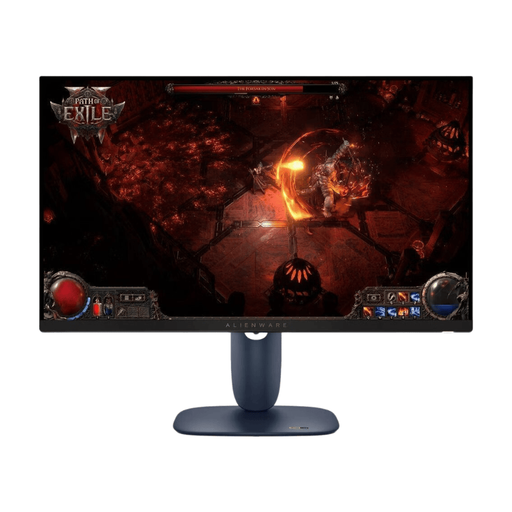 No image available
This 27-inch IPS model is an option for a QHD editor layout, provided the screen and stand fit the space available.
WQHD, IPS and 180 Hz, according to the product name.
 No image available
QHD gives you a larger workspace for your map and tools, as long as the monitor fits on your shared desk.
2560 × 1440, 200 Hz and an IPS panel, according to the product name.
 No image available
If you want to combine QHD map-making with gaming, compare the space it needs and its connections with your setup.
QHD, IPS, 275 Hz, AG surface and height-adjustable stand, according to the product name.
 No image available
For map-making and occasional gaming, you can assess this QHD model based on the refresh rate and connections you need.
2560 × 1440, 120 Hz, IPS and Adaptive Sync, according to the product name.
No. There’s no evidence that a 180 Hz refresh rate is a requirement for using the editor. If you also test maps in fast-paced game scenes, check the refresh rate alongside your computer’s output and the monitor’s input. For the G2725D, Dell specifies QHD at 180 Hz via DisplayPort and 144 Hz via HDMI.
First, measure the available desk space and viewing distance, then check whether you can position the screen to suit your seat and the light sources in the room. Germany’s ASR A6, published by the Federal Institute for Occupational Safety and Health, offers guidance for workplace screen setups. However, its scope doesn’t make it a blanket recommendation for private use in a bedroom.
ASUS warns that static, high-contrast images displayed for long periods can burn in on OLED screens. Check the protection features and warranty terms for the specific model; ASUS’s guidance shouldn’t automatically be applied to other manufacturers.
According to the consumer advice centre, online consumer purchases generally come with a 14-day right to cancel. Your statutory rights against the seller for faulty goods are separate from any voluntary manufacturer’s warranty; EU consumer information states that goods have at least two years of statutory protection.