What to look for when buying
First, check that your music and layout are easy to read at your preferred scaling, and that the monitor fits on your desk. Then check that its connections and stand suit your workflow.
| Buying consideration |
What to check |
Who is this important to? |
| Readability of music and layouts |
Check a typical worksheet at your preferred scaling and compare the views you’d like to have open at the same time. |
If I want to read music, labels and layout details at the same time, the display needs to work at my chosen scaling. Around 29% of consumers are likely to prioritise readability and layout above all else. |
| Desk space in a student room |
Measure the available desk width and depth, including the stand, and compare these measurements with the specific model. |
If desk space is limited, I want to fit the screen and stand without unnecessarily restricting my work area. Around 23% of consumers are likely to put available desk space first. |
| Laptop connection |
Check your laptop’s video output and charging requirements against the capabilities of the specific monitor connection and the cable you need. |
If I want to connect my laptop to the monitor, I need to know whether the connection carries a video signal and provides enough power to charge it. Around 18% of consumers are likely to consider a suitable laptop connection their top priority. |
| Screen positioning |
Check that the adjustment options on the supplied stand suit your seating position and preferred screen position. |
If I want to see music and small labels clearly at my desk, I need to be able to position the screen appropriately. Around 18% of consumers are likely to prioritise flexible positioning. |
| Required features and energy use |
Decide in advance which extra features you’ll use, and compare the energy labels for the specific devices. |
If I only want to pay for features I need and compare energy use, the specifications should suit how I’ll actually use the monitor. Around 12% of consumers are likely to consider overall running costs their top priority. |
Joybuy product selection
This selection mainly features 27-inch monitors with QHD or 4K resolution, along with a compact 23.8-inch Full HD option for smaller desks.
 No image available
Philips 276B1, 27-inch QHD monitor
A 27-inch QHD option if you’re planning a larger workspace for your score and tool panels.
27 inches; QHD; IPS; 75 Hz; 350 cd/m²; speakers.
View at Joybuy
 No image available
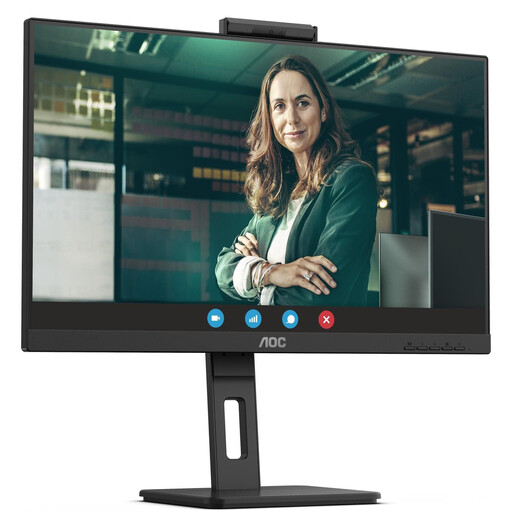
AOC Pro-Line Q27P3CW, 27-inch QHD monitor
A 27-inch QHD option if you want to keep your score and other work areas in view at the same time.
27 inches; QHD; IPS; 75 Hz; 350 cd/m²; speakers.
View at Joybuy
 No image available
Dell Pro 27 E2726DS, 27-inch WQHD monitor
A larger WQHD option if you want to work on layout details across a wider workspace.
27 inches; WQHD; IPS; 8 ms; HDMI and DisplayPort.
View at Joybuy
 No image available
INNOCN CB27U1, 27-inch 4K UHD monitor
A 27-inch 4K option if you want to fit plenty of musical detail and tools into one view.
3840 × 2160; IPS; 120 Hz; HDR500; FreeSync; PIP/PBP; USB-C with 90 W PD; HDMI and DisplayPort; height-adjustable stand.
View at Joybuy
 No image available
MSI PRO MP245PG, 23.8-inch Full HD monitor
A compact Full HD option if desk space is limited and you mainly work in a single view.
23.8 inches; Full HD; IPS; 100 Hz; 1 ms MPRT; height-adjustable stand; Adaptive Sync.
View at Joybuy
Frequently asked questions
Do I need to buy a 27-inch monitor for music worksheets?
No. What matters is how you arrange your windows, how easy the screen is to read at your chosen scaling, and how much desk space you have. Documented examples range from a 24-inch model with 1920 × 1200 pixels to a 27-inch QHD model with 2560 × 1440 pixels, so there’s no universally required minimum size.
How should I position the screen for editing and checking my work?
Choose a zoom level that’s easy for you to read and position the screen to suit where you sit. In your music notation software, check both the score and any open properties panels, then review the exported or printed version before using it. Under its scope of application, ASR A6 from the Federal Institute for Occupational Safety and Health does not apply to display screen equipment in private settings outside workplaces, so it is not a mandatory equipment standard in those settings.
Will every USB-C monitor charge my laptop?
No, features vary by model. Dell lists up to 90 W Power Delivery for the P2425HE, while LG lists 15 W for the 27U631A-B; the USB-C downstream port on the Dell P2425 is described as a data connection. Check the capabilities of the specific monitor port against your laptop’s video output and charging requirements.
What are my rights when buying a monitor online in Germany?
According to the Verbraucherzentrale, online consumer contracts generally come with a 14-day right to cancel, starting from the day you receive the goods; the Verbraucherzentrale information on this is dated 13 August 2026. Your statutory rights against the seller are separate from any voluntary guarantee.
What energy labelling and disposal rules should I be aware of?
The German Environment Agency states that monitors carry the EU energy label, with ratings from A to G, which has applied since 1 March 2021. Don’t put an old monitor in your household rubbish; check where you can take it for separate disposal in your area.


