Which buying criteria matter?
Start by deciding whether you mainly want to check layouts or also assess print colours. Then compare the specific model’s footprint, connections and suitability for your workspace.
| What you need |
What to check before buying |
Who is this important to? |
| Double-page spreads and details |
Compare screen size and native resolution; check the double-page view and scaling in your own software. ASUS lists the PA279CRV as 27 inches with 3840 × 2160 pixels; BenQ lists the SW242Q as 24.1 inches with 2560 × 1600 pixels. |
I want to see the whole spread and read small captions in my software. Around 25% of consumers mainly want to check layouts and details. |
| Assessing print colours |
Check whether the photobook provider offers an ICC profile for the specific product and paper finish, and whether your workflow supports soft proofing and calibration. |
If I want to judge colours for a particular photobook, I need more than an impressive-looking display. Around 25% of consumers mainly want to assess print colours. |
| Quiet, low-glare working |
Check the noise levels and fan configuration of the exact model; consider light sources and reflections where you plan to set it up. An anti-glare finish doesn’t prove that a monitor operates quietly. |
I want to look at images in a quiet room without being distracted by operating noise or troublesome reflections. Around 20% of consumers prioritise quiet operation and low-glare viewing. |
| Desk space |
Compare the width and depth, including the stand, with the space available. ASUS lists the PA279CRV as 61.22 cm wide and 21.50 cm deep with the stand; BenQ lists the SW242Q as 53.32 cm and 26.26 cm. |
If my desk space is limited, the monitor needs to fit along with its stand and cables. Around 15% of consumers say the monitor’s footprint is their main concern. |
| Laptop connection |
Check that your laptop’s USB-C port supports video output, and make sure the cable and power delivery meet your needs. BenQ lists 90 W and ASUS 96 W USB-C Power Delivery for the respective models. |
I want to connect my laptop with as few cables as possible, so I need to check video output and power delivery together. Around 15% of consumers mainly prioritise connecting a laptop. |
Monitors for layout previews
The following Joybuy products are relevant for layout and detail views based on their stated screen sizes and resolutions; some models also list USB-C specifications. Check colour-management workflow, footprint and noise levels for your own workspace.
 No image available
INNOCN 40C1U, 40-inch 5K ultrawide monitor
The large display may be useful for previewing double-page spreads and details, provided it fits on your desk.
40 inches, IPS, 5120 × 2160 pixels and a 21:9 aspect ratio; matte finish, 87% Adobe RGB and USB-C with 65 W Power Delivery, according to the product specifications. With the stand, it measures 944.1 × 573.5 × 241.1 mm.
View at Joybuy
 No image available
INNOCN CB27U1, 27-inch 4K UHD monitor
The stated screen size and resolution are suited to high-resolution layout views, provided the scaling works with your software.
27 inches, IPS and 3840 × 2160 pixels; according to the product specifications, 99% Adobe RGB, Delta E < 1 and USB-C with 90 W Power Delivery. The stand is height-adjustable by 150 mm.
View at Joybuy
 No image available
MSI PRO MP275QPDGDE, 27-inch WQHD docking monitor
The 27-inch screen is an option for layout views if WQHD meets your requirements for fine detail.
IPS and 2560 × 1440 pixels; according to the product specifications, USB-C docking with 98 W Power Delivery, an integrated docking station, KVM and webcam. The stand offers 130 mm of height adjustment, as well as tilt, swivel and pivot.
View at Joybuy
 No image available
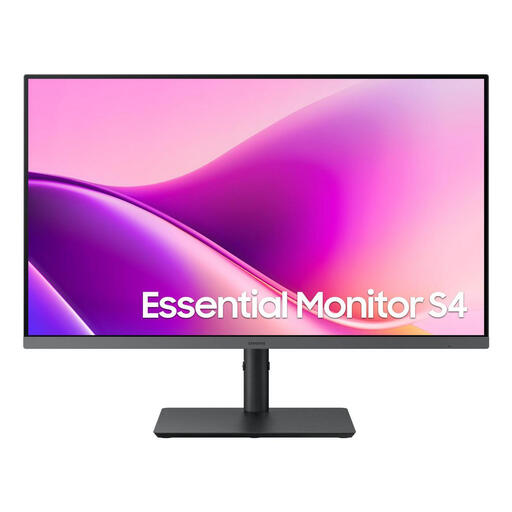
Samsung Essential Monitor S4 S43UF, 27-inch FHD IPS
This model has a 27-inch IPS display for layouts where Full HD is enough for the level of detail you need to check.
1920 × 1080 pixels, 100 Hz and USB-C according to the product name. The stand is height-adjustable, tiltable and swivel-enabled. At 27 inches, this resolution offers fewer pixels for fine details than WQHD and 4K options.
View at Joybuy
 No image available
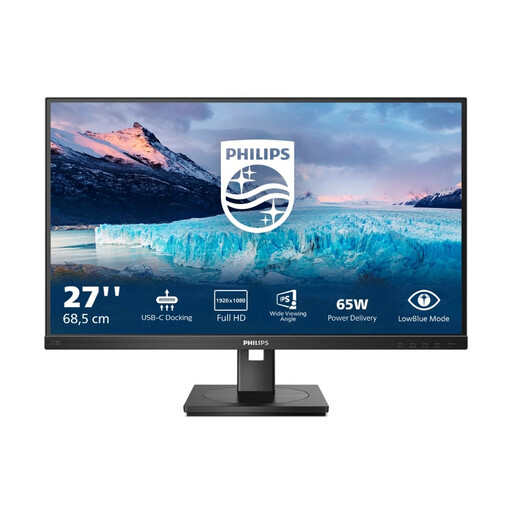
Philips 273S1, 27-inch Full HD IPS docking monitor
The 27-inch IPS display may suit layout views if Full HD meets your requirements for detail.
1920 × 1080 pixels; according to the product specifications, USB-C docking with up to 65 W Power Delivery, Gigabit Ethernet and a USB hub. The stand offers 130 mm of height adjustment and a 90° pivot function. At 27 inches, this resolution offers fewer pixels for fine details than WQHD and 4K options.
View at Joybuy
Frequently asked questions
Can I rely on my monitor to show how the photobook colours will look in print?
Only approximately, and with a suitable colour-managed workflow. Saal Digital recommends a well-adjusted, calibrated monitor, supported soft-proofing software and the ICC profile for the specific product. Profiles don’t automatically apply to other photobook providers; according to Saal Digital, the finished product won’t have the same brightness and brilliance as a monitor.
How can I check whether my photos are high enough resolution for the planned page size?
Check your source files and any warnings from your photobook software for the intended image size. CEWE explains that its quality indicator assesses print resolution, not every aspect of image quality; a higher monitor resolution won’t fix an image file that’s too small.
How do I set up a soft proof?
If you use Saal Digital with a supported application, download the ICC profile for your chosen product, install it in your operating system and select it in the soft-proof settings. Follow the provider’s instructions: Saal Digital distinguishes between the profile used for previews and the RGB image files you need to supply.
What rights do I have when buying a monitor online from a trader?
For consumers, the Council of the European Union explains that ordinary distance purchases generally come with a 14-day right to cancel, subject to exceptions, as well as statutory rights if goods are faulty. Check the terms of the specific offer; a voluntary manufacturer’s warranty is not the same as your statutory rights.
Can I put an old monitor in my household bin?
No. Electrical and electronic waste must be collected separately. Germany’s Federal Environment Ministry lists local collection points and return options through authorised organisations. Whether a particular retailer is required to take back your monitor depends on the legal requirements and the specific return route.


